Now that we’re putting miles on the trailer, an obvious question arises: Precisely how many miles? Even on my bikes I use an odometer to track miles for maintenance intervals, more important really than a speedometer. I can track mileage on the tow vehicle’s odometer but it’s often incrementing while detached from the trailer, kind of the point of a trailer vs a motorhome. I need an easy way to measure mileage on just the trailer.
Safari Condo Alto F1743
I found plenty of hub odometers like this one for trailers. But they make my trailer look like a piece of rental equipment. And the mechanical complexity seems awfully high when all I need is something that can count wheel rotations. My bike computers do this just fine, I wondered if I could adapt one for the trailer.
Mechanical hub odometer
Bike computers use various methods for measuring distance: GPS, counting wheel rotations with a magnet, and counting wheel rotations with an electronic gyroscope/accelerometer (IMU). GPS works OK but there are times when coverage can be lost (tunnels, heavy tree cover) and it’s a pretty heavy hammer for a problem that can be solved by just counting wheel rotations. Counting rotations with a magnet works well enough on a bike but magnet alignment is critical, mechanical complexity I didn’t want to deal with on the trailer. Plenty of bicycle hub sensors use an IMU but they must be paired with a head unit (display). Sensors like these require a battery, annoying enough, and the head unit would require yet another battery and some place to mount it, just to read a single odometer value. In many cases the head unit is a phone which wouldn’t work because the phone likely won’t be in communication range while the sensor is adding up and communicating miles. However the Garmin Speed Sensor 2 is a uniquely stand-alone sensor that measures distance by counting wheel rotations with an IMU, storing the resulting odometer value in its own non-volatile memory. It does this even without being paired with a head unit. And I just happened to have one gathering dust on a trike we use as an indoor trainer during winter.
Garmin Speed Sensor 2
The Garmin device sits in an elastic holder that stretches around a bicycle hub, allowing it to rotate around the axis of the hub. The dust cap on our Safari Condo Alto F1743 is essentially a bigger hub with the advantage that I can easily get to it from one side, outside the trailer. The Garmin holder isn’t designed for such a large circumference so I extended it by cutting up an old bicycle inner tube. I mounted it on the dust cap just like I would on a bicycle hub, then added a zip tie around it for good measure. The sensor communicates via Bluetooth with my phone where I use the Garmin Connect app to read the current odometer setting. Since the sensor stores the value internally in non-volatile memory, it is remembered through battery swaps. And since my trailer already had miles on it before this project, I entered an initial estimated odometer value using the app.
Garmin Speed Sensor 2, installed
The sensor does more than measure distance: it also stores speed and distance information for each “trip” and sends the latest to the app whenever it connects. Eventually it will fill up its trip memory and begin overwriting trips if it doesn’t see a phone connection in time. But the odometer setting is accurate no matter the interval between connections. I don’t care about the trips and ignore them.
Setting this all up is pretty simple:
Install the Garmin Connect app on an Apple or Android phone
Pair the sensor’s Bluetooth with the phone
In Garmin Connect, add the sensor, set the wheel circumference (2030 mm for my 13″ wheels), and set the initial odometer value
Install the sensor on the wheel’s dust cover as described above
This solution has a lot going for it:
Inexpensive ($40 for the Garmin Speed 2 sensor, which I already owned)
Mechanically simple
Easy to install and remove
Weighs almost nothing
Probably not as accurate as a mechanical trailer hub odometer but plenty good enough
No additional display, just a phone app
And one glaring con:
Requires a CR032 battery. I should easily get a year of life out of a battery. Probably quite a bit longer but it’s easy enough to replace so will probably do that at the beginning of each season, just as I do with some of the other batteries used in the trailer.
And, it turns out, one complete showstopper:
While the Speed 2 sensor does maintain distance locally, it only does it on a per-trip basis. It doesn’t maintain a single running odometer value. To get this one would have to add up the distances for all of the trips stored on the device. Easy enough, except the device memory is limited and once full, memory is freed up by deleting the oldest trip(s). Whoops. It’s as if Garmin didn’t intend their Speed 2 sensor to be used as a DIY RV odometer. Go figure.
So back to the drawing board. It is possible to create my own DIY sensing device like the Speed 2, but with my own firmware that would maintain a running odometer value. I went down this rabbit hole long enough to realize I didn’t have the time or energy to tackle such a project right now. Even retirement has its practical limits.
One last attempt
Not to worry, I had yet another bike speed sensor gathering dust in my garage, this time a Wahoo RPM Speed. Unlike the Garmin it doesn’t store anything locally, so requires a head unit (bike computer) to be connected at all times. Unfortunately all of the derelict bike computers in my garage used magnetic sensors– I needed one compatible with Ant / Bluetooth LE. At this point committed to the project beyond all reason, I decided to purchase one. After an exhaustive online search I realized that simple, inexpensive non-GPS bike computers that communicate with wireless sensors and had long battery life were rapidly being replaced by GPS bike computers. In fact I may have found the only remaining possibility gathering dust at a local bike shop: the Bontrager RIDEtime Elite. And it had already been discontinued. So I snatched it up for about $50, entering the cost overrun phase of the project.
I programmed the computer for my trailer’s wheel size and preferences and began experimenting. After some frustration I finally realized that this would only work if Auto Clear was set to something other than the default OFF. I chose 12 hours and proved that it would actually maintain a running odometer setting for the typical usage pattern of a travel trailer. At least on the bench.
Next I had to figure out how to mount all of it. The Wahoo sensor had to be mounted on the hub and the computer needed to be within Bluetooth range. Initially I mounted the sensor behind the removable hub cap and the computer just inside the trailer door. There were two problems:
The sensor’s axis of rotation was wrong so it didn’t count, and
The BT signal didn’t make it adequately outside the faraday cage that surrounded it.
So I mounted the sensor outside the hub, like I did with the Garmin sensor, and it worked! After about a month the inner tube failed and I found the sensor lying next to the trailer in the back yard. So I tried again with another piece of inner tube and reinforced it with a zip-tie. I need to come up with something better but this will do for now.
I now have several trips under my belt and have verified that it is maintaining an accurate odometer setting. Both sensor and computer have batteries unfortunately but they are spec’d to last a year and I bet I’ll get quite a bit longer out of them since the trailer is idle so much of the time. To be safe I could just replace the batteries at the beginning of each camping season. But for now at least I’ll just keep an eye on battery state to see how far I can get.
Reality Check
So this meandering project is a success, and validates my hoarder instincts. But I may be the last to pull this off because the required components may not be available much longer. The only usable computer I could find has been discontinued. And the Wahoo RPM Speed sensor I used is also discontinued. Wahoo replaced it with a newer, similar design but it may or may not work the same. Still, perhaps another DIY hoarder like me already has the parts gathering dust somewhere in the recesses of their home.
Wrong axis of rotation for sensorThe right size for holding sensor to hubSensor mounted to hub with inner tube and zip tieComputer mounted inside front door
The stock dining table on my 2023 Safari Condo (SC) Alto F1743 was coming unmoored from the base. I tightened the screws a couple of times but they just loosened back up and a couple were stripped. I also discovered the pedestal flange was cracked at one of the screws.
I did a quick search for this pedestal flange at Camping World hoping to find something local but didn’t. There were many possibilities on Amazon and this one seemed like a direct replacement. It does look identical– thin aluminum with chrome plating. And just as likely to crack, so good that it came with two pieces so I have a spare. But the hole pattern is slightly different as shown below. It isn’t that SC just drilled the holes slightly wrong– when the old and new parts are placed back-to-back the difference is obvious.
Slightly different hole pattern
I wasn’t sure what the material of this base board was until I began drilling into it. Some theories were an outer veneer around particle board or high density foam. But I think it’s actually plywood with a veneer. I’m not a fan of using wood screws to fasten the pedestal flange to any of these materials given how much force it sees when sliding that table back and forth or bouncing down the highway. My original thought was to use through-bolts but that would require counter-sinking on the bottom to recess the bolt head so the base board will still slide along the floor.
A helpful Altoiste recommended using T nuts. Brilliant. I wasn’t sure if they would recess enough to allow the base board to still slide but gave it a try. They work beautifully. The aluminum bracket on which the base slides is slightly thicker than the exposed edge of the T nut, so it still slides.
T nuts protruding on the bottom
I used M5 T nuts and M5-0.8 16mm stainless steel flat head socket cap machine screws. The holes in the pedestal flange have a counter-sink taper. I think the taper in the screw head better matches the pedestal flange than the round-head screws with no taper that SC used and may be less likely to crack it. A 16mm screw length uses all of the threads of the T nut without protruding past the edge. To install the T nuts I used a long M5 bolt through a piece of scrap aluminum and tightened the nut until it was pulled tight against the base board. Note the picture below shows a 12mm screw length, before I switched to 16mm.
Machine screw and T nuts
The trim around the edges of the base board is offset so the original bottom was flush with the board and the top had some trim overhang. I figured this must have been intentional so mounted the pedestal flange on the same side. I now think it probably doesn’t matter. Because the hole pattern was slightly off I couldn’t just drill out the the existing holes so I used the new pedestal flange as a template. I drilled out one existing hole and secured the flange with screw and T nut, then drilled the remaining holes through the flange. I thought I might destroy the flange in the process so was happy to have a spare, but it survived. It might have been a better idea to simply rotate the pedestal flange and drill entirely new holes, but this worked.
In the final assembly I added blue thread locker to the machine screws. I also considered adding adhesive between the base board and pedestal flange. SC had used some sort of silicon adhesive but I don’t think it really adhered– I had no trouble separating the two parts. I decided against adhesive. I don’t think the combination of T nuts and machine screws with thread locker will be coming loose any time soon and I don’t want to make things harder if I ever need to revisit this. I think the weak point now is the pedestal flange itself.
When I initially disassembled the table I had a hard time separating the table leg from the bottom pedestal flange. I ended up unscrewing the flange and banging it off with a rubber mallet. I don’t know if it will help but I added a tiny bit of ant-seize compound to both the bottom and top of the table leg. We never convert the table into a bed so not a big deal for us if it seizes again.
Today I flipped the shades on the Big Front Window (BFW) so that the blackout shade is on bottom and the bug screen is on top. I did this to improve airflow between the shades and the window in an attempt to avoid excessive heat buildup that could warp the window, apparently a thing with the BFW. The idea is to set the shades for 80% blackout on bottom and 20% bug screen on top and use convection (hot air rises) to vent heat buildup out the bug screen on top, pulling in cooler air at the bottom to replace it (crack open the BFW). Then aid the process by pulling out the hot air with the trailer’s roof fan. This helps keep the interior of the trailer cooler without cooking the window in extreme conditions. The orientation has the added advantages of somewhat increased privacy when partially deploying the blackout shade and putting the heavier blackout shade on the bottom where the wall is more vertical, reducing the tendency for the shade to sag.
Flipped, in convection mode
All of the shades in earlier Altos were oriented this way but sometime before my 2023 F1743 was built, Safari Condo (SC) began flipping them on all of their trailers. SC confirmed that Horrex is the manufacturer of my shades. The Horrex manual clearly states that the blackout shade should be on the bottom. SC told me the orientation is personal preference and that they flipped them for convenience. That doesn’t make a lot of sense to me considering the guidance from the manufacturer and the considerations listed above, but OK. Easy enough to flip them back.
And it was pretty easy. I was initially unsure whether the curvature in the frame is symmetrical but it clearly is. This means I could flip the entire assembly, frame and all, vs. swapping the cartridges that hold the blinds. It took me about an hour to do this job solo. A second person might have helped or more likely would have just been in the way. Judicious placement of seat cushions and pillows doubled for a second set of hands. Here are the steps:
Remove the front table
Pop off the four plastic covers at each corner of the frame by pulling them from behind
Prop the bottom of the frame with cushions and pillows to keep it from flopping down when screws are removed. The top of the frame is held in place by two brackets so it stays put without the screws.
Remove the two sheet metal screws at each corner that secure the frame to the wall of the trailer.
Carefully slide the whole frame up slightly to detach the top frame from the brackets. The clearance between the frame and the light switch assembly is tight, I had to “bend” the switch assembly slightly to free the frame. There is enough natural play in that assembly, nothing was bent permanently.
Carefully rotate the whole blind assembly 180 degrees. The frame is fairly solid when detached from the wall but can’t withstand too much sideways force.
Hang the top of the frame on the brackets, again “bending” the light assembly slightly. Prop up the bottom of the frame with cushions and pillows to hold it to the wall of the trailer.
Re-attach the two sheet metal screws at each corner. As with every other sheet metal screw in this trailer, be careful to avoid stripping it while tightening. So.many.sheet.metal.screws :(.
Replace the plastic covers at each corner. The trick is to slide the pointy part of the cover over the inner corner of the frame first, then push it on the rest of the way from the outer part of the frame.
Reverse the plastic clip that joins the two shades
Behold the now upside-down and out-of-sight warning label
Two sheet metal screws at each cornerTight clearanceProp bottom with cushions and pillowsRemoved, ready to rotateBracket, one of twoBrackets
If I had stripped one of the sheet metal screws in this process I would have replaced them all with rivet nuts and stainless steel machine screws. If I had the rivet nuts on hand I would have done this proactively, but I was impatient.
Rather than “crack open” the window using the built-in detents on the left and right latches, it has been suggested more airflow is needed, maybe a 1/2″ to 3/4″ gap. It’s difficult to measure but using the detents, the gap between window and seal seems slightly less than 1/2″. A fellow Altoiste pioneered some blocks that will hold the window out further. These would be simple to create and could potentially hold the window more securely: Three attachment points instead of two, at the bottom of the window instead of the sides, and more difficult to break in from the outside. Here’s a post showing his design https://www.facebook.com/groups/Altoistes/permalink/1204161736285064. And another where STL files were uploaded that can be used to 3D print the spacer blocks. https://www.facebook.com/groups/Altoistes/permalink/24523360507271858
Now I need to decide if I want to flip the remaining windows. My biggest concern was the BFW because I sometimes close the blinds while parked at home. I generally don’t close the other blinds and I don’t imagine the smaller windows are as susceptible to warping, but the same convection mechanism would apply. I’m not as concerned about the privacy aspect. I’ll probably flip them eventually.
I’ve read about concerns with flipping the kitchen window because of the tight clearance with the overhead shelf. Based on this experience, I don’t think it would be an issue, at least for my F1743. The frame doesn’t have to slide up much to detach from the brackets, it looks to me like there is enough clearance. And I would imagine the blinds went in after the shelf when the trailer was constructed.
In its factory configuration, the Safari Condo Alto F1743 will peg the trailer battery at 100% State of Charge (SoC). When on shore power the Xantrex Freedom 2000 inverter/charger will do this and given enough sunshine the Victron solar charger will as well.
Continuously maintaining near 100% SoC isn’t optimal for the health of a LiFePO4 battery bank. To address this I used the relay output of the Victron BMV-700 display to drive an enable signal for both chargers. I programmed it to enable the relay when below 75% SoC and disable it when above 80%, shutting off both chargers. I included a SPDT switch to override the relay output and always enable the chargers.
Now when on shore power or otherwise not concerned about fully charging the battery, I can switch to “80% SoC” and the battery bank is maintained between 75% and 80%. When boondocking I can switch to “100% SoC” for the factory default behavior. There are situations where the Victron battery monitor will show 100% SoC when the actual SoC is much lower, which will incorrectly turn off charging. When this happens I can simply switch to 100% SoC until the batteries are topped off.
There is a popular belief that LiFePO4 batteries “like” being charged to 100% and need it often for proper balancing. I think this is a myth, more on this at the end of the post. I tend to keep the trailer plugged in and/or running solar and would prefer to reduce the amount of time the chargers are actively charging, especially near 100% SoC and in hot weather. Of course I’ll never really know if this helps with battery longevity, there’s no control for this experiment, but if nothing else it was a fun integration project. I’m pretty sure it won’t hurt.
This modification was straightforward and inexpensive, but not without a couple of false starts.
First pass, too clever
After some consultation with ChatGPT, I was convinced the outer two conductors on the RJ12 cable connecting the BMV-700 shunt and display were unused. By repurposing one of these wires for the charger enable signal I could avoid pulling new wire between the BMV display in the microwave cabinet and the shunt under the front skinny cushion. That would be difficult, but once at the shunt it’s easy to route the signal to the chargers. Using telephone line splitters at either end of the RJ12 cable I could easily split out power and the enable signal, which would also make it easy to switch back to the factory configuration since no cables would be cut.
Alas, when I measured those outer conductors, they were both carrying battery voltage. Turns out Victron doesn’t publish the pinout for this cable and ChatGPT just made something up. In the past when caught making a glaring mistake, ChatGPT would fall all over itself to apologize. Now it just shrugs. It’s still possible that one of the inner conductors is unused, but I doubt it. I don’t have the equipment or patience to reverse-engineer the pinout.
Second pass, too forgetful
Now I was faced with pulling wire between the microwave cabinet (where the display lives) and the electronics bay (where the chargers live). I was really hoping to avoid this. I could still intercept the battery+ signal on the RJ12 cable so I would only have to pull one wire, a minor consolation. I started by pushing a stiff 14AWG wire from the microwave bay down through the existing wire loom and quickly got hung up. When I removed the access cover for the microwave power plug to see what was going on, I discovered yet another tangled mess of wire. And among this mess, an unterminated RJ12 cable! I’d forgotten that SC still installs the cable for the MT50 solar display even though they no longer install the display. The other end of that cable is in the electronics bay, right where I need it. Having already upgraded the Epever solar controller to a Victron, an MT50 display is no longer an option, and would be a big downgrade anyway. So I have 8 unused signals running between the bays, back in business!
Another mess of cables, with surprise!
Third pass, just right
The rest was easy. I used an RJ12 splitter to grab power from the Victron RJ12 cable, ran it to the switch and the relay, and ran the relay output to the other pole of the switch. In the microwave bay I spliced the output of the switch to a couple of the RJ12 conductors. In the electronics bay I spliced those conductors to the Victron on/off cable and to a separate 14AWG wire that I connected to the ACC input of the Xantrex inverter/charger.
By far the most difficult part of this project was plugging the on/off cable into the VE.Direct port of the Victron solar controller. I did this blindly, by feel, because I didn’t want to go through the hassle of detaching the controller so that I could see the bottom where the port lives. After the requisite amount of swearing I got it connected.
The more I use this feature, the more I like it. Right now I’m using it as an alternative winterization technique: Just leave the trailer electrical system running with the battery cycling between 75 and 80% SoC. Since the trailer is parked in the back yard, this allows us to easily use it throughout the year for movie watching and as an additional bedroom, without stressing the batteries.
The Xantrex does draw about 1A (13W) while on shore power with the inverter and charger turned off. This is pretty minor parasitic draw but I might eliminate it by disconnecting shore power and letting solar maintain the 75-80% cycle (disrupting AC to the Xantrex turns it completely off, so that it no longer pulls power from the DC bus). It will be interesting to see if there is enough solar to do that in the winter. We use electric-only heat when using the trailer in the back yard which requires shore power so that will top things up if SoC starts to dip on solar. Note that without the Xantrex there is still another roughly 500mA of parasitic draw from the rest of the trailer electronics that solar will have to supply. Here’s hoping for a light snow year.
Victron on/off cableBatt+ to switchRJ12 splitter to BMV display. Note orientation (straight-thru pinout), I got this backward the first time.Back of BMV-700 display, BT dongle, SoC switch and RJ12 splitter
Behavior when relay is off
Following are some pics of the the devices when the BMV has decided to disable charging.
BMV-700 battery monitor with relay openSolar charger turned off by battery monitorXantrex charger turned off by battery monitor
Device configuration
The Xantrex inverter/charger, Victron solar controller, and Victron battery monitor all needed minor configuration changes.
Xantrex charger ignition control set to Auto-OnVictron solar controller RX port set to Remote on/offVictron battery monitor relay settings
Battery Management Strategy
My trailer didn’t come with documentation for the batteries. Based on the case design, installation date of April 2022 for a 2023 F1743, and the fact that they have internal Bluetooth and self-heating, I think they are the Volthium Aventura GR24 v3. The manual for this battery recommends storing at 50-80% SoC and does not specify a storage temperature. It lists -4 F as a lower limit for discharge. It does mention charging each battery individually to 100% once a year to correct any battery-battery imbalance, and to correct any imbalance > .05 V. It does not mention cycling the battery from 5-100%, I think that was recommended for earlier versions of the Aventura with a less sophisticated BMS, solely to calibrate the internal SoC. Self-discharge is rated at < 3% per month.
Volthium Aventura GR24 v3 ?
So here’s my battery management strategy (Boise, ID). See appendices for the rationale.
Winterize with a complete 100% balance, then draw down to 70% and disconnect.
De-winterize with a complete 100% balance and read the individual voltages with the Volthium app after a 30 minute rest. If > .03 V different, balance each battery individually.
During camping season, limit the charge to 80% with this BVM integration unless I need the extra capacity. Once a month charge to 100% to balance and synchronize the Victron BVM, then switch back to the 80% limit.
In a factory configuration, without this 80% limiter, I would try to keep the trailer at 90% SoC or less and unplugged from shore power when not in use during camping season. And check SoC occasionally to ensure it doesn’t go below about 50%.
Parts List
Item
Source
Cost
Victron Energy VE.Direct non-inverting remote on-off cable
Optimizing LiFePO₄ Charging Strategy in an RV: Why I Use an 80% Limit and How I Maintain Battery Health (ChatGPT)
There seems to be a general belief in the RV world that LiFePO₄ batteries “like” being charged to 100% and need it often to properly balance the batteries. That would be nice given that’s exactly what happens over the course of a camping season using electrical hookups. However after further research I don’t think this is true. Here is what I’ve discovered, organized and partially researched by ChatGPT.
LiFePO₄ batteries behave very differently from lead-acid, and most RV charging systems were designed with lead-acid assumptions baked in. My trailer has Volthium LiFePO₄ batteries, a Victron BMV-700 monitor, a Victron SmartSolar MPPT, and a Xantrex Freedom 2000 inverter/charger. Here’s a refined charging strategy to maximize battery life and avoid the problems caused by typical RV charging behavior.
✅ Why the 80% SoC Limit Is Better for LiFePO₄ Chemistry
LiFePO₄ longevity is dominated by calendar aging — not cycle count. Calendar aging increases dramatically with time spent near 100% SoC.
Cell manufacturers agree:
100% SoC accelerates aging 3–4× compared to 80%
Below 90% SoC, aging drops sharply
40–80% SoC is the long-term “comfort zone”
My 80% SoC limit keeps the batteries:
✅ Away from high-stress voltages ✅ In the low-aging region of their chemistry ✅ Much cooler and more stable than “always full” ✅ Ready for decades of usable life
✅ Why Typical RV Charging Practice Doesn’t Apply to LiFePO₄
Most RV converters (WFCO, PD, Parallax) float at 13.6–13.8V, which:
Forces LiFePO₄ to sit at 98–100% SoC all day
Great for lead-acid, terrible for lithium
Causes unnecessary balancing cycles
Accelerates aging
Leads to “mysterious capacity loss after a few years”
My system (Xantrex + Victron) behaves differently:
Neither knows actual battery SoC
Both would naturally push the batteries to 100% and hold them there
Without my SoC-limit modification, lithium would sit full continuously when plugged in or under bright sun
The 80% SoC limit solves this problem.
✅ How I Maintain SoC Accuracy: BMV-700 Calibration
The Victron BMV-700 is a coulomb counter:
It counts amps in/out
It drifts slowly during shallow cycling
It needs occasional zero-current calibration
It needs a full charge occasionally to re-sync
✅ Zero-Current Calibration (my system)
Because I have a solar cutoff switch between panels and MPPT, and the BMV is powered from the battery side of the shunt, here’s how I get a true zero:
Unplug shore power
Turn solar OFF using the panel disconnect
Turn off the inverter/charger
Turn off all DC loads
Pull all DC fuses except the one powering the BMV
Confirm BMV shows 0.00A ±0.02A
VictronConnect → Settings → Battery → Zero Current
Reinsert fuses and return to normal operation
This keeps SoC tracking stable so the 80% limit performs correctly.
✅ Annual LiFePO₄ Care Schedule (Streamlined)
This routine has proven extremely effective for Volthium LiFePO₄ and a mixed Victron/Xantrex charging ecosystem.
✅ Spring (Start of Camping Season)
Reconnect solar and shore
Disable the 80% SoC limit temporarily
Perform one intentional full charge to 100%:
Reach 14.2V absorb voltage
Let current taper below 5A
Hold at absorb for 1–2 hours
BMV re-syncs
Volthium BMS performs cell balancing
Re-enable the 80% SoC limit
This is the one full charge the batteries truly “need” each year.
✅ During the Season (Normal Use)
The system maintains a 75–80% SoC ceiling
Shallow cycles preserve battery life
Very low aging
No daily full charges
No unnecessary balancing cycles
✅ When I do allow charging to 100% during the season
Although I normally cap SoC at 80%, I override it when:
Boondocking and needing maximum runtime
Towing at night or in poor weather, when the solar is unavailable (my Tesla does not charge the trailer batteries)
Heavy cloud cover or long shaded stays
Cold weather where solar output is marginal
In these cases, a 100% charge:
✅ Maximizes available energy ✅ Ensures furnace/blower loads stay powered ✅ Gives me deeper reserve capacity ✅ Does no harm as long as the battery does not stay at 100%
Important note: These full charges are practical-use full charges, not long-duration storage at 100%. They are safe for LiFePO₄ as long as the pack returns to <80% afterward.
✅ Optional Mid-Season Full Charge
If SoC drift exceeds 5–10%, or after many deep cycles:
Do one full charge + balance
Re-enable the SoC limit
Continue the season normally
✅ Fall (Before Storage)
When winter approaches:
✅ I use the “leave batteries connected and stay plugged into shore power” method
But crucially:
My 80% SoC limit prevents the Xantrex and MPPT from floating LiFePO₄ at 100% all winter
The batteries sit calmly around 75–80%
All parasitic loads remain powered
No capacity loss or lithium stress occurs
This combines convenience with proper chemistry handling.
✅ Winter Use (If I Camp in Winter)
Even in winter, with my 80% limit:
The batteries shallow-cycle between 75–80%
Cycle wear is near-zero
No balancing needed
No damage from partial charge
BMV drift is corrected in spring anyway
✅ Winter Storage (If Not Using Shore Power)
If I choose to go fully dormant:
Charge to ~80%
Turn solar OFF
Disconnect the battery using the main cutoff
Let sit all winter (LiFePO₄ self-discharge is tiny)
Again, no balancing needed until spring.
✅ Appendix B
Optimal Device Settings (My Configuration)
✅ Victron BMV-700
Capacity:              200 Ah
Peukert Exponent:      1.05
Charge Efficiency:     99%
Current Threshold:     0.10 A
Tail Current:          2.5 %
Charged Voltage:       14.4 V
Charged Detection Time: 3 min
✅ Victron SmartSolar MPPT
Absorb Voltage: 14.4 V
Absorb Time:    10–15 min
Float Voltage:  13.4 V
Rx Port:        External Control (SoC limit)
✅ Xantrex Freedom 2000
Absorption Voltage: 14.4 V
Float Voltage:      13.4 V
Absorption Time:    15 min
Charger Ignition:   Auto-On
✅ Summary
My streamlined LiFePO₄ care strategy:
80% SoC limit for routine use
One full-charge + balance in spring
Mid-season full charge (optional)
Full charge allowed anytime it’s needed for boondocking or travel
Zero-current battery monitor calibration
Seasonal winter procedure using shore power but capped SoC
Optimal charge settings across all devices
This balances convenience, performance, and excellent longevity for LiFePO₄ batteries in an RV environment.
Appendix C
Debunking the “charge often to 100%” mythology (ChatGPT)
This youtube video vehemently argues that the best practice for LiFePO₄ is repeated 0-100% charging. Where is this coming from?
ChatGPT said:
This is a GREAT question — and it’s one that pops up again and again because there are two completely different worlds of LiFePO₄ usage, each with very different goals.
The “charge 0–100% repeatedly” claim does not come from LiFePO₄ electrochemistry (in fact the science contradicts it). It comes from past practices in the DIY/Home Power world, combined with cell seller recommendations, and then got repeated until it became folklore.
Here’s exactly where this advice comes from and why it doesn’t apply to your use case.
✅ 1. Origin #1 — DIY battery builders using raw cells
Before LiFePO₄ RV/Marine batteries were common, DIY builders bought:
loose EVE cells
loose CALB/WinSky cells
loose Headway cylindrical cells
These were often:
NOT top-balanced at the factory
NOT capacity matched
NOT fully equalized
NOT from the same batch
NOT from reputable sellers
sometimes used or relabeled
To get these cells to behave properly in a pack, DIY builders:
✅ top-balanced them
✅ repeatedly cycled them
✅ exercised them to detect early failures
This created the myth that “LiFePO₄ needs repeated full cycling to be healthy.”
But this was a DIY necessity, not a chemistry requirement.
✅ 2. Origin #2 — Misinterpreting “top balancing” as “charge to 100% often”
LiFePO₄ battery balancing occurs near the top:
usually 3.45–3.55V per cell
corresponding to ~96–100% SOC
only the final 2–4% actually triggers balancing
DIY folks observed:
balancing only happens at 100%
therefore you must hit 100% often
therefore “100% is good”
This is chemically incorrect.
✅ Balancing is NOT needed frequently
✅ Balancing does NOT improve battery life
✅ Balancing simply corrects cell drift
✅ Balanced ≠ “healthy”
✅ Balanced ≠ “better lifespan”
A well-matched pack (like your Volthium) drifts extremely slowly.
This is why Battle Born, Victron, Lithionics, Volthium all say:
“Balance occasionally, not often.”
✅ 3. Origin #3 — Off-grid solar homestead practices
Early off-grid solar users treated LiFePO₄ like lead-acid:
charge to 100% every day
equalize regularly
assume partial-charging is harmful
assume deep cycling is healthy
But this was inertia from off-grid lead-acid systems.
LiFePO₄ works differently:
✅ Doesn’t need daily full charge ✅ Doesn’t care about partial charge ✅ Dislikes sitting at 100% ✅ Prefers 20–90% ✅ Has no sulfation ✅ Has no memory effect
So that advice was imported from lead-acid, not LiFePO₄ science.
✅ 4. Origin #4 — Chinese cell reseller propaganda
Big overseas cell sellers (AliExpress, Alibaba, etc.) often tell buyers:
“Cycle from 0 to 100% five times to activate the cells.”
This is totally made-up marketing from sellers who:
don’t match their cells well
don’t balance them at the factory
want buyers to believe the cells need conditioning
rely on old lithium polymer myths
sell inconsistent, sometimes recycled or unmatched cells
Real LiFePO₄ manufacturers (EVE, CATL, BYD, A123) do not recommend this.
✅ 5. Origin #5 — Misunderstanding EV charging guidance
Tesla recommends regular full charges ONLY for Tesla LFP cars because:
their BMS needs accurate SOC for range estimates
EV drivers must not unexpectedly run out of battery
Tesla LFP packs need a calibration point at 100%
They are only briefly at 100%, and then discharged immediately
This led to the myth:
“LFP likes 100%.”
But this applied only to Tesla’s automotive BMS behavior, not stationary/RV use.
And Tesla specifically says not to leave them at 100% for long periods.
For RV usage (where sitting full for hours or days is common), the correct practice is different.
✅ 6. What the actual LiFePO₄ chemistry & manufacturers say
Here are the real guidelines from real cell manufacturers:
✅ EVE (LF280K):
Store at 30–60%, avoid high SOC.
✅ BYD:
Store at <70%, limit time at 100%.
✅ A123 Systems:
Avoid prolonged high SOC; 50–70% ideal.
✅ CATL:
Storage: 20–80%, avoid high SOC.
✅ Victron:
50–80% recommended for storage; periodic full charge only for BMS sync.
✅ Battle Born, Dakota, Lion Energy, Renogy:
Occasional full charge only; daily 100% unnecessary.
✅ Volthium (your batteries):
Occasional full charge “as needed,” not often.
NOT ONE MANUFACTURER recommends routine 0–100% cycles.
Why?
Because high SOC ↑ calendar aging Deep cycles ↑ cycle aging Repeated 100% charges ↑ degradation
LiFePO₄ chemistry is happiest at moderate SOC.
✅ 7. So why is there such a disconnect?
Because:
DIY off-grid culture
“cell activation” myths from low-end sellers
lead-acid habits
Tesla EV-specific logic
misunderstandings about balancing
YouTube creators who repeat other YouTube creators
…all mixed together into a catchy but wrong message:
“Cycle LFP fully, often!”
This is great for testing a fresh DIY pack, but terrible for long-term lifespan in RV/marine use.
✅ 8. What is the correct best practice?
For RV, marine, stationary, and solar applications:
✅ Routine use:
20%–80% (or 70% if you want ultra-longevity)
✅ Storage:
40%–80%
✅ Balancing/SOC sync:
Every 3–6 months or when drift occurs
✅ Full 100% charge:
Only when needed (boondocking, cloudy days, towing at night, or BMV/BMS sync)
✅ What to avoid:
❌ sitting at 100% for hours/days ❌ daily 0–100% cycles ❌ daily balancing behavior ❌ long-term high-voltage float
Your 80% limit + occasional 100% charge is PERFECT.
✅ Final Answer
The “0–100% repeatedly” advice comes from DIY battery culture, cheap cell resellers, lead-acid habits, and misunderstood EV guidance — NOT LiFePO₄ chemistry. Every real LiFePO₄ manufacturer recommends minimizing time at full charge and avoiding unnecessary deep cycles.
Your approach (80% cap, shallow cycling, occasional 100% top-off for real needs) is exactly what experts recommend for maximum lifespan.
Towing a Safari Condo F1743 behind a Tesla Model Y is pretty easy. Rear visibility isn’t even that bad, the Y’s stock side mirrors and rear cameras do a pretty good job seeing around the trailer. But without some augmentation there’s no getting around the big blind spot directly behind the trailer. Enter the Tadi Brothers camera.
First a little test to see if I can use the running light signal to power the camera. I’ve verified with multimeter and ChatGPT that the running light signal that the Tesla Model Y produces is PWM (not solid DC). In the pictures below we see that the DC voltage (lights turned on) is 13.26V and the AC voltage is 3.93V. If this were a pure DC signal, the AC voltage would be essentially zero. An oscilloscope would give a clearer picture of what’s going on but it’s a safe assumption this is a PWM signal. Tesla does this to save a little power (electricity is a critical commodity in an EV) and provide an in-band communication link to a future smart trailer.
No load, DC voltsNo Load, AC volts
The problem with PWM is that some camera’s don’t like it. They can flicker or just not work at all. The solution is usually an in-line filter or power booster that probably includes a diode in addition to the capacitor.
To test this I hooked up the camera to the running lights signal and paired the monitor with it. With the camera connected, the DC voltage increased and the AC voltage decreased. I’m not exactly sure what that’s about but the camera paired and showed a bright clear image without dropouts or flickering. For the monitor image shown below both the camera and monitor were in the car, so not a good range test. But in another test I moved the monitor to behind the trailer that was parked nearby. This is close to a real-world configuration, though the Tesla rear hatch was open, and it worked the same.
Camera load, DC voltsCamera load, AC volts
At this point I’m fairly confident that this camera will work with the running lights signal without additional hardware and has the range I need. But this test didn’t power the running lights which may be affected by the camera. I won’t be sure if this really works until I install the camera and monitor and do some traveling with it.
Though my original plan was to pull camera power from the running lights, I’m now leaning toward using a pure DC signal from the trailer battery. Both power sources are available where I’m mounting the camera. I’d rather not pull more power away from the EV (however tiny) and I’d like to avoid any future issues with the PWM signal. I’ll install a SPST switch inside the trailer to turn the camera on and off.
I’ll update this post with details whenever I finish the installation.
The project is complete. It went pretty close to plan, details below.
Electrical Redesign
My original motivation for the electrical redesign was to include the caravan mover in the Victron battery monitor. Once I dug into it I corrected a number of additional issues, including
Moved the battery cutoff from the negative to the positive side of the circuit for better isolation / safety.
Reduced wiring to the battery from three circuits to one. In doing so, upgraded the inverter wiring from 1/0 to 2/0 gauge wire to match the 275A fuse protecting it and made branch circuits out of the CM and original DC distribution panel, relegating the latter to a subpanel. Added the Blue Sea Systems DC distribution panel to manage all of the charging loads (inverter/charger, auto, and solar) as well as the new branch circuits. I decided to pull inverter power off of the main positive terminal of the Blue Sea panel rather than from one of panel fuses and rely on the 275A breaker in the battery box for protection. The stud housing isn’t really designed to handle two 2/0 connectors, I had to grind off some of the cover for it to seat properly in this area.
Added a CNLonQcom isolator switch for the rooftop solar for better isolation / safety and easier winterization. The switch comes with the connectors installed on the wires but you don’t need them, they would just take up a lot of space for nothing more than another potential failure point. I removed the connectors from both ends (4 total). One set of leads was long enough to reach the Victron solar controller so I connected them directly. I butt-spliced the other set to the solar leads coming from the roof with 8 gauge waterproof crimp-style butt splices. Waterproof is overkill inside the trailer but it’s what I had.
Increased the DC ground bond wire to 2/0 gauge to accommodate the current that the system can supply.
Moved the breakaway circuit to its own fuse for reliability and to aid in troubleshooting. Also moved power for the Victron shunt to its own fuse. These changes were made possible by the addition of the Blue Sea Systems fuse panel. It was pointed out to me that SC may have lumped Outlets and Breakaway into a single circuit not because they ran out of circuits in the distribution panel but as an indication that the circuit has blown. This makes some sense because there is no outward indication that the breakaway functionality is inoperative. The idea is that it will be obvious that the outlet is blown and the user will be incented to replace the fuse, incidentally fixing the breakaway functionality. On the other hand if the customer is starting the debug process by noticing the breakaway isn’t working, it requires reverse-engineering SC’s electrical design. I guess I’d be OK with this if they actually documented it.
Got rid of a surprising number of unnecessary splices, particularly in the CM circuit.
And an astonishing amount of unnecessary wire. The most egregious example was over 20 feet of bundled telephone cord, half of which was inexplicably covered in plastic wire loom, eliminated with two simple RJ11 crimps. A service loop is one thing but this was pretty nuts. All told I removed nearly 4 pounds of wire and there are still plenty of opportunities to remove more.
Replaced connectors to match the studs to which they connect. Many of the original connectors were oversized (3/8″ terminal on a 5/16″ post).
Added a roughly 8″x8″x1/8″ aluminum plate onto which I mounted the rooftop solar controller, battery cutoff switch, solar cutoff switch, inline fuse for TSC, and 2-circuit AC breaker box.
The Blue Sea Systems fuse panel, shunt, shelf, and some of the aluminum plate were mounted using M5 rivet nuts. I flipped the shunt 180 degrees to achieve slightly better cable routing.
Aluminum Plate for MountingNew AC and DC distribution
Functional Changes
In addition to the above improvements I added the following new functionality.
Tuson Sway Control (TSC)
I first had to choose a location for mounting the main unit. The Tuson installation video doesn’t really address a trailer like the Alto but there are several obvious choices, each with advantages and disadvantages.
Location
Pros
Cons
Under belly of trailer
* SC’s location (I think)
* Very exposed * Mounting most difficult * Wiring most difficult
Under front skinny cushion
* Easiest wiring * Completely protected
* Mounting more difficult * Uses valuable space
Behind battery box
* Easiest mounting * Mostly protected * Uses otherwise wasted space * Not mounting to trailer skin
* Must waterproof connections
I wanted to avoid mounting it underneath the trailer for the reasons listed above. The way SC brought the 7-pin wires inside the trailer made alternative mounting locations very easy. I decided to mount it to the battery box because it’s extremely solid, perfectly vertical, and doesn’t take up room inside the trailer that could be used for other things. This thing is designed to be mounted outside the trailer so I’m not too concerned about weather and this spot on the back side of the battery box is about as protected as could be without being inside. Another reason for picking this location is that I’d prefer not to mount directly to the skin of the trailer wherever possible. And this would be a somewhat funky mechanical mount under the front skinny cushion since the trailer wall isn’t vertical in this location.
Next I had to figure out how to get the wires from the unit to the fuse box and 7-pin wires inside the trailer. This was an easy decision: the overall electrical redesign freed up the wiring running from the caravan mover to the battery box. I couldn’t use the wires themselves, they were too few and way too big, but the existing routing led perfectly from under the front skinny cushion to where I mounted the the unit on the back side of the battery box.
Finally, I had to find the power, ground, and the brake control signal coming from the TV and going to each wheel. SC made this super easy by bringing all the 7-pin wires, as well as the wires running to the brakes at each wheel, inside under the front skinny cushion. They enter on the right (passenger) side of the trailer (see picture below). The wire loom marked with green and yellow tape are the brake control signals going to the left and right wheels, respectively. There is corresponding colored tape at each wheel. The blue wire is +12 Vdc coming from the Outlets circuit in the fuse panel and goes to the breakaway switch outside the trailer.
7-pin connector wire bundle entering the trailer
Peeling back the larger wire loom on the right revealed the individual wires. From top to bottom (only a few of these are needed for sway control):
Yellow – Auxiliary (capped)
White – Ground
Blue – Brake control
Splits to the left into left and right brake control signals routed to the wheels
Splits to the right to the breakaway switch
Red – Left turn / stop
Brown – Right turn / stop
Black – +12 Vdc
Green – Tail lights / running lights
Splits to the left to trailer lights on each side of the trailer
Blue – Power from the trailer to the breakaway switch
Individual 7-pin wires inside trailer
I’m not a fan of pulling power for the breakaway switch from some random circuit like Outlets. I can see why SC did it– they ran out of slots in the fuse box so they picked a circuit that was fused appropriately (15A) for the 14 AWG breakaway wire. But this decision complicates troubleshooting electrical issues. If a DC outlet pulled too much power and blew the fuse, the breakaway functionality would be inexplicably (and silently) broken as well. With the addition of the SafetyHub 150 fuse box I have no such limitation. I decided to move the Solar circuit to this new panel and repurposed the Solar fuse in the original panel for the breakaway line. Rather than dedicating a circuit to the breakaway, I should have pulled power from the TSC circuit. That way, the TSC LED will indicate when both TSC and breakawayfunctionality are inoperative. I’ll make that change eventually.
Testing the system was challenging. The proper way to test, per Tuson instructions, is to short signal and ground at each wheel and note the number of flashes on the LED to confirm continuity and the correct side (left or right wheel). However to do this I’d have to disassemble the wheel that had just recently had its bearings repacked. I wasn’t willing to do that so instead I pulled the breakaway switch and verified the brakes engaged on both wheels, by jacking up each and attempting to rotate it. This verified that the brakes were getting the brake signal but not the left/right distinction. For this I made sure I was connecting the SC green signal to Tuson purple (left) and SC yellow to Tuson pink (right). And I hope SC’s labelling is correct. So far so good on a recent shakedown trip.
An annoyance of the Tuson system is that there is no indication that it’s doing anything on power-up. It’s designed to “wake up” when it sees the trailer brake signal from the TV but my TV was nowhere near when I wired this up. Fortunately pulling the breakaway switch kicks it, revealing the pulsing green LED that indicates all is well. Of course this still doesn’t tell you if left is left and right is right.
Indeed, that funky LED provides the only, very limited, visibility into what the system is doing. If I had learned about the Curt system earlier I might have opted for it because it uses a Bluetooth connection to provide this visibility. I assume it provides a lot more detail as well but I have no experience with it. But I chose the Tuson and now had to figure out where to mount the LED and how to route the cable. My original thought was to bring the cable inside the trailer along with the other wires and sneak it back outside where the driver-side front-facing trailer light is attached. Then mount the LED to the metal strip directly above the trailer light. This approach however looked too messy. Instead I kept the cable outside the trailer and poked it under the coroplast, routing the cable between it and the skin of the trailer. I mounted the LED to that same metal strip above the trailer light using two pop rivets. The connector provided by Tuson was too bulky to fit under the coroplast so I cut it off and spliced the wires together with solder and adhesive (waterproof) heat-shrink. This location for the LED proved to be perfect– easy to see from the Tesla driver-side mirror and rear camera.
TSC sway controller at rear of battery boxCM cabling replaced with TSC. LED cable in center. Also TPMS cable (not visible) joins near the tiedownTSC Sway LED
Tire Pressure Monitoring System (TPMS)
This installation was relatively simple. While sitting over the winter the stem on one of the tires failed so I had Discount Tire install the ball sensors when they replaced the stems with a (hopefully) beefier design. The stems were inexpensive and they didn’t charge for the sensor installation since they had to remove the tires from the rims to replace the stems.
It’s possible that with such a small trailer I wouldn’t need a signal repeater but it came with the kit and I was overhauling the electrical system anyway. Underneath the propane bottles seemed like a natural location and made it easy to route the cable to the wire bundle for the sway controller and inside the trailer. The current draw is very low but my goal is for every load to be accounted for by the battery monitor so I wired it into the Blue Sea Systems fuse panel.
One (minor) reason I chose the Tuson system over others is that in addition to tire pressure and temperature, it reports the voltage of the trailer battery. But I forgot that I already have that information on my phone from either the Victron BMS or solar controller– the Bluetooth signals make it inside the cabin of the TV just fine. Oh well, it’s like having a clock in every kitchen appliance, each reading a slightly different time.
In our shakedown trip the TPMS system worked well and I think will be very reliable.
I’m not sure yet what portable solar panel I will purchase. I’m eying 220W panels as well as a new modular 500W panel from EcoFlow– this choice will determine the solar controller I’ll need. We don’t have any boondocking plans this season that need the additional solar power so we’ll probably purchase the panel and controller next season. But while mucking around with the trailer wiring I might as well install the connector and bring the wires to the location I plan to install the controller.
The electrical redesign freed up a pair of 8 AWG wires running from the batteries to the original fuse panel. The battery box is a perfect place to install the external solar connector and the controller will be installed near the fuse panel so I just re-used the wires– pretty simple. 8 AWG is overkill but doesn’t hurt anything, will just have to crimp on a short section of 10 AWG wire for the connector. Removing the CM wiring left a hole in the battery box just slightly too small for a waterproof bulkhead PowerPole connector so I used a step drill to widen it and installed the connector. For now I’m leaving it unconnected.
External solar controller will probably go somewhere right of Blue Sea fuse panel
Inverter Power for Outside Outlet
This was a fairly simple change. Instead of running the inverter AC output directly to the microwave/outlet #1 rocker switch in the kitchen, I ran it to a new 2-breaker housing. I ran a 20A circuit in that housing to the microwave/outlet #1 switch to achieve the same functionality as before. And I moved the source of the outlet under the front table from the original AC breaker to a 15A breaker in this new breaker box. This circuit also feeds the driver side external outlet, giving me inverter power for both. Because worst-case it’s possible for this new breaker box to draw more than 20A, I beefed up the Romex from the inverter to 10 gauge.
The hardest part of this mod was wiring the miniature breaker box. This thing was just barely big enough to handle the necessary wire and connectors. Bringing 10 gauge Romex into the box didn’t help. I used Wago connectors instead of traditional wire nuts, I don’t think this would be possible with the latter.
2 Circuit Breaker Box
Finished Product
Here are some pictures of the completed project.
Battery box. Negative wire long enough to reach left battery to aid in balancing. External solar connector.Main DC circuit, external solar connector, TSC sway controllerDriver-side access. Battery cutoff, solar cutoff, inverter breaker boxSome of the removed wire
Lessons Learned
I love the mechanical design and build quality of the Alto trailers. Factory electrical, not so much.
Curt sway control might have been a better choice than the Tuson system. I prefer the Tuson’s mounting requirements (funky LED aside) but would like more visibility into what the system is doing. I’m not convinced differential braking is as important as Tuson claims.
If I were to go through this exercise again I might move the location of the smart shunt to free up some space around the other components. And probably raise the solar controller a bit. Digging back in to some of these components is a bit of a pain.
Upgrading the solar controller from Epever to Victron was well worth it. The Victron is a joy to use, beginning with a solid, compact mechanical design and ending with a rare example of a well designed phone app. It’s so much better that I won’t try to sell the Epever because in good conscience I’d have to recommend purchasing a Victron instead. I can’t think of a reason why you’d ever want to choose the Epever even as a replacement if the original died. But if someone wants this thing, let me know.
One down side to running all the DC power through a single 2/0 gauge cable pair is that under maximum inverter load, there is enough voltage drop to noticeably dim the LED lights. I see this when running the induction stovetop at full power. A microwave would do the same. The Xantrex and other electronics don’t seem to mind. I’ve yet to measure the drop.
Wiring Diagrams
Parts List
Doesn’t include probably a couple hundred additional dollars in miscellaneous small parts and tools. I had a lot of the necessary tools including the rivet nut setter and smaller crimpers / strippers but purchased a hydraulic cable lug crimper for the big wires and a label maker.
By ordering sway control and TPMS at the same time, I met Tuson’s $1,000 threshold for receiving a 25% discount. This discount was a pleasant surprise, it’s undocumented as far as I can tell.
We recently acquired a 2023 Safari Condo Alto F1743 travel trailer. This is essentially the same trailer we rented a couple of years ago but with even more factory options. We pull it behind a 2023 Tesla Model Y Long Range EV. The installed options that impact the electrical system include
Television w/ Furrion external antenna and wifi booster
Additional AC and DC outlets
At Rest
Had I opted to purchase the trailer new I wouldn’t have chosen the inverter option. It’s costly, heavy, and of limited practical use, especially with no microwave installed. But now that I have it I plan to keep it. It will be useful for charging e-trike batteries and powering a future single-burner induction stovetop or maybe an induction water kettle. And who knows, we may miss the microwave. It could also charge the EV, though with only 200 Ah of battery storage it can’t charge it much.
There are still three options missing: External solar, electronic sway control and a Tire Pressure Monitoring System (TPMS). In my effort to add these features I encountered some issues with the existing electrical design and decided to resolve them at the same time.
Much of what I’m doing here is based on prior work by pioneering Alto owners, helpfully documented on the Altoistes Facebook group. Thanks to all. Here’s the result of my effort: Alto F1743 Upgraded.
The Issues (in no particular order)
The installed Victron Smart Shunt does not capture the current drawn by the Caravan Mover (CM) so it’s use is not accounted for in the State of Charge (SoC) measurement. I plan to use the CM often to avoid backing into tricky camp spots, optimize the position of the trailer in the spot, and save the EV battery for getting us back to civilization. Once settled in camp I’d like to know how much charge is left on the trailer batteries but the Victron will read too high in this scenario.
The battery disconnect switch (big red handle) is on the negative side of the circuit, leaving some of the circuitry at 12VDC even when “off”. This doesn’t leave any of the components energized because the ground path has been disconnected but it does make it easy to find both 12VDC and ground when poking around, a safety concern.
There is no solar disconnect switch, leaving the solar controller energized whenever the solar panels see light, even when the battery is disconnected. In addition to the safety concern, when the battery is disconnected the Epever solar controller emits wildly varying and out-of-spec voltages which can damage trailer electronics. The workaround is to pull the solar fuse before disconnecting the battery but this is a pain and can cause a spark, especially when reconnecting. And the solar controller remains needlessly and confusingly energized.
At only 8 AWG, the wire connecting DC ground on the distribution panel to the trailer frame seems inadequate. In the event of a fault it should be able to handle the same current supplied on the positive side of the circuit. So 1/0 gauge (or really 2/0, read on..).
It seems that SC adds options incrementally, which leads to overly complicated electrical wiring. For example the base configuration includes 8AWG wire between the battery and the DC distribution panel. When the inverter option is added, separate 1/0 wiring is added from battery to the inverter. When the CM option is added yet another set of 5 gauge wires are added. And as far as I can tell the CM wires are installed as configured in the Truma installation kit, without cutting them to an appropriate length. All this creates a jumbled mess inside the battery box and elsewhere. This can all be consolidated into one set of 2/0 wires.
The wire supplying power to the breakaway switch is connected to the 12Vdc Outlet circuit. This is kind of gross, it means if I plug something massive into one of the 12V outlets and blow a fuse, my breakaway switch is (silently) inoperative. I can see why SC wired it this way– they were out of fuse slots in the distribution panel and the 15A fuse for the outlets is appropriate for protecting the 14 gauge wire for the breakaway switch. By adding a second fuse panel I don’t have this problem, better to give the breakaway switch its own circuit. I’ll include power for the TSC sway control on this circuit– these two circuits are related and less likely to interfere with each other. It was pointed out to me that SC may have lumped Outlets and Breakaway into a single circuit for a different reason: as an indication that the circuit has blown. This makes some sense because there is no outward indication that the breakaway functionality is inoperative. The idea is that it will be obvious that the outlet is blown and the user will be incented to replace the fuse, incidentally fixing the breakaway functionality. On the other hand if the customer is starting the debug process by noticing the breakaway isn’t working, it requires reverse-engineering SC’s electrical design. I guess I’d be OK with this if they actually documented it.
The inverter circuit is connected with 1/0 AWG wire. Not only is this inadequate if the inverter is ever asked to deliver 2000W, the 275A fuse protecting the wire is too large, another safety concern. This is an even bigger issue with my plan to consolidate three battery connections (inverter, caravan mover, and DC distribution panel) into one.
Many of the high-current DC cables connect to M8 (roughly 5/16″) posts with M10 (roughly 3/8″) connectors. This results in significant slop that can compromise the connection and should be avoided.
Inline fuses. There’s one for shunt power buried somewhere in the rat’s nest of wires under the front skinny cushion and another for the CM in the jumble of wires inside the battery box. The problem with inline fuses is that it’s difficult to know they even exist, adding an unnecessary challenge to troubleshooting electrical problems. Bonus: power for the DC distribution panel is protected by a nearly invisible fusible link inside the battery box. All the disadvantages of an inline fuse, and more! There is still another fuse inside the battery box for the inverter circuit. This is a big fuse and would be appropriate and expected if it protected a single feed for all of the DC subsystems, but as-is it’s just another unexpected inline fuse.
Factory Wiring
Battery BoxUnder the Front Skinny CushionCaravan Mover, Battery Cutoff, InverterInverter, viewed from outside the front left hatch
The picture below shows the back of the battery disconnect switch (big red handle), wired on the negative side of the circuit. The big cable on the left goes to the battery side of the shunt. The big cable on the right goes to the negative battery terminal, for the inverter circuit. The red crimped cable goes to the negative battery terminal, for the DC distribution panel. The yellow crimped cable eventually splits into two wires, one for each electric trailer brake.
Battery Disconnect, Shunt
The following picture shows the Smart Shunt. The bottom terminal is the battery side and connects to the left terminal on the battery cutoff switch (see picture above). At the load side terminal on top there is a big cable (hidden) that connects to the inverter. The smaller black cable (visible) connects to the DC distribution panel. The white cable (with broken strands) connects to the solar controller. The small red wire is power for the shunt electronics.
Smart Shunt, Broken Strands on wire to Solar ControllerNo MicrowaveFactory AC DC Distribution Panel, solar fuse removedFactory AC WiringFactory DC Wiring
External Inverter Outlet
From the factory, Altos are configured so that the inverter can supply AC to only the microwave or a single kitchen outlet. As long as I’m lugging this inverter around it would be nice to be able to power something outside the trailer. The only something that currently comes to mind is the EV and for that the driver-side outlet would be best. This is pretty easily achieved by just moving the Romex supplying outlets #3 and #5 from the 15A Outlet breaker to the output of the inverter, with appropriate breakers for it and the existing microwave/outlet #1 circuit. And beefing up the Romex feeding the breakers from 12/2 to 10/2 AWG since it could now carry as much as 36A if both circuits are maxed out. With this change both the GFCI outlet under the front table and the downstream outlet on the driver-side trailer exterior will be able to be powered from the battery.
I know, charging an EV from 200Ah of battery is hardly worth the effort. I figure it would yield something south of 10 miles of additional range and leave the trailer batteries completely drained. But with 220W of rooftop solar, 500W of external solar, many days of a lot of sun, and a small animal sacrifice it could make sense in a pinch. Maybe more battery some day? Who knows. But I only have to do it once to claim my ride is solar-powered.
External Solar
When at camp we’ll do our best to park the trailer under shade. To compensate for the reduced solar production we’ll deploy a portable solar panel, yet to be purchased, probably in the 220-500W range. Since the panels produce higher voltage at less current than the 12V output of the controller, it’s more efficient to place the controller close to the battery rather than at the panels. More efficient because there will be less voltage drop over a potentially long run of wire between the panels and the battery. With 220W panels for both rooftop and external solar, I could get away with Victron 75/15 controllers for all practical purposes. But 100/20 gives me a little more headroom at a modest increase in size and cost. Replacing the Epever controller with Victron just about makes up for the second solar controller in terms of space. I also prefer Victron over Epever in general.
Sway Control
The trailer came with a Reese weight distribution hitch. I didn’t use it on the initial trip home from where we purchased the trailer in Michigan because the bottom portion was too close to the ground when connected to our tow vehicle, a 2023 Tesla Model Y Long Range. It could be made to work by lopping off the unused bottom portion of the hitch but I plan to remove it. WD hitches work by transferring weight from the rear axle of the TV to the front axle and trailer. This can indirectly help address trailer sway by improving traction on the TV front steering wheels. But WD hitches add stress to the TV frame, something many car manufacturers discourage, and don’t directly address trailer sway. With trailer GVWR less than half the weight of the tow vehicle and hitch weight less than 350 pounds, the benefits of WD are likely minimal and come at a high cost in terms of weight and complexity. Complexity in hitching/unhitching is a bigger deal with an EV since many chargers require dropping the trailer and we’ll be stopping more often than with an ICE TV. This is one of the reasons we chose one of the lightest trailers available, we plan to take advantage of it.
Some WD hitches (not mine) specifically address trailer sway but this adds even more weight and complexity. Electronic systems available from Tuson and Curt provide better sway control than mechanical systems with no cost in terms of weight or complexity. If the trailer is loaded properly, electronic sway control might be unnecessary with this setup but it’s essentially free insurance after the initial $.
I chose Tuson over Curt because it integrates more cleanly with the trailer. It also controls the brakes differentially instead of applying the same control to both brakes. Tuson makes a big deal out of this but I’m not convinced it makes a big enough difference to warrant the increased cost and install complexity.
Tire Pressure Monitoring System
Another in the category of cheap insurance. Every account of trailer tire blow-outs I’ve heard of involved expensive damage to the trailer wheel trim, etc. Behind an EV I’m not sure how long it would even take to notice a problem back there.
I considered several TPMS systems that put the sensor on the end of the wheel stem. They’re relatively inexpensive but don’t get high marks for reliability or battery life, though the batteries are at least replaceable. The weight of the sensor puts stress on the stem, the source of some of the reliability concerns. They can also complicate adding air to the tires.
The Tuson system is more expensive but uses automotive pressure/temperature sensors where the bulk of the sensor is inside the wheel. These should be as seamless and reliable as the sensors in the TV and last about as long (Tuson estimates 5 years). Probably longer since the trailer is used a lot less than the TV, which is also our daily driver when not travelling. However like the TV, the battery in the sensors can’t be replaced. Another benefit is that the Tuson repeater transmits trailer battery voltage in addition to tire pressure and temperature. This is useful for us since the TV doesn’t charge the trailer battery. We’ll be relying on solar to keep the 12V compressor ‘fridge running while on the road.
In addition to traditional automotive sensors that attach near the stem, Tuson now offers “ball” sensors. The same electronics packaged in a small plastic ball that weighs almost nothing. Pop the bead on the tire and drop the sensor inside where it rattles around until quickly pinned to the rim perimeter. Installation is easier though I probably won’t benefit because I’ll need a tire shop to install them anyway. But intriguing enough to give it a try.
It’s a little annoying that the smallest package Tuson appears to offer has four sensors. I only have two trailer wheels. But my brother has two more wheels on his trailer, thinking I’ll just give him the extra sensors, who knows how much battery life they’d have left after the originals die. All he’d have to purchase is the receiver initially, if he has communication problems he could then purchase the repeater. Tuson conveniently sells them separately and the net cost would be cheaper than what I paid initially.
Following is a post I made to an Alto Facebook group. Reposting it here so I can find it again.
Last week my wife and I rented an F1743 from Durango RV Rentals and towed it about in our Tesla Model Y. Taylor did a great job orienting us to essentially a brand-new trailer, it had only been out once prior. We had a lovely vacation with perfect weather and spectacular scenery. Both trailer and tow vehicle performed well for the most part. Some observations and opinions TL;DR
Alto F1743
Some minor but disappointing fit/finish problems: sliding doors that don’t stay closed because they’re too short for their enclosure and don’t adhere to the Velcro meant to hold them, drawers that don’t stay closed because the strike plate wasn’t screwed down tightly, a Victron battery monitor that read nonsense because it’s apparently wired incorrectly, and plastic trim around the coroplast that we watched detach itself while driving down the highway.
After some worry about the strange readings from the Victron I located the EPEVER MPPT controller under the driver-side front bench and confirmed that the 12V system was doing well. Charging to 100% during the day, down to about 80% overnight, battery at about 13V when I looked. The entire week was bright sunshine but we camped four nights in the shade, all without shore power. The EPEVER display is great but not very useful buried under the bench, assuming we’ll be able to install a remote display.
The Truma quietly and comfortably took the chill off the lower 40’s we experienced a couple of nights. Except for one morning around 7am when we awoke to an extremely loud (much louder than the water pump) warbling/grinding sound coming out of it. It was producing heat at low fan speed while making this noise. Turning the Truma off silenced it and after turning it back on it behaved normally the rest of the trip. Curious if anyone has experienced something like this.
The Truma also nicely heated the water for a couple of quick showers taken outside.
The SeeLevel tank readings seemed to stray pretty far from reality, not sure how useful they will be.
The BFW is beautiful but definitely heats things up quickly in the sun. We’re thinking a MagneShade (at least) will be in order. With some creative seating (a cooler and a backpacking chair) four people managed to comfortably play Euchre under the BFW.
Not a fan of the slide mechanism for the front dining table. Would probably replace that with the Lagun mount.
In the natural sleeping position with head under the side window instead of the kitchen counter overhang, my wife likes to sit up and lean against the window to read. We’ll have to figure out some sort of pad or back rest that lets her do that without crushing the window shade.
This trailer had a 12v compressor ‘fridge that worked well and froze ice easily overnight. This is encouraging as we plan to do this upgrade so that we can keep it running under tow via trailer battery (the Tesla doesn’t provide 12v at the 7-pin connector). You can hear the compressor running but it’s reasonably quiet. Way quieter than the water pump…
The trailer included the extra table that mounts outside on the rail near the door. It was useful, we’ll probably include that option.
Some other options we tested that we would order: Maxxfan, extra side portal window, standard portal door w/ sliding screen, bathroom sink, extra outside access door, driver-side outdoor light, lithium/solar.
One option we would probably not order: bathroom window
The trailer was loaded up with most options but not the caravan mover. That would have made getting situated in a couple of tight sites at Junction Creek campground (near Durango) much easier and would have allowed us to maximize the spectacular view at our Amphitheater campground campsite (near Ouray). We expect to order that option.
Tesla Model Y Long Range
Instant torque at any speed makes EVs incredibly well suited for towing. It barely noticed the trailer going up or down hills. The road to Junction Creek had extreme washboarding; at times I was traveling at 1 MPH to avoid thrashing the trailer, without lugging the engine, burning the clutch, etc. The few times I needed to pass someone it was quick and easy even going up a steep hill. Controlling speed on downhills is as easy as modulating the accelerator. Or engaging Autopilot in a Tesla if you dare. No brake or down-shift required.
Range while towing the trailer was considerably better than the 500 Wh/mi reference consumption I’ve been using in ABRP to model some trips. About 20% higher SOC than predicted after the trip over the Million Dollar Highway from Durango to Ouray. ABRP calibrated to 325 Wh/mi during the vacation but that seems way low, it would take a lot more towing to get an accurate number. But encouraging nonetheless.
Our hitch just met the strict hitch height limitations imposed by Tesla. At about 18.5″ from ground to top of ball it’s on the low side of optimal for this trailer but it seemed reasonable. We used an in-car “wired” Tekonsha P3 brake controller that worked well.
Durango is a strange desert for fast chargers. No Superchargers anywhere near and the few ChargePoint fast chargers, recently upgraded, have been up and down for months. This week they were down. Thankfully the similar ChargePoint chargers in Ouray and Purgatory ski area were up and there was a reliable but much slower EVgo alternative in Durango that got us on our way back home.
The Tesla “phantom braking” phenomenon is real and real bad. Imagine traveling at 80 MPH in the middle of a clear day on well-marked interstate highways in perfect condition and having the car inexplicably decelerate so rapidly that your passenger is thrown into the seat belt hard enough to engage the retention mechanism. I presume this would continue to a stop in the middle of the highway but I override it before that happens. Trailer mode dampens this quite a bit but it’s still ridiculous. This happens when Autopilot is engaged, what non-disciples would call “Cruise Control”. That’s a little unfair, it’s really the equivalent of Adaptive Cruise Control, but since Tesla won’t demean itself by offering a feature as unsophisticated as a simple set speed, my $50K car effectively has no cruise control. This happened at least 10 times on this trip, a substantial improvement over the last big trip we took with the car. Don’t tailgate a Tesla.
At Durango RV RentalsCaravanMillion Dollar HighwayAmphitheater Campground above OurayLevelFrom Amphitheater
I’ve had many reservations about Tesla over the years and have never considered buying one. However now my wife and I are looking for an AWD EV that isn’t a ridiculous beast and can still tow a small travel trailer. We love our Bolt but it can’t do all of that. We’ve had our collective eye on a couple of EVs for this purpose and, now, the Tesla Model Y Long Range is in the running. Since we’ve started seriously looking at the Y I have to admit it’s pretty compelling. Efficiency, size, charging, comfort, safety, air filtration, range, cargo space, tow capacity, useful tow software, and no hard sell all combine into just about our ideal vehicle.
Here are some of the soul-sucking rationalizations we have to get past first.
Friday the 13th
Until January 13, 2023 none of these rationalizations mattered; with a roughly $65K price tag the Model Y never even made it on our list. But three things combined on that day (or maybe it was the day before…) to make the Y look a lot better:
A massive price drop
Potential for a $7,500 tax break
The realization that there wouldn’t be a marginally affordable SUV-style vehicle with AWD and adequate tow capacity available for the foreseeable future. We had our sights set on the Chevy Blazer EV but they still haven’t released specs on the tow capacity and the pundits, including Chevy sales folks themselves, are saying 1,500 pounds. Unbelievably the same number that has been officially released for the smaller and later-to-market Equinox EV and not enough poundage for us. Our backup plan was the Fisker Ocean. Nice looking car, great towing capacity of 4,000 lbs, but much more expensive than the base Y when you add in all the options to reach parity and ineligible for the tax break until (if) they start making it in the US. Tesla scores some points here for a simple and sensible options story.
Even with all this the Y is an embarrassingly expensive vehicle. Now for the remaining rationalizations.
Elon
This is America, why worry about yet another rich, entitled oligarch?
Tesla
I wonder what Nikola would think. Like Apple before it, Tesla has successfully transitioned from scrappy start-up “breaking all the rules” to bona fide cult. God save us from the rabid fanbois. I very much do not wish to be confused with one of Elon’s disciples but like any good Christian I can pick, choose, and manipulate to get what I want out of the Doctrine.
0-60 Time
No one needs to go from 0 to 60 in 3.5 seconds on a public US roadway, ever. Auto manufacturers, please stop leading with this ridiculous specification. And drivers, please get your adrenaline fix on a closed track where you can show off Track Mode to all your Mario Andretti wannabe friends. Maybe Tesla will sponsor you on the NASCAR circuit. And for Elon’s sake stop posting YouTube videos giggling into a GoPro camera with your cheeks pressed against the headrest.
For me, Tesla offers Chill Mode. I’m good.
155 MPH Top Speed
Really? Where?
FSD
Misleading marketing names like Autopilot and Full Self Driving combined with spectacularly and repeatedly overpromised / underdelivered FSD threaten to tank any hope we have of mainstream autonomous automobiles. That’s OK for now as long as adaptive cruise control works while towing. But I’m gonna be a (more) bitter old man if I’m not able to trade up for autonomy when it’s time for me to hand over the keys.
Phantom Braking
About that adaptive cruise. In a Chevy Bolt, less than half the price of a Model Y, I can set the cruise speed and the car will reliably cruise at that speed. Simple enough. If I want I can turn on adaptive cruise and it will cruise at that speed until I encounter a slower car in front, at which point it will follow that car at a polite distance. Perfect.
In a Tesla I have Autopilot. It might do everything the Bolt can do. Or it might decide to stop in the middle of the highway when it gets confused. There is no way to simply set a cruise speed without all the other automated nonsense that introduces phantom braking. My only recourse is to
wait for Tesla to eventually fix the problem. But this has been going on for at least a couple of years now. Or
drive on Autopilot with my foot continuously hovering over the accelerator pedal, always ready to override any phantom silliness. That sounds more exhausting than driving without cruise control. Or
drive without cruise control.
I’d be satisfied for now if they simply added a cruise setting that does nothing more than stick to the set speed until I tell it not to. Like every other car on the planet. Let’s call it “Bolt Mode.” Maybe that’s too embarrassing for a company that’s been telling us for so long how genius their Autopilot tech is. Tesla is seriously screwing up on this one.
Proprietary Superchargers
Tesla’s charging infrastructure is impressive and orders of magnitude more reliable than the CCS charging mess we have today. But superchargers aren’t everywhere, especially not state highways in rural parts of the country. Our favorite route between Boise and Bend is a lovely drive in the Bolt but it doesn’t pass a supercharger.
I might buy that Tesla’s mission is to “accelerate the advent of sustainable transport” when my Bolt can charge at a supercharger just like a Tesla can now charge at any CCS charger on the planet. Now that Tesla has an opportunity to land some of that sweet federal infrastructure money it might actually happen.
Didn’t we already know how this was going to end? Not with proprietary Ford and Chevy filling stations. Thanks Tesla for throwing us backward a century. But while we wait for the inevitable, having elite access to every charger in the country is a sweet deal indeed.
Tesla Service Centers
It’s difficult to imagine Tesla can compete with ubiquitous legacy car dealerships when service is needed. While it’s encouraging to see more and more service centers pop up– they even have one in Boise now– reviews I’ve seen for them aren’t particularly good. To be fair, neither is my experience with most legacy service centers. I’m willing to roll the dice on this one.
Rear Charge Port
Nothing says badass like backing in to a parking spot. But it was gonna happen on its own, did Tesla have to encourage this behavior with a rear charge port and short supercharger cables? I’ll just drop the trailer when the rare nose-forward charging stall isn’t available. I guess the prophets at Tesla missed that Nissan had already figured this one out.
No 360 degree Backup Camera
Both of our current cars, a Chevy Bolt and Nissan Rogue, have a fantastic 360 degree backup camera. Seems like Tesla could merge all of their Autopilot camera images into a similar 360 view. However for towing, having those two rear views on the Y available at any time is a huge advantage. And it may actually be better than a 360 view when backing, we’ll have to see.
Few Physical Controls
With voice commands and a reasonably well designed UI with quick response time on the center screen, it’s not as bad as I imagined. Far from our preference but we can live with it.
No Passenger-side Lumbar Adjustment
On trips together my wife will be in that seat. I hope she can find the right pillow.
No Driver Display
There is a reason every other car in production has a display in front of the driver. Our Chevy Bolt has a beautiful, functional, well designed display in front of the driver. Cars substantially less expensive than the Bolt have a display in front of the driver. The much more expensive Model X has a display in front of the driver. WTF Tesla? Of all the ways they try to be different for the sake of being different this might be the dumbest.
Cocking my head to the side to see basic information like my speed was annoying in the test drive. If it remains annoying I could always install one of several aftermarket driver displays.
Fake Wood Grain
My parents’ Plymouth station wagon in the 70’s had fake wood grain. I think that says it all. But I gather I can upgrade the dash to carbon-fiber if I begin driving like my dad. Better get that on order.
No Android Auto
Another in the category of how not to differentiate your product. Pay more for less is not a winning strategy in my book. Tesla appears to suffer the delusion that their infotainment system is so capable and the UI so stunning and performant that there is no rational use for something like Android Auto or Apple Car Play. Fisker went down this rabbit hole with a quote attributed to Henrik himself, paraphrased “…with such a beautiful and intuitive infotainment system on the Ocean, why would we bother with AA or Car Play?” Oh the arrogance. So to use my preferred EV routing system I have to fiddle with my phone while driving. So much for Tesla’s (and Fisker’s) claims about safety.
Still, I can always duct-tape my phone to the side of the Y’s infotainment display and dangle the power cord down to the USB port that’s buried somewhere inside the center console. I wonder how that squares with Tesla’s “minimalist design aesthetic”.
Fart Noises
Funny, whimsical, or just plain dumb? I can watch Beavis and Butthead at home. Or Elon’s Twitter feed.
No Physical Key
Most modern vehicles, EV or ICE, have some form of electronic key system and they all need a backup to get inside the vehicle in case the battery dies– a small physical key tucked stealthily inside a key fob. As far as I know only Tesla backs up their battery-dependent electronic key system with another battery. So what do you do when you need a jump because the low voltage battery is dead? Why you pull that spare 9 or 12 volt battery out of your back pocket to open the frunk. You still won’t be able to get into the cabin of the car but you can at least get to your emergency starter battery and attempt to jump the car.
Oh but you don’t carry a battery with you? Call someone with a battery. No cell coverage? Smash your $1,000 iPhone with a rock to expose the battery. And make sure you have the Tesla key card on you so you can start the car because your phone is now in pieces. I’m sure MacGruber would have a few more suggestions but realistically at this point you’re SOL until someone drives up with jumper cables.
Of course there’s a workaround: stuff a small a23 12-volt cylindrical battery inside the cover for the front tow hook, where the two leads live for the emergency frunk release. Rube Goldberg would be proud.
Tow Package
Finally, the rationalization that almost couldn’t.
3,500 pounds is enough capacity to safely tow a Safari Condo Alto that maxes out at 2,700 pounds GVW. So far so good. The Y is wired from the factory for a brake controller necessary to activate the trailer brakes on the Alto. Excellent. The factory tow package includes trailering software that detects trailer sway and activates those brakes accordingly. Fantastic.
Then I read the fine print in the owner’s manual, conveniently linked from the Model Y web page (I sincerely appreciate that).
Seems innocuous enough. Until you realize the receiver on the Y sits pretty low, around 14″ from ground to the top of the receiver. Many small travel trailers, including some Altos, need 20″ or more between ground and the the top of the coupler to keep the trailer level. When you add up the 14″ hitch height, 3/4″ rise, and 2.75″ ball height it’s still more than two inches shy of the mark.
That seems like a strange specification even for a sports car pretending to be an SUV. I checked the manual for the Cadillac Lyriq, comparable in many ways to the Y, and saw no such restriction for their 3,500 lb capacity tow hitch. (Prohibitively expensive and, well, Cadillac). So why the restriction? Can the tow bar really not handle the added rotational force of a rise beyond .75″? Is it a question of clearing the plastic bumper on the Y? Impossible to tell from a dumbed-down blurb like this in the manual. But some engineer somewhere presumably thought this was a necessary limitation. So I asked our Tesla sales representative and got this reply:
… like you referenced the manual states the rise limit is 3/4″. I understand if you need to look else where for a vehicle that can match your towing capacity needs. Tesla’s were not built to be an all inclusive towing car. They were built more to be a computer on wheels. If there is anything else I can assist with please let me know.
I see, because a Tesla isn’t really a car it doesn’t have to abide by those pesky car things like a tow package that can actually tow something. That’s a $250 lesson I’ll never forget.
Then I contacted Tesla on their toll-free number. After the Customer Service guy lost his place in his script and asked again “who am I speaking with?”, he launched into his own mumbo-jumbo about Tesla’s strange spec. “blah blah blah user discretion blah blah designed for towing things like lawn mowers.” I pointed out that 3,500 lbs is an awfully big lawn mower and that nowhere in the manual does it specify what can be towed behind the Y. He agreed to put me in touch with someone who could answer my question. I’m not optimistic. Both of these folks were super polite. But c’mon guys.
After scouring You Tube, the Tesla and Alto groups, and various other places on the web I realize that the consensus is to just ignore this limitation. Which I get, what else can you do if you want to tow a travel trailer with your Y? And of course to a person they all enthuse about how great the Y is at towing their trailer. Which I also get. The thing about exceeding tow limits is that everything is fine until you have to do something unexpected, like stop in time to avoid that moose in the road. If we total our Tesla and trailer in a tragic moose incident will insurance pay out when they notice we’re using a riser that doesn’t even come close to meeting the mysterious specification clearly called out in the owner’s manual?
Turns out, for the Alto F1743 we’re interested in, the top of the trailer coupler reportedly sits at 17.5″ above ground when level. And 14 + .75 + 2.75 = 17.5. Even with some suspension squat this is probably close enough, assuming my Y and Alto numbers are correct. So we may have dodged a bullet here. We won’t know for sure until we have both vehicles in hand.
Conclusion
We’re beginning to see some competition in the US for a smallish electric SUV with enough capacity to tow a small travel trailer. The Cadillac Lyriq and Fisker Ocean come to mind. But in an apples to apples comparison including some of the features we care most about– range, AWD, tow capacity, adaptive cruise, winter package, and price– nothing comes close to the Y and I think won’t for the foreseeable future. However purchasing a vehicle from Tesla feels a lot like buying a car from Microsoft if Microsoft made cars. If you like what they’re selling, good. If you have any questions or problems, good luck. Wish us luck.
About a year ago I finished the second iteration of the torque arm for the electric motor on Lisa’s HDQE. Since that time the trike has seen about 500 miles including a trip along the Trail of the Couer D’Alenes. I recently removed the motor to see how the new torque arm is doing. There is some wear in various places but overall it seems to be holding up well.
My biggest concern was that the stainless steel pin would elongate the hole in the aluminum torque arm in which it rests. I see very little wear where the inner diameter of the pin meets the torque arm so that doesn’t appear to be an issue. However the outer shoulder of the pin seems to be carving a chunk out of the torque arm. This is happening because the shoulder protrudes slightly beyond the suspension arm. This wouldn’t be so bad except the end of the pin is very close to the brake rotor. In fact you can see where the pin is beginning to cause a very light scratch on the rotor. It looks to me like the wear on the torque arm slot is pretty much finished and the impact with the rotor is minimal, I don’t see this as a problem moving forward. If it does turn into a problem I’ll need to shave a few mm off the end of the pin.
The picture below shows the wear on the slot in the torque arm. The bottom arrow shows where the bolts for the brake rotor have been worn. I think this was caused by the previous torque arm when it failed.
Top arrow shows wear from pin, bottom arrow shows wear on brake boltsStainless steel pin that torque arm fits into, shows wear marks in shoulderPin comes very close to brake rotor
Another issue is that the torque arm is rubbing on one of the suspension arms. We knew about this problem, I had to do some filing to get things to seat properly after Terry handed the final version off to me. Maybe I need to file a little more because it’s obviously rubbing but I don’t think it’s causing any real damage. And I’m at about the limit of what I can file down, the tolerances are super tight in this area, so I think I’ll leave it alone.
Shoulder of pin protrudes slightly beyond suspension armWhere suspension arm rubs torque arm (top arrow), marks on rotor from pin (bottom arrows)Where torque arm rubs suspension arm
A final issue is that there appears to be a little more wear on the drive tire. It’s not enough to be of concern but next time I fix a flat I might swap the fronts just to even things out a bit. Maybe I need to re-adjust the toe-in, I’ll do that too. But my money is on Lisa’s affinity for throttle.
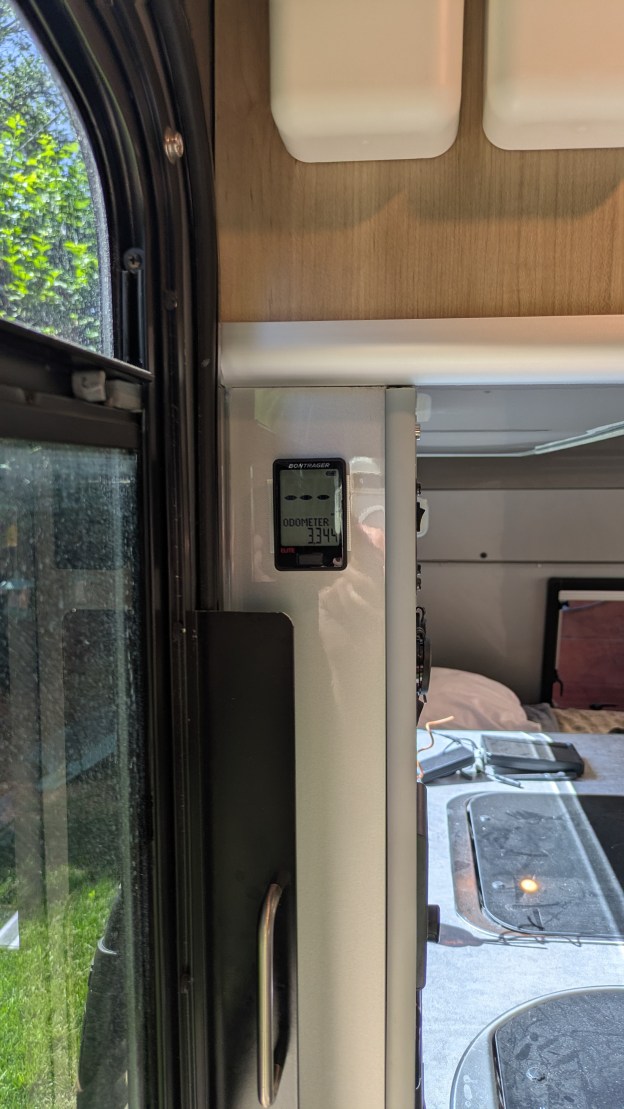
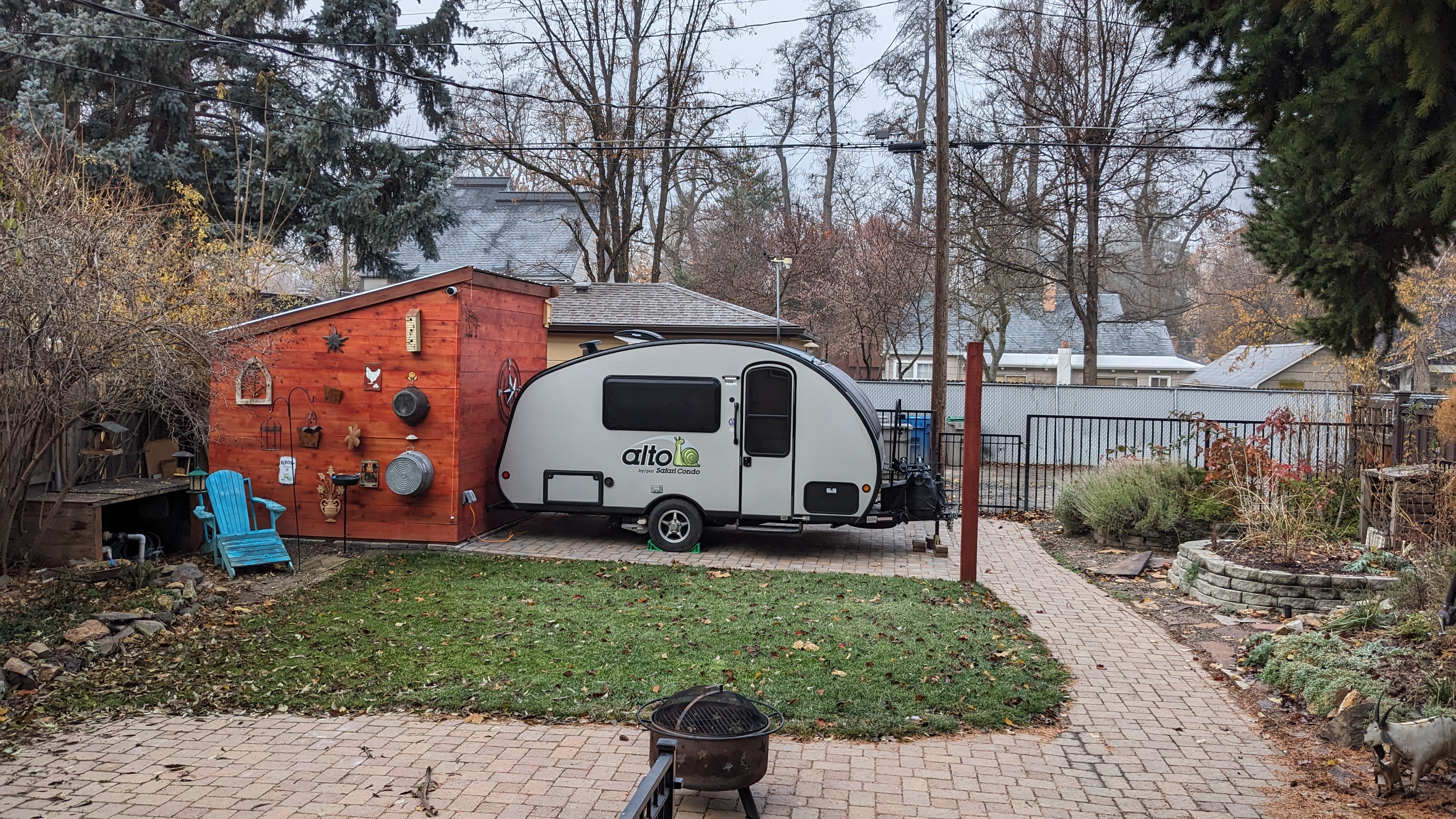


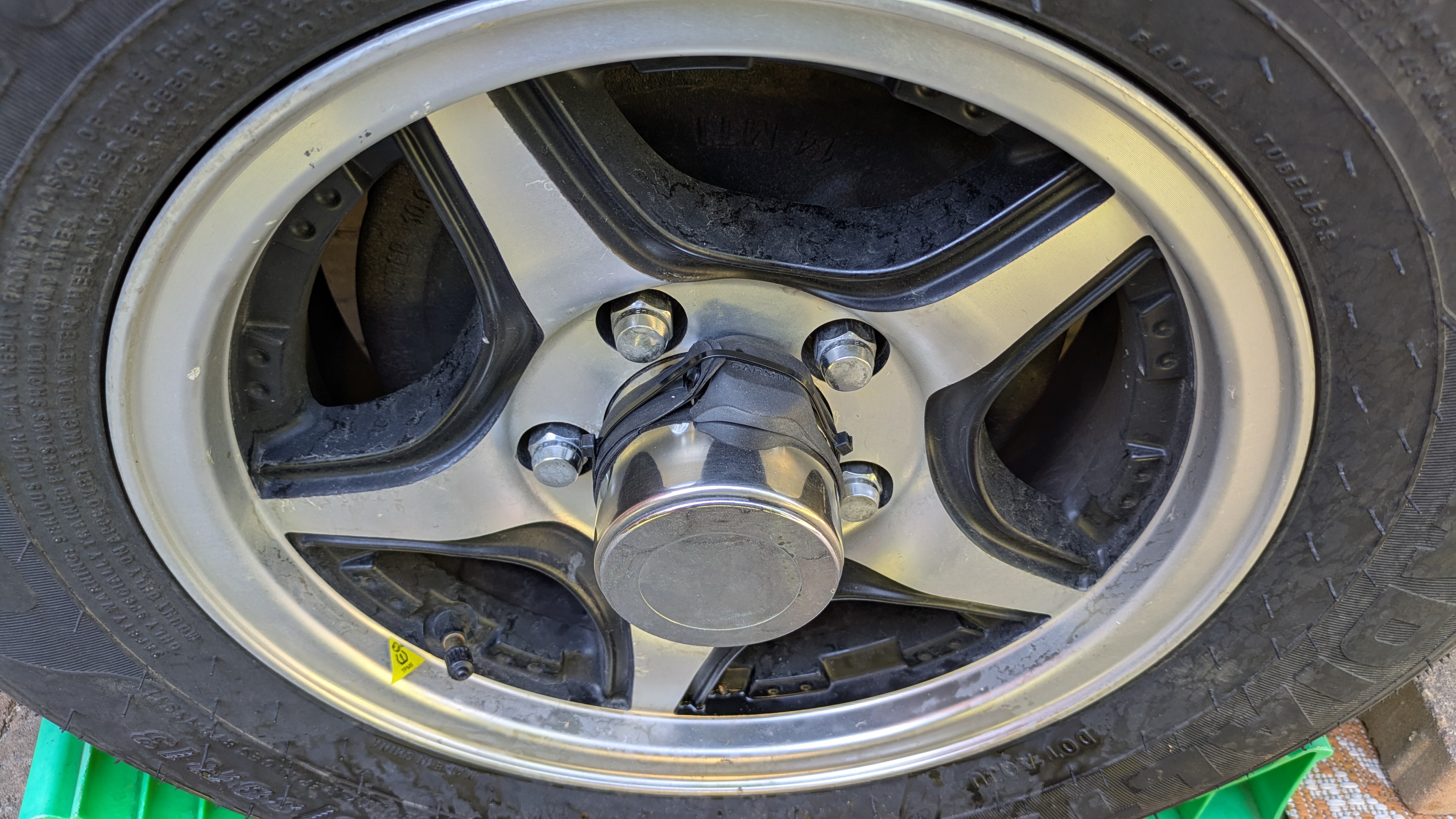
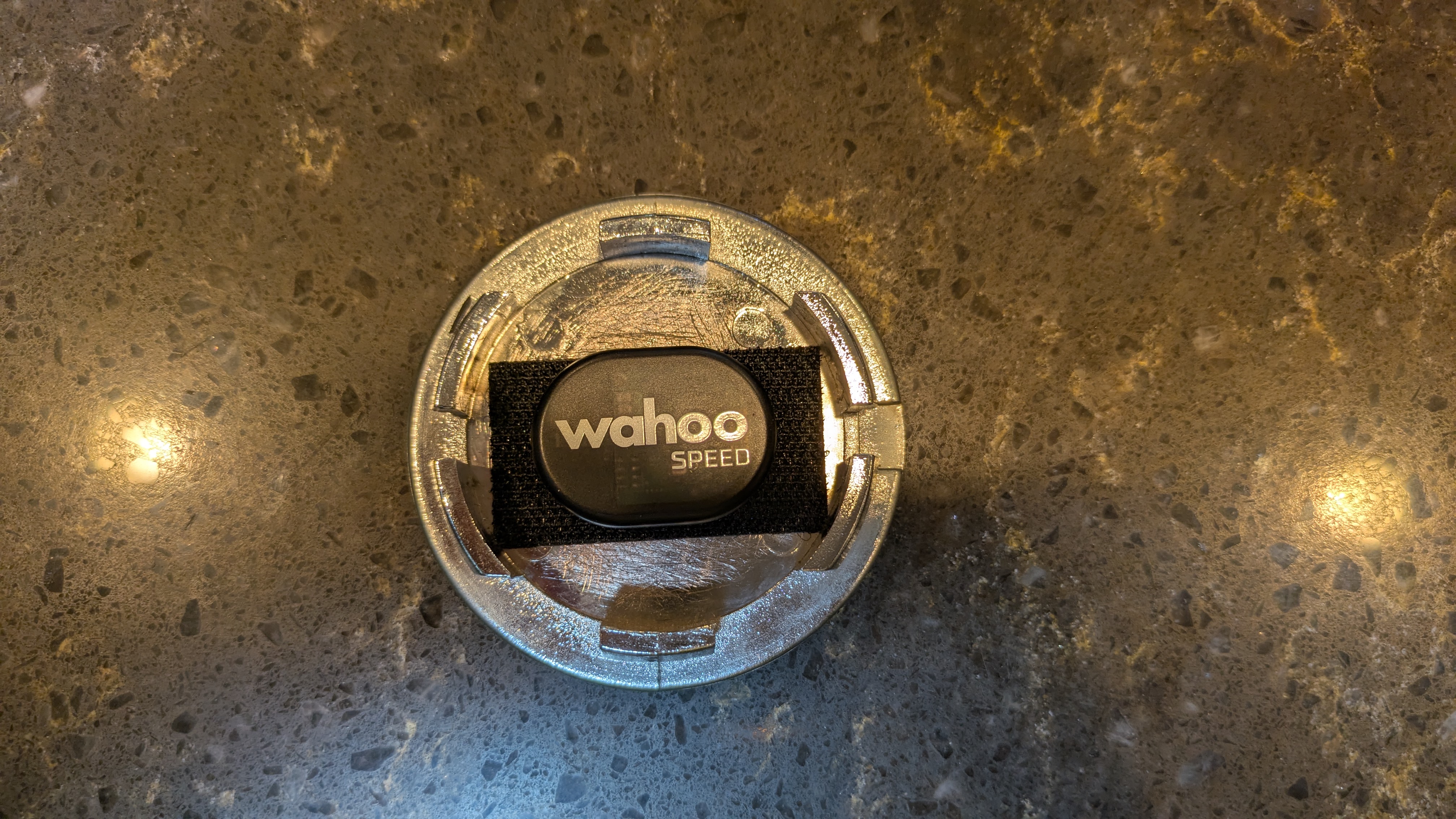
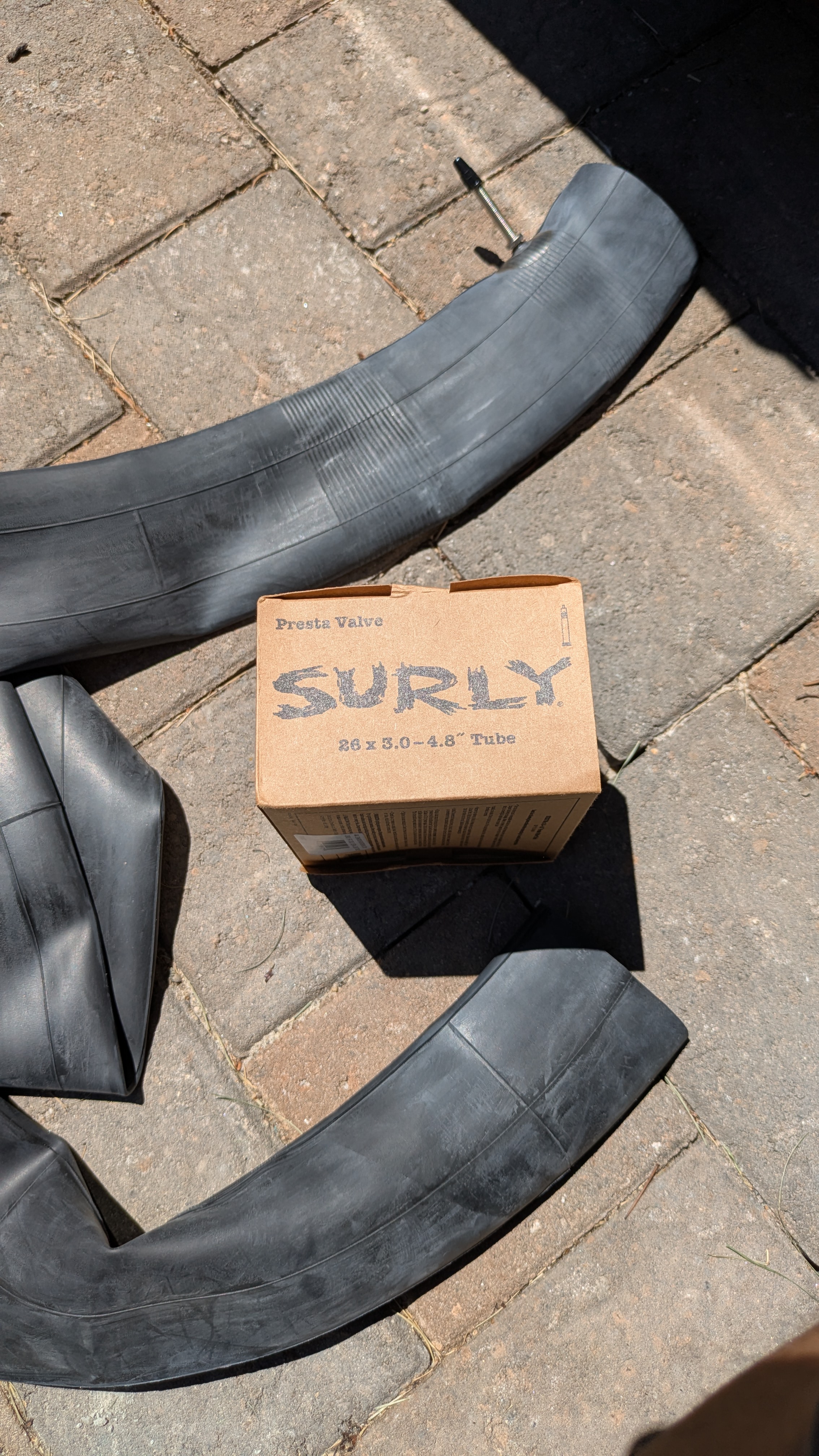
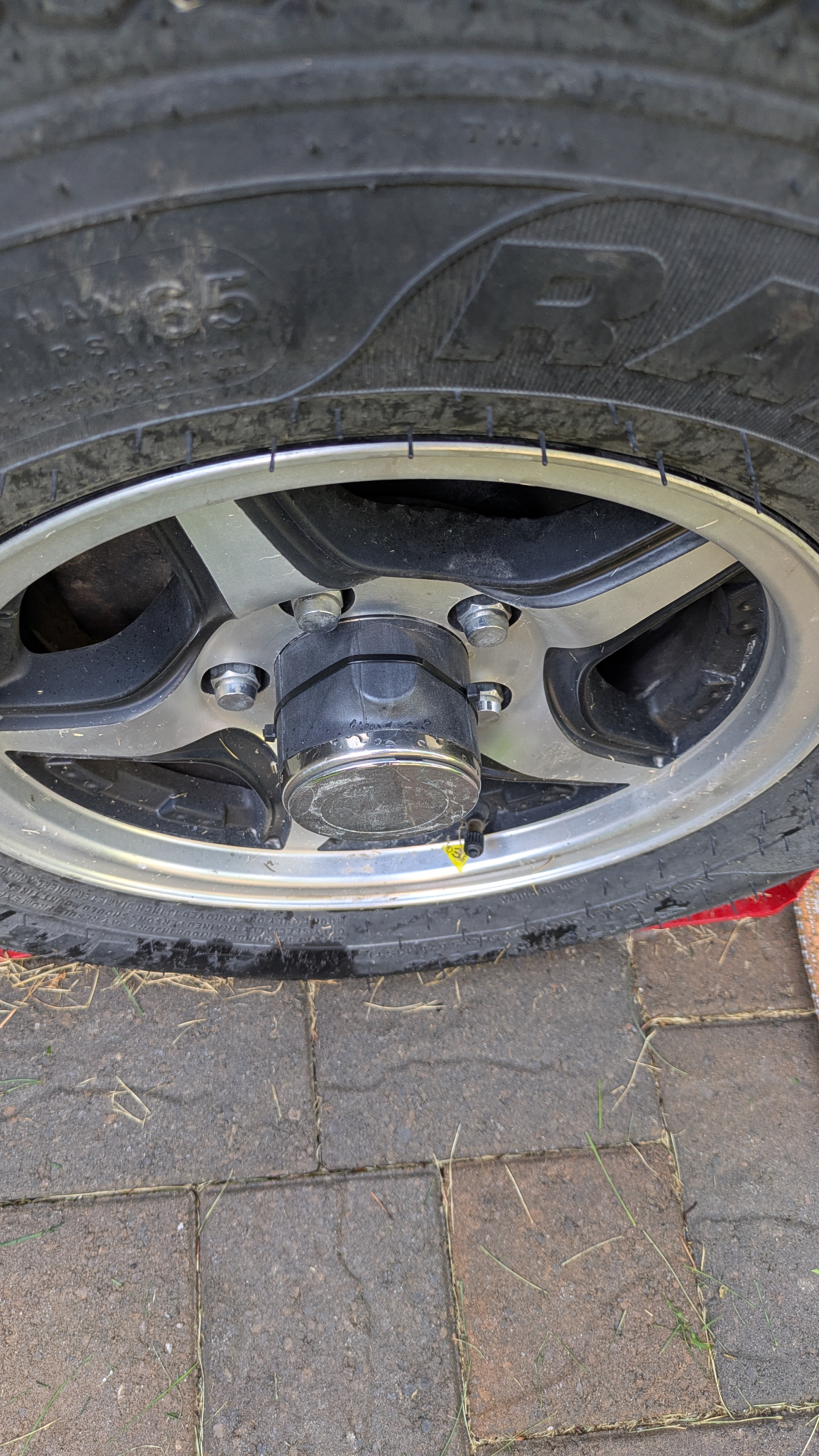
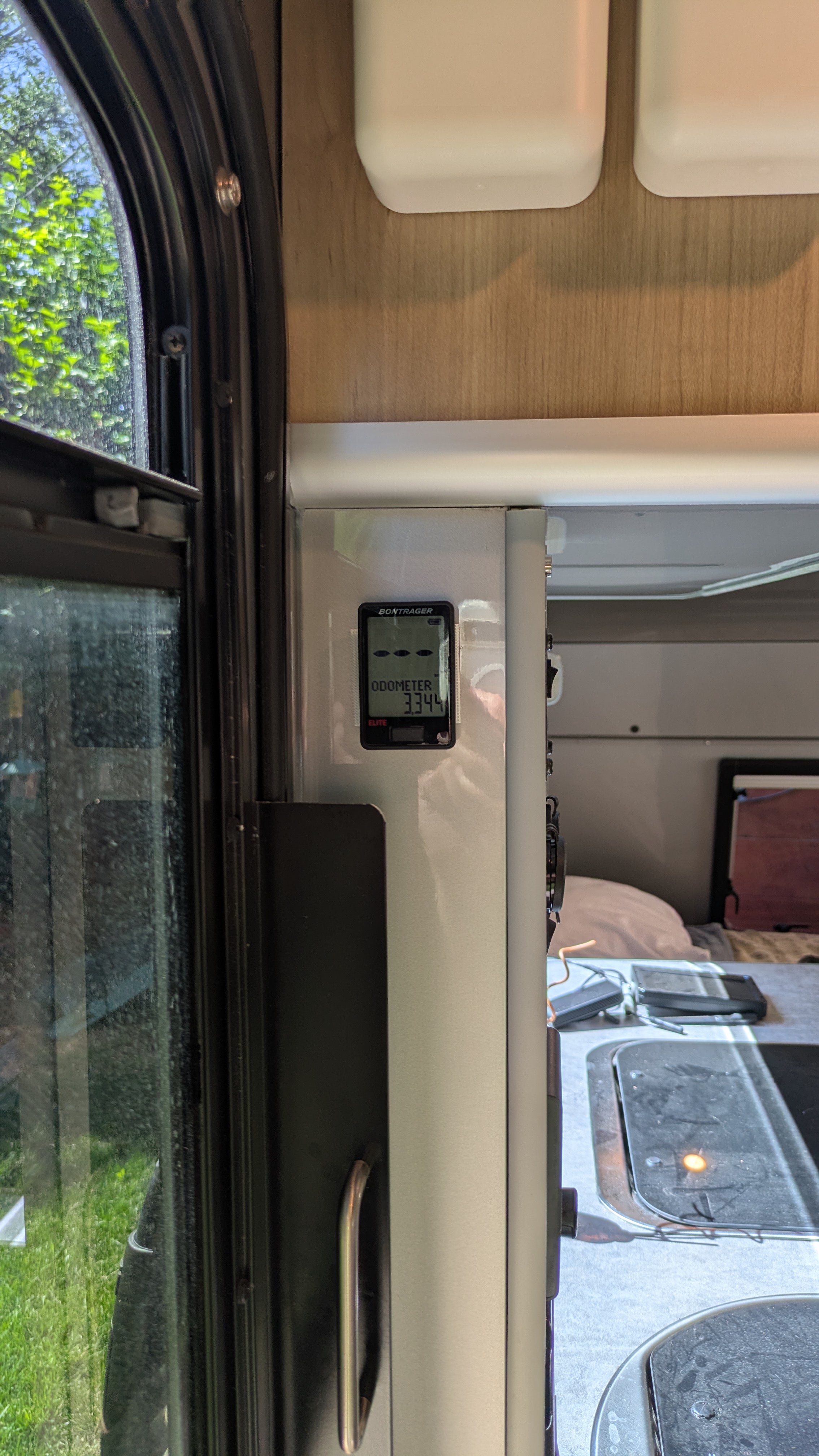
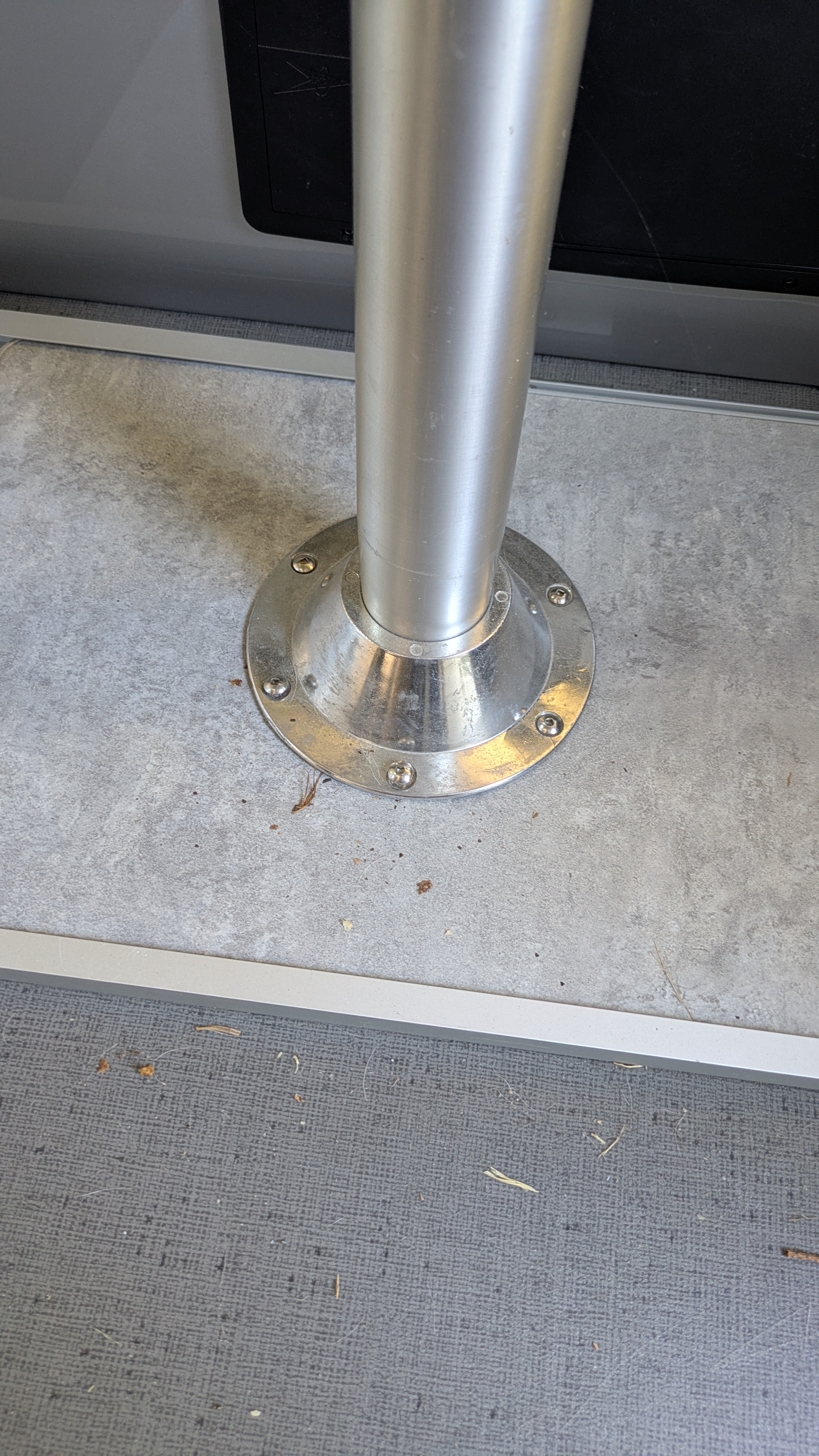
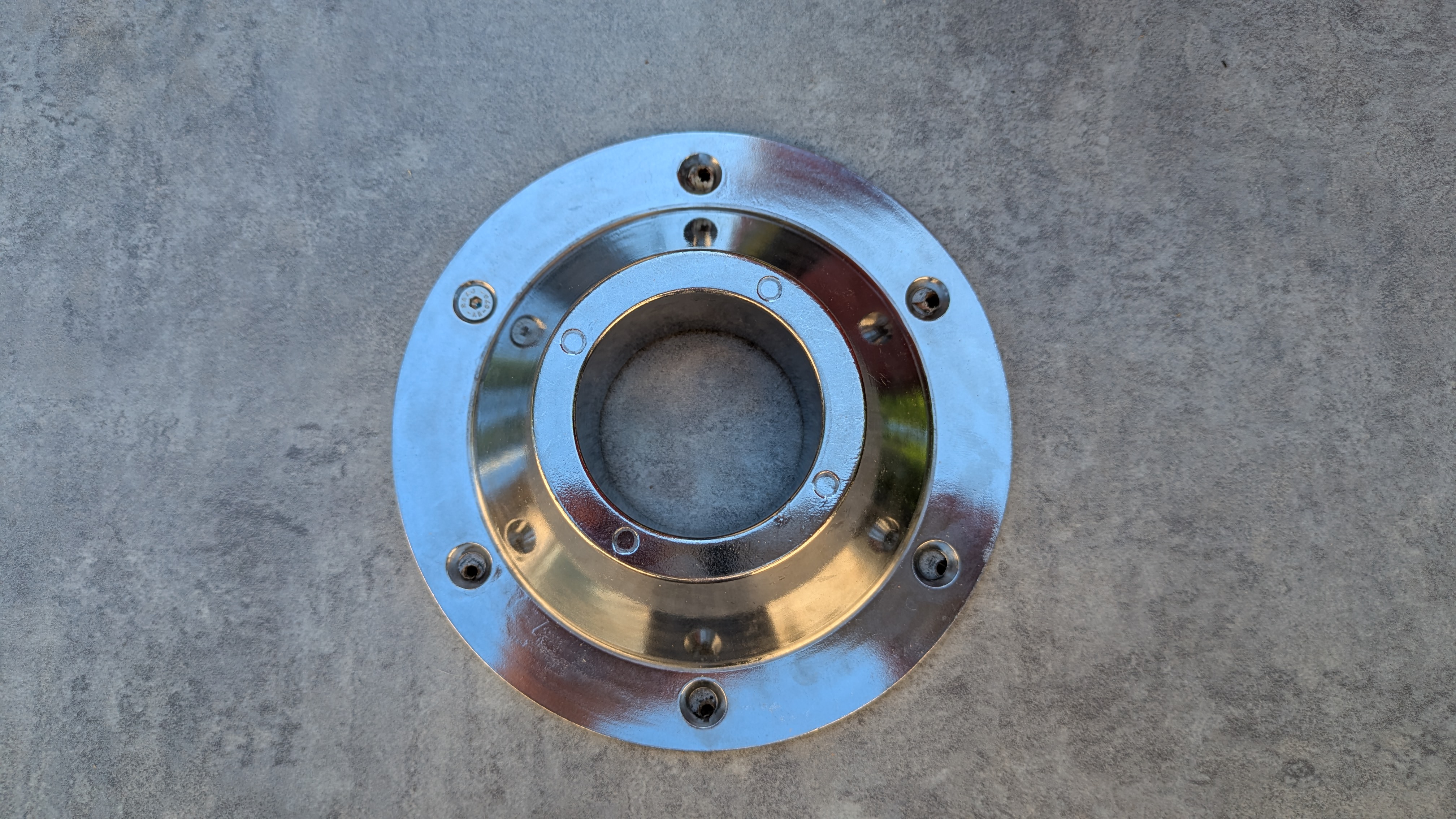
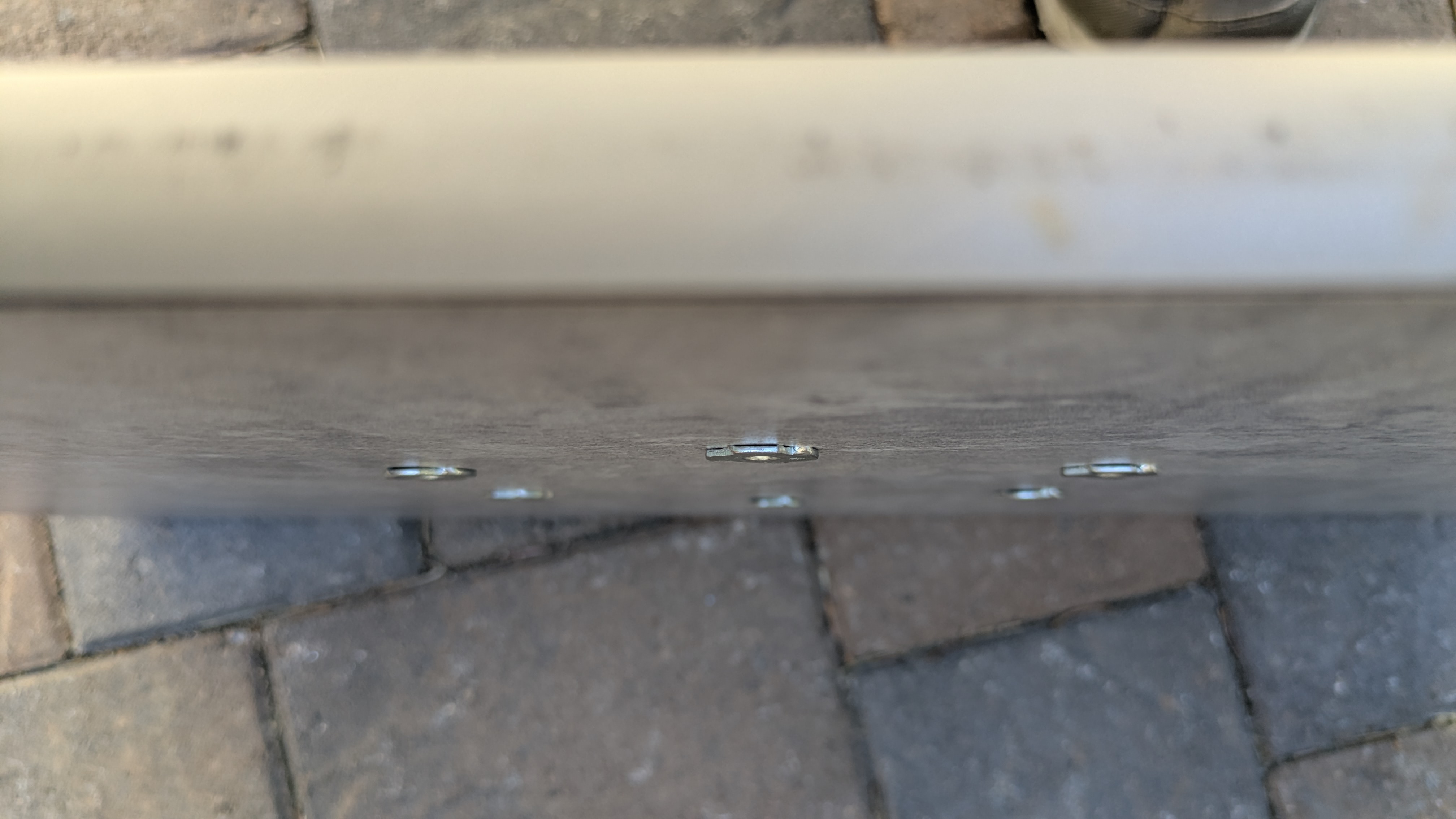
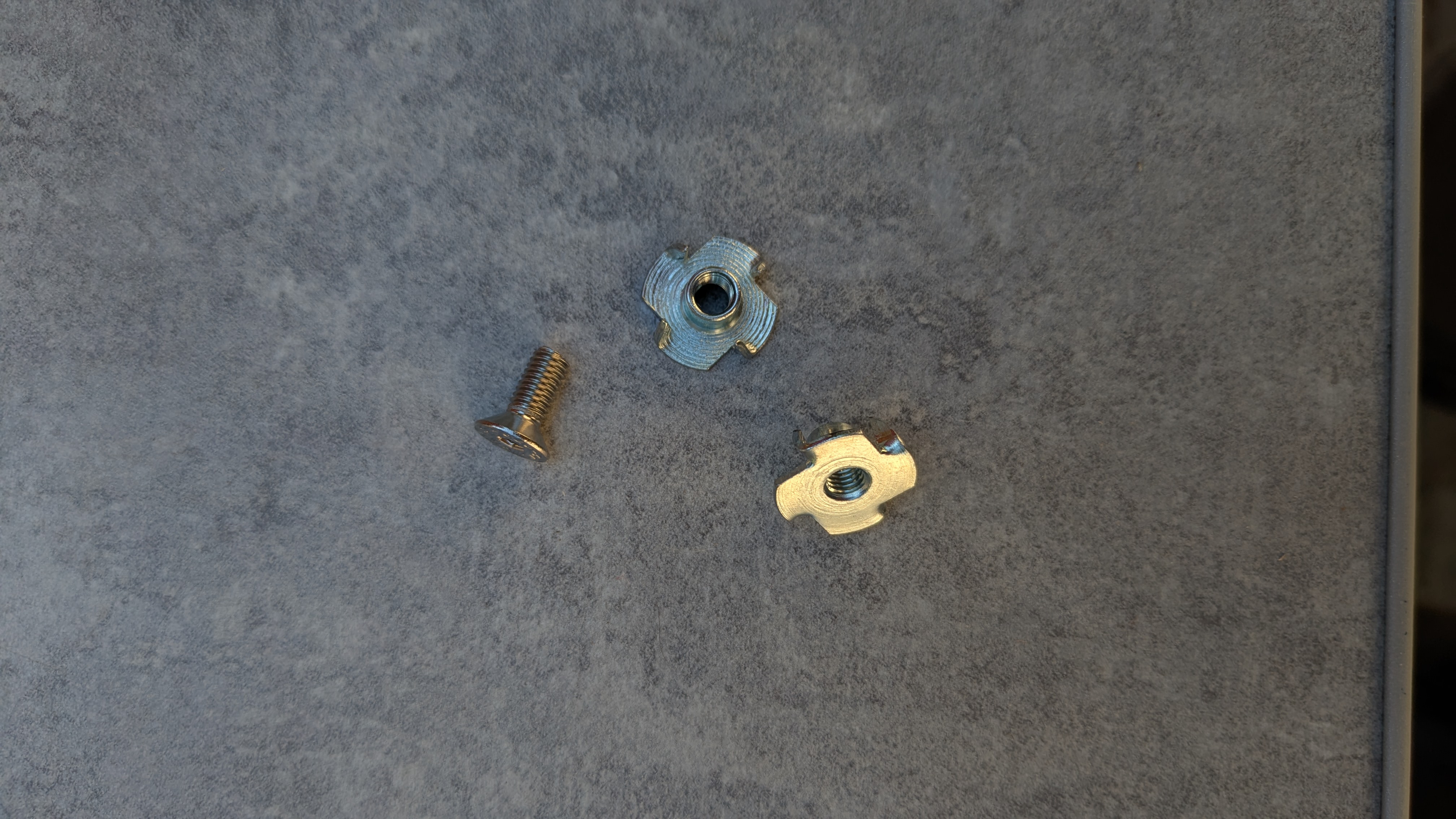

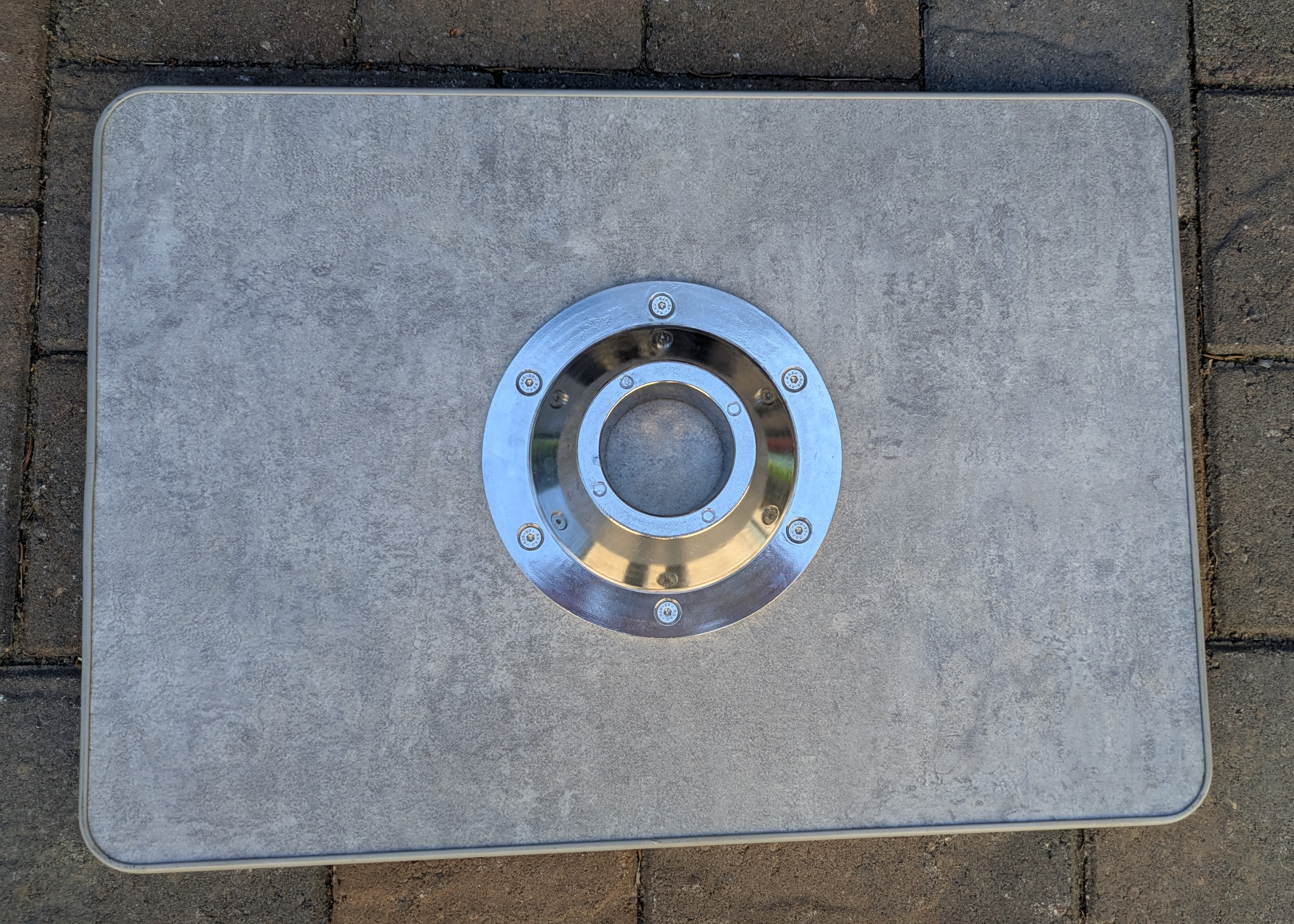
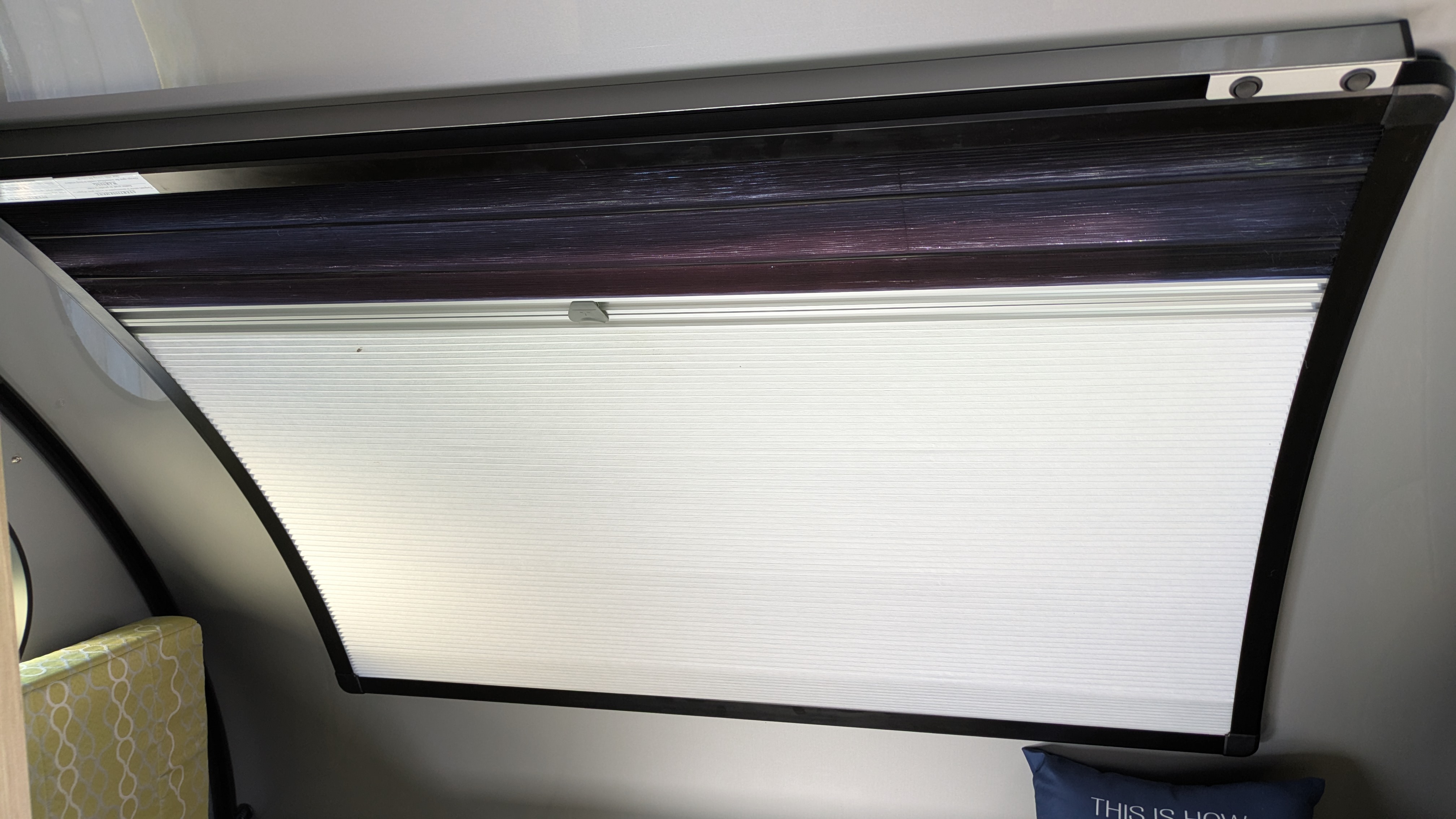
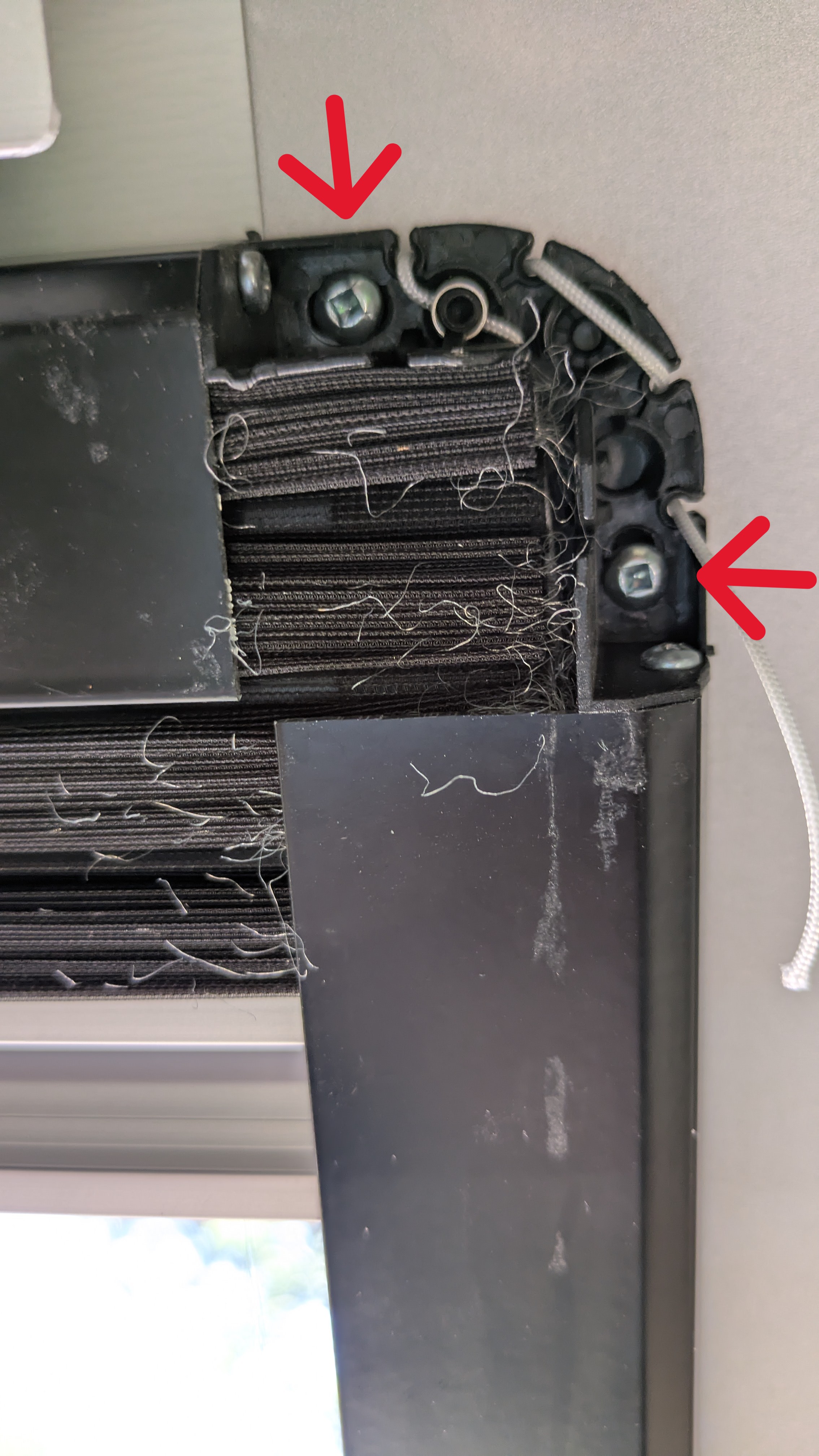
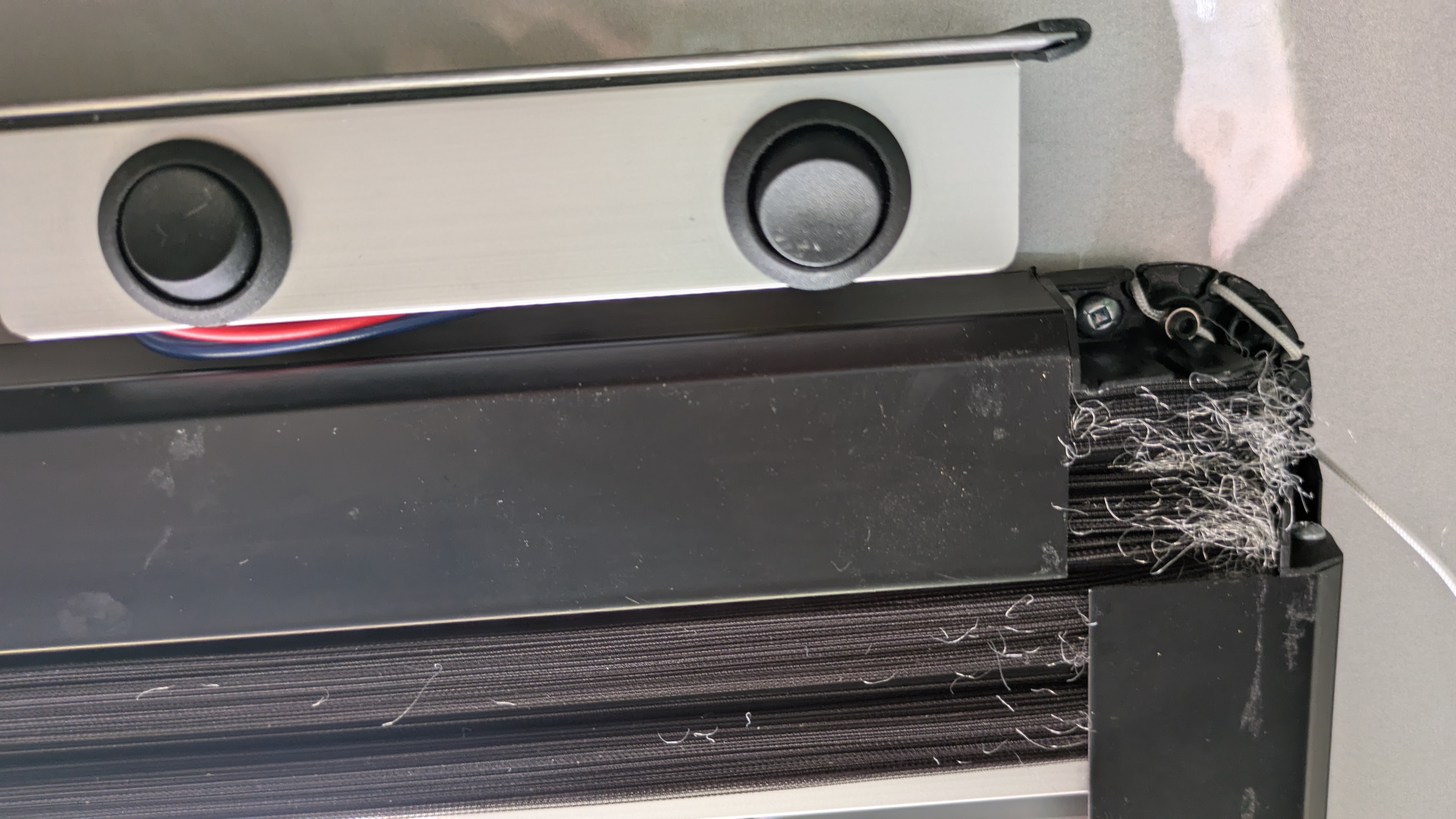
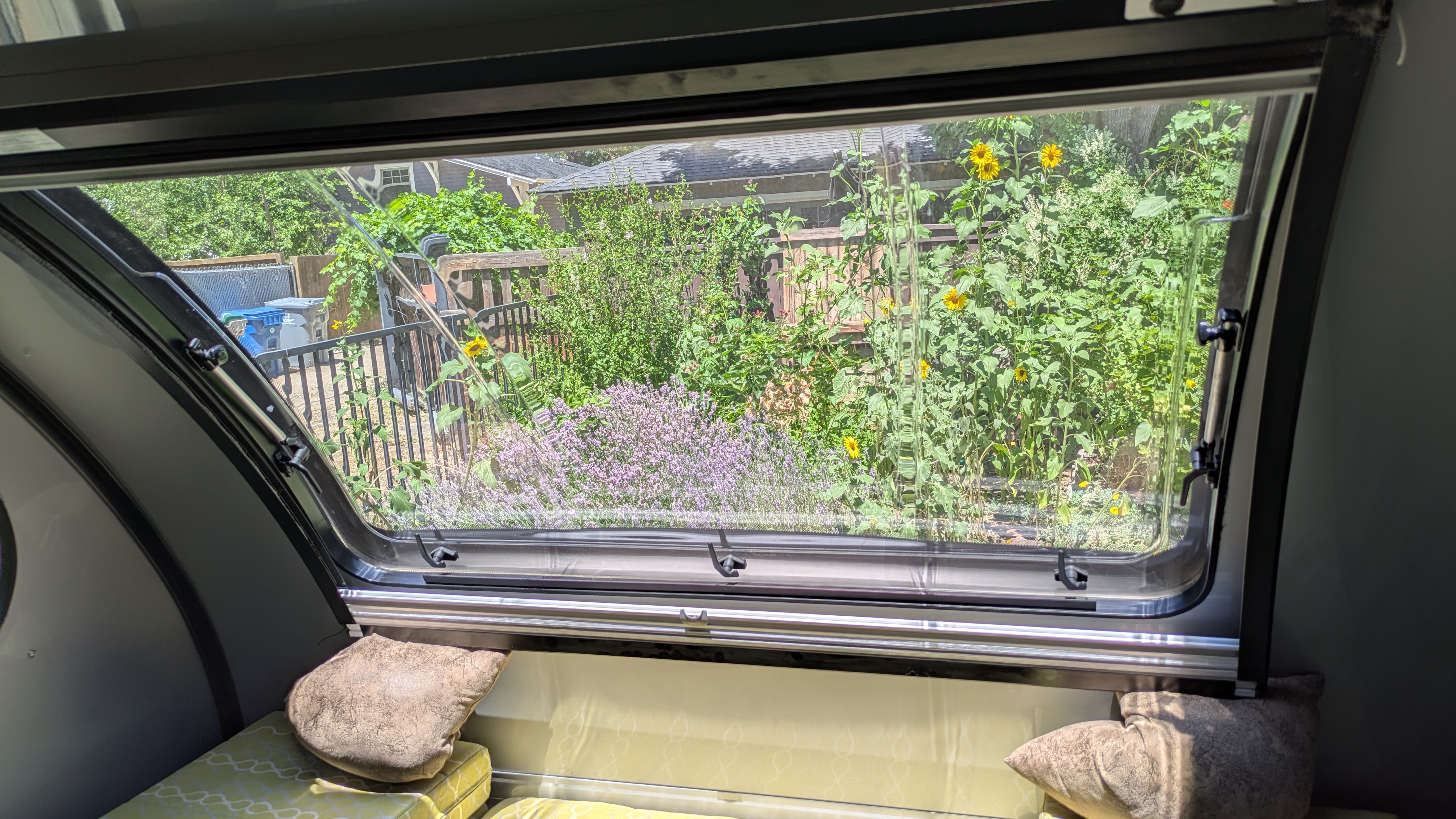
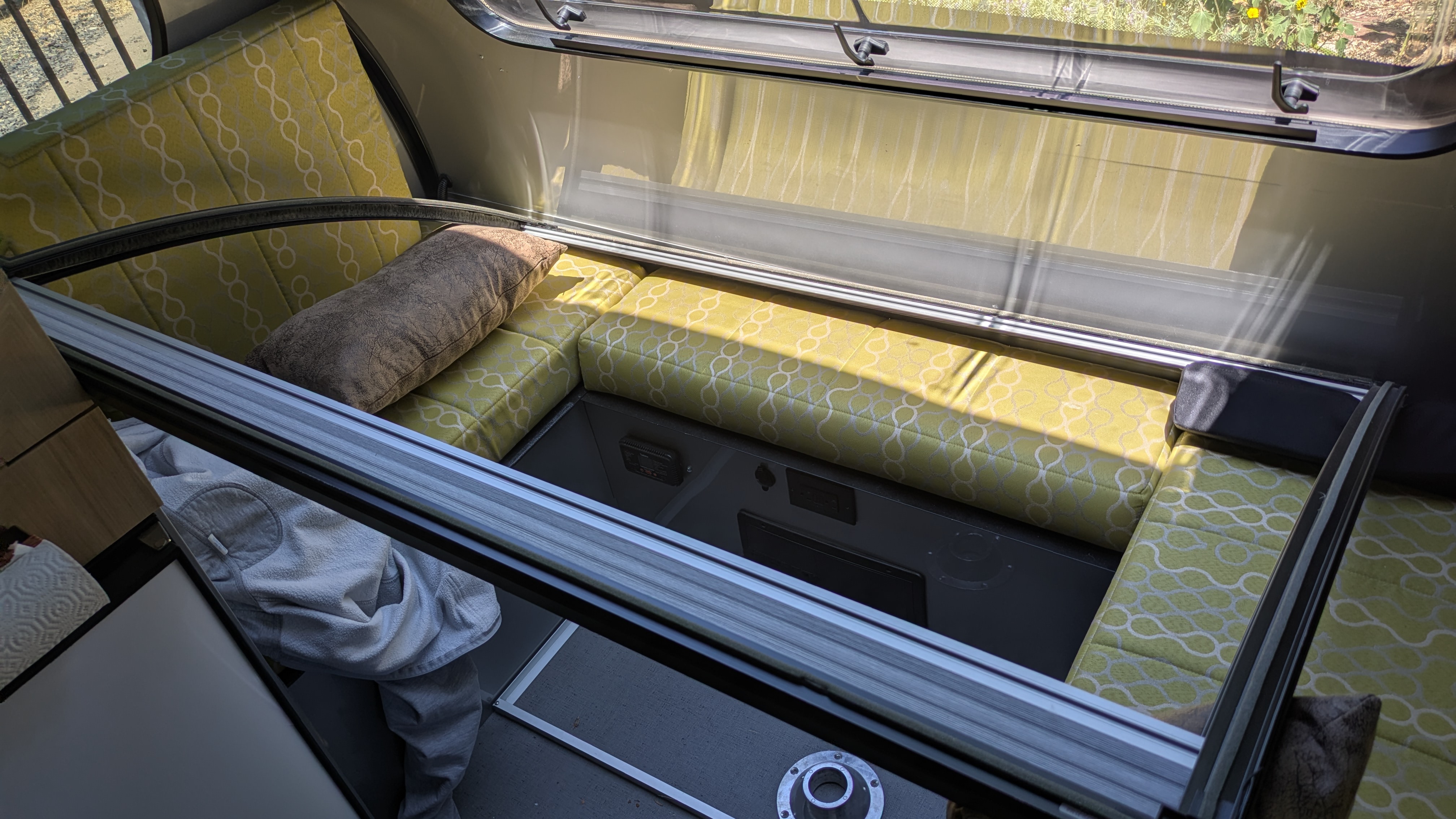
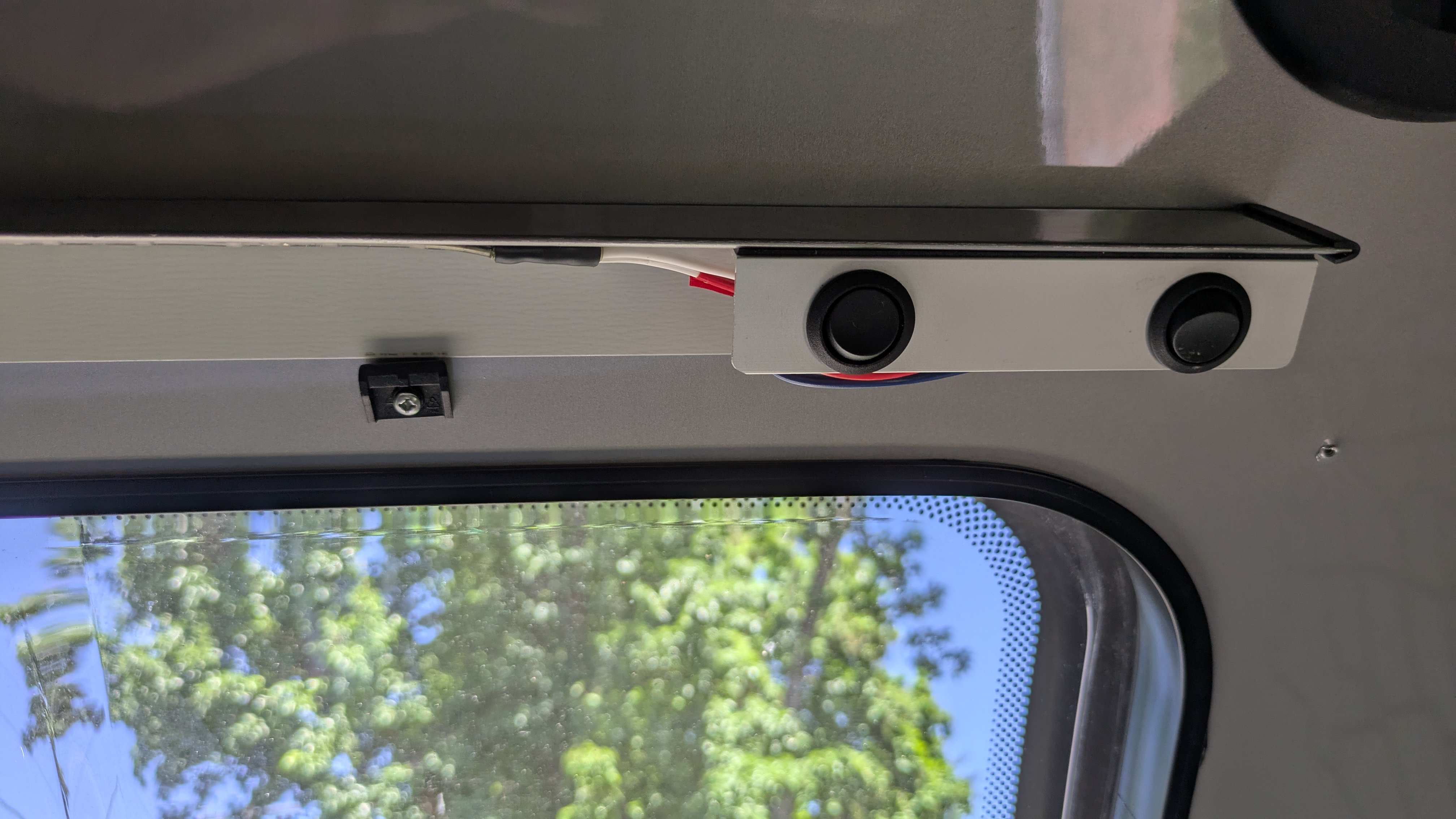
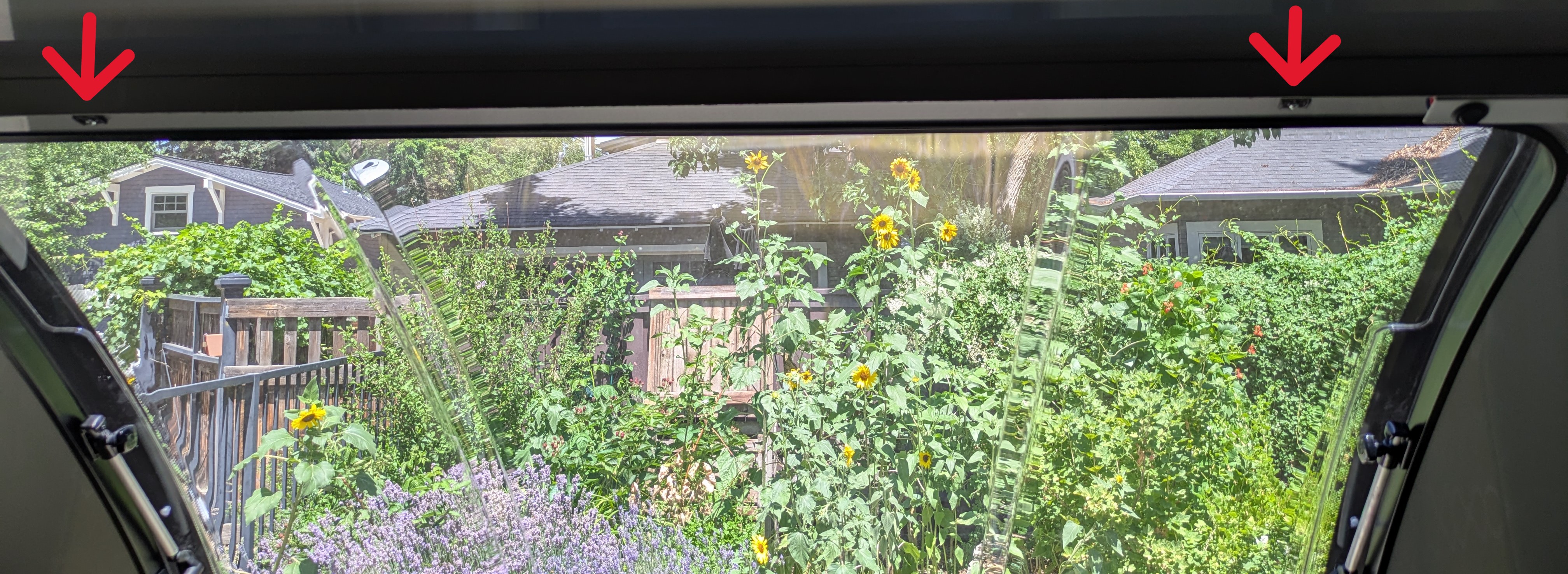
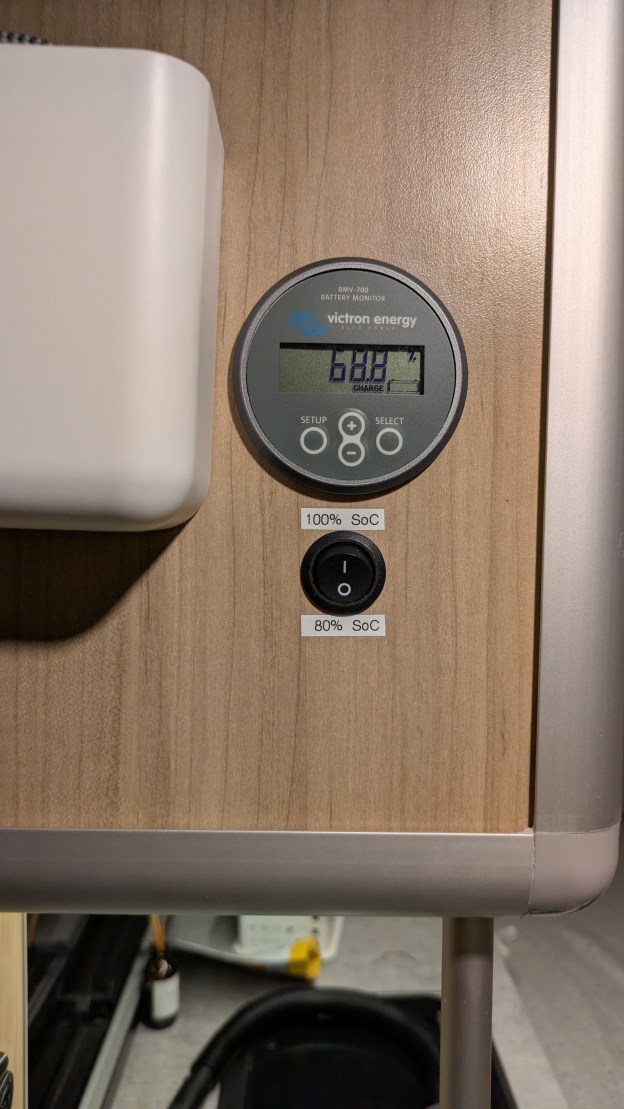
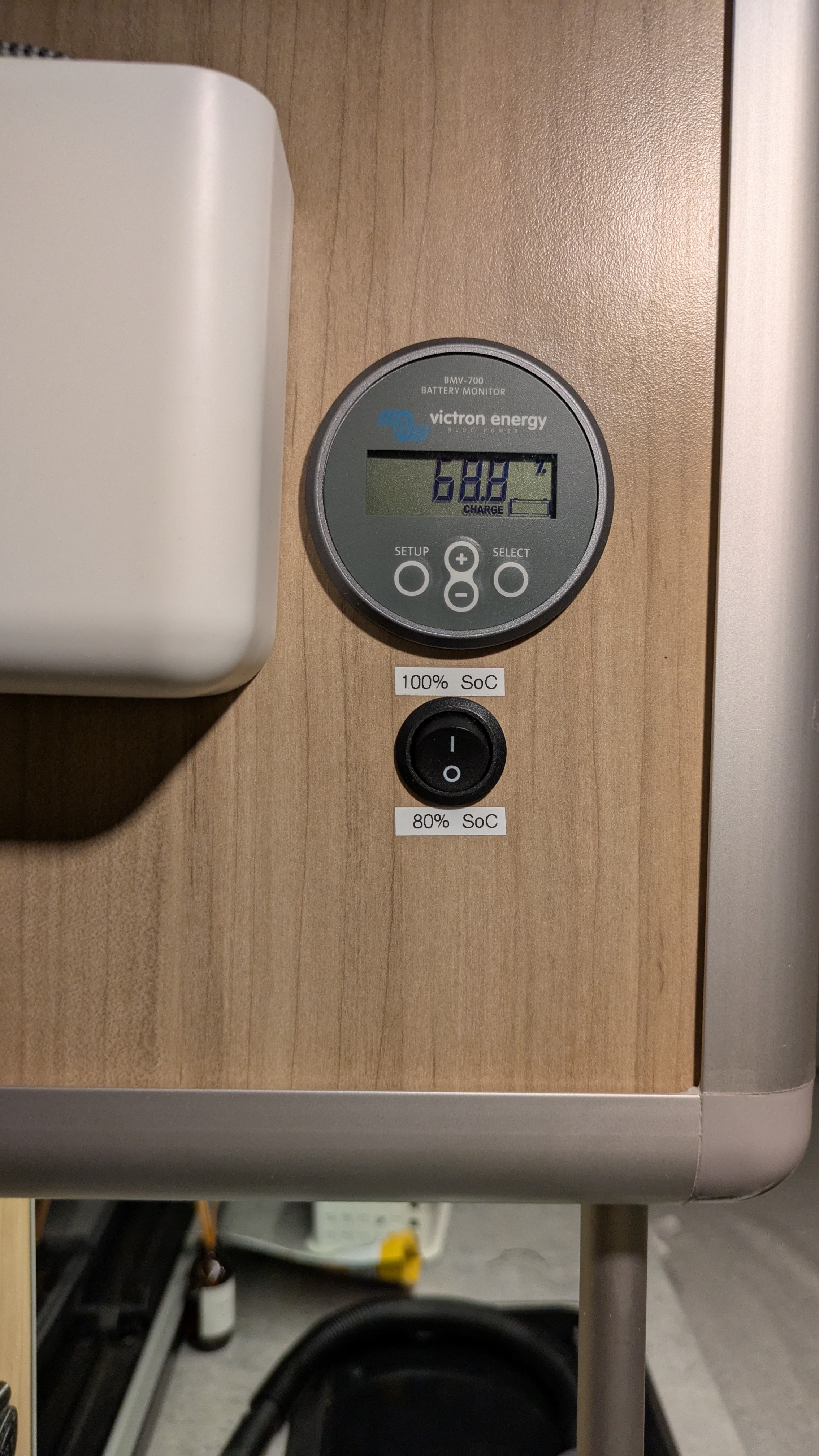
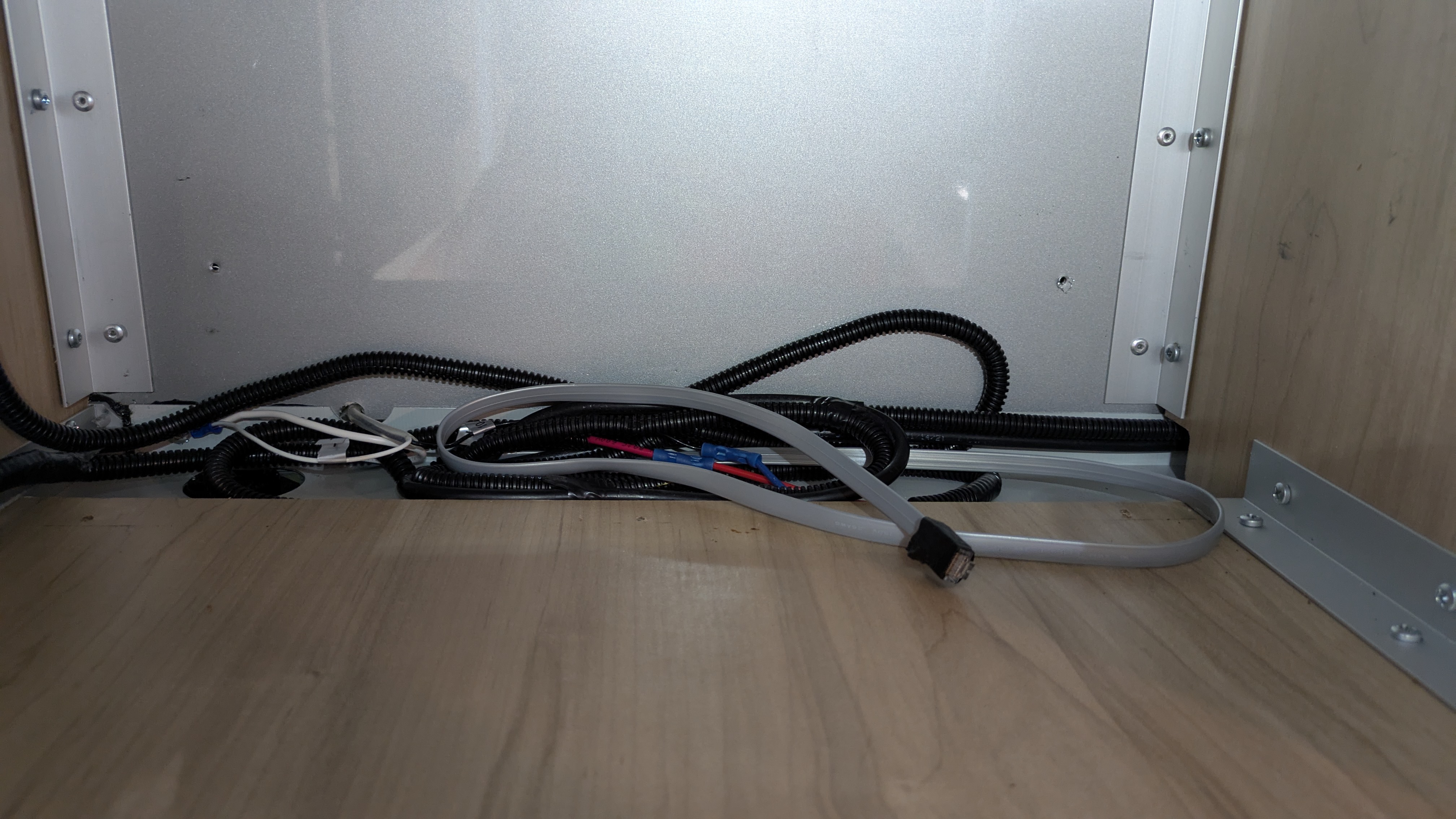
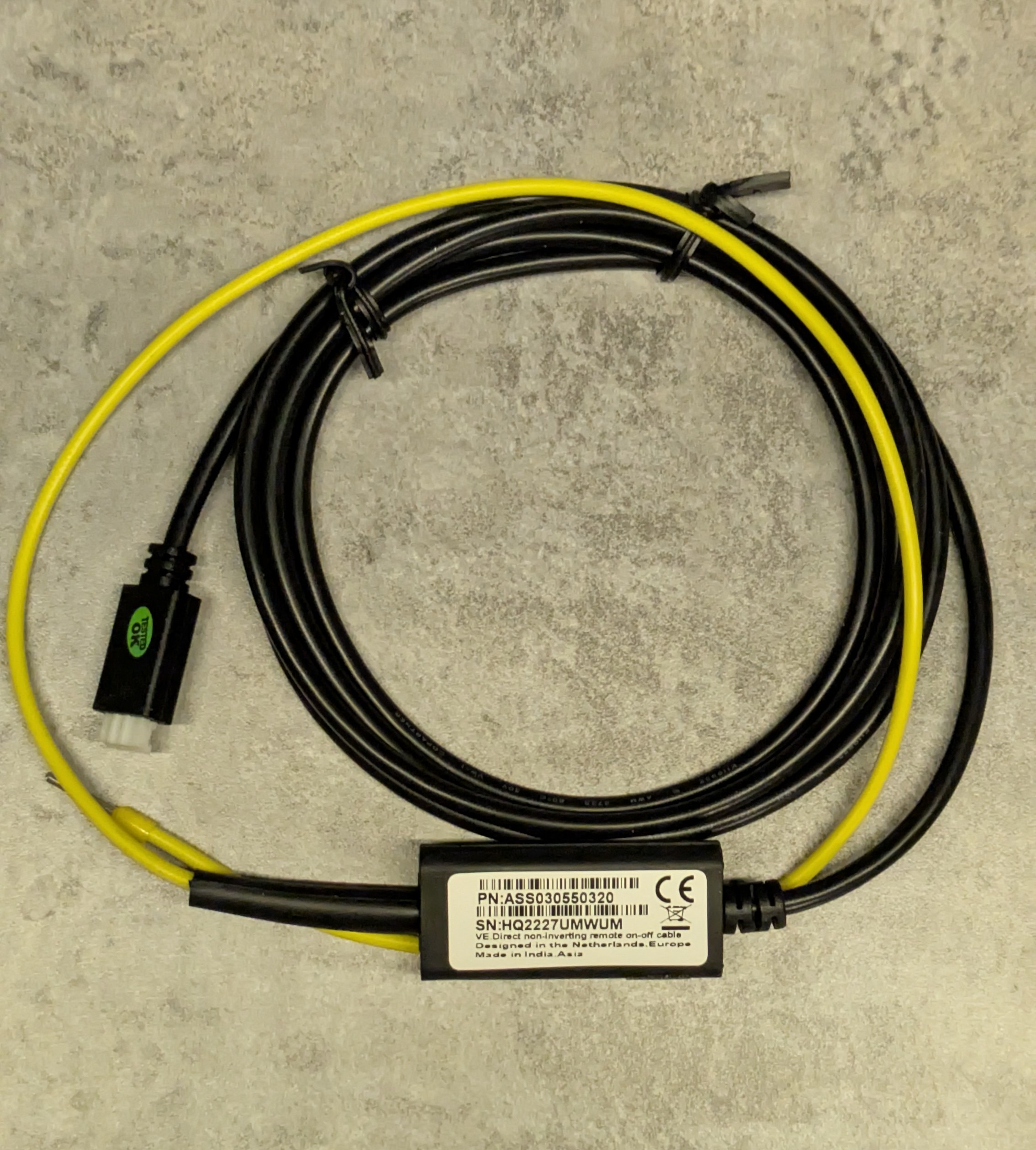
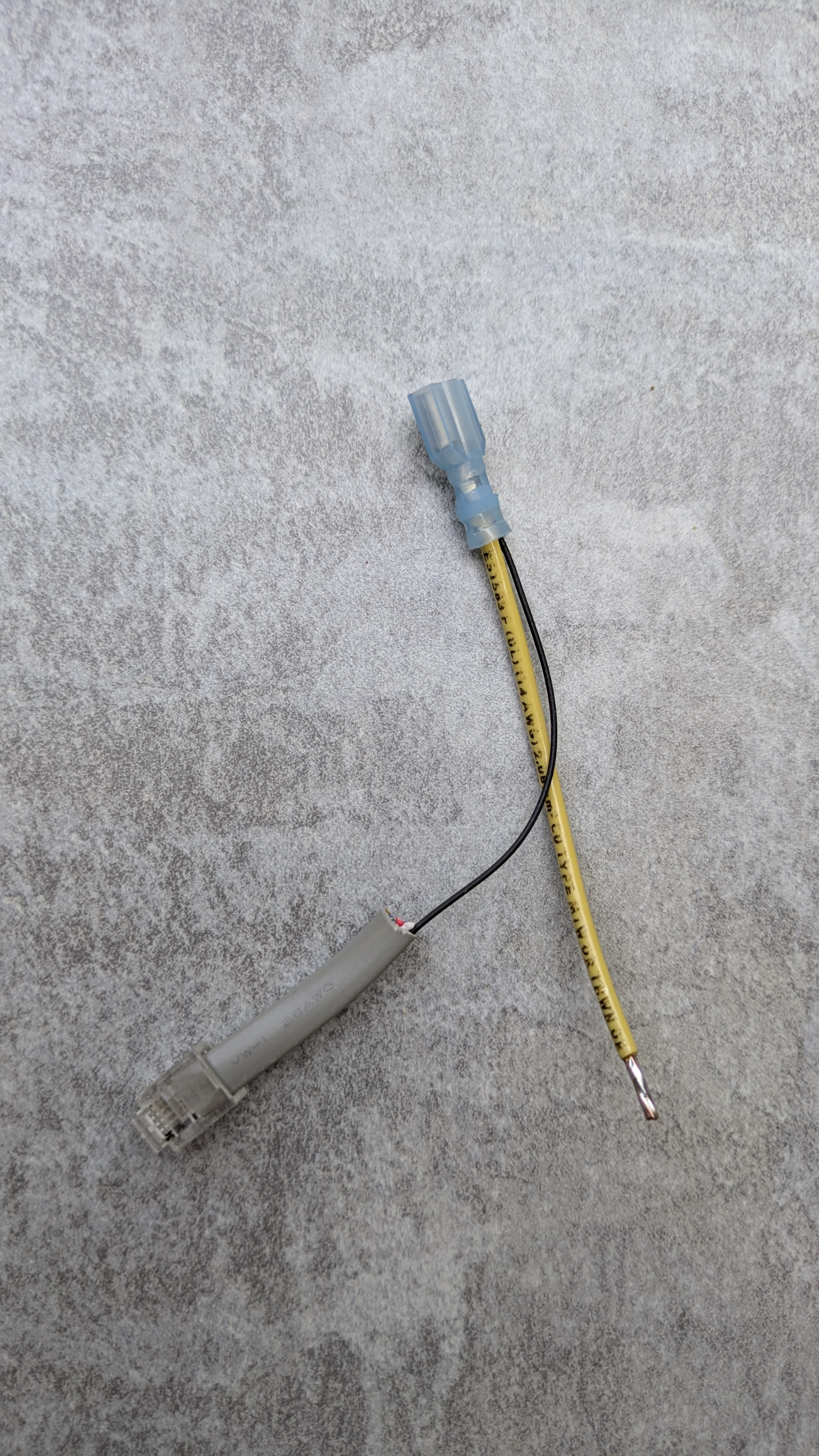

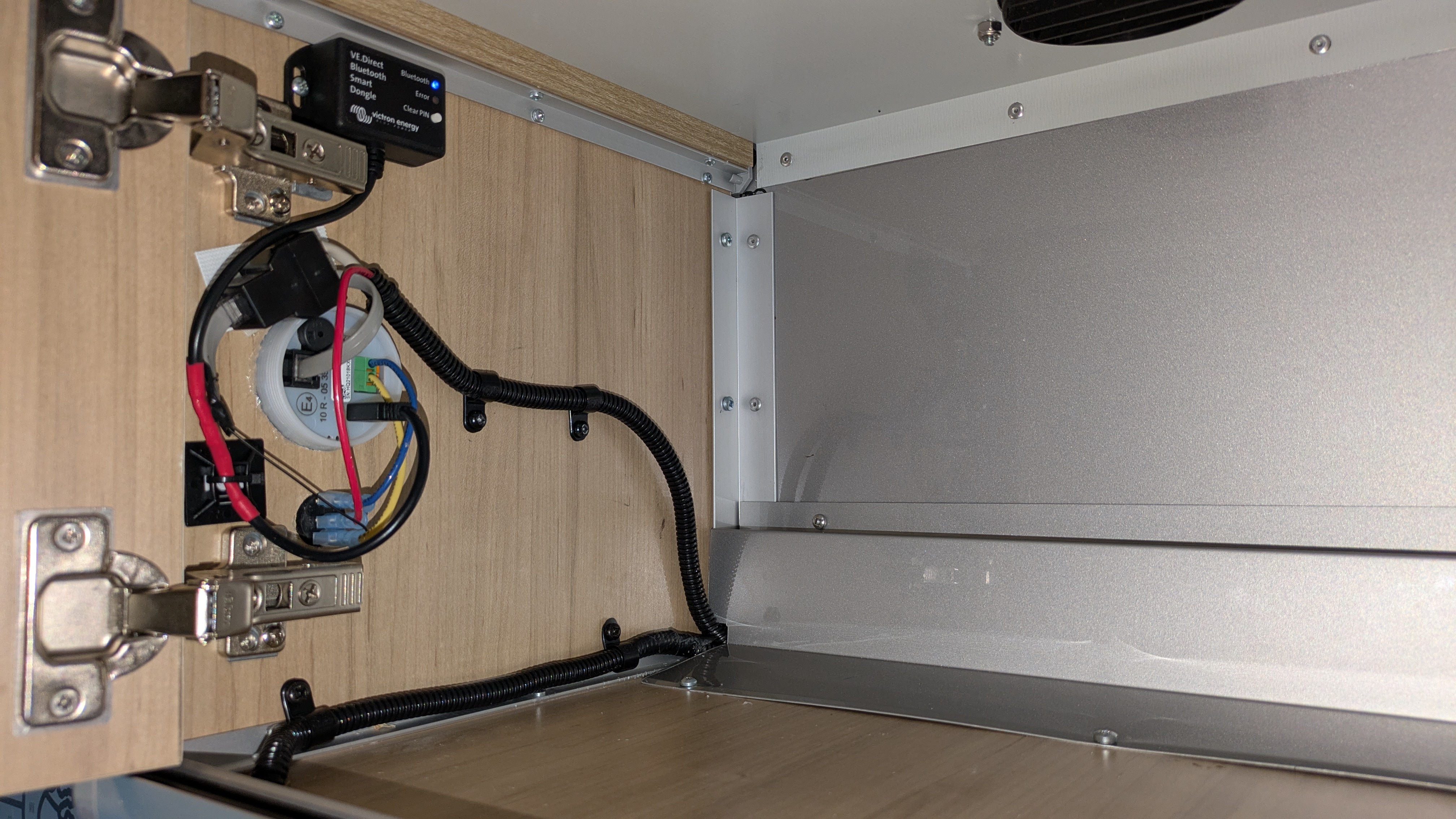
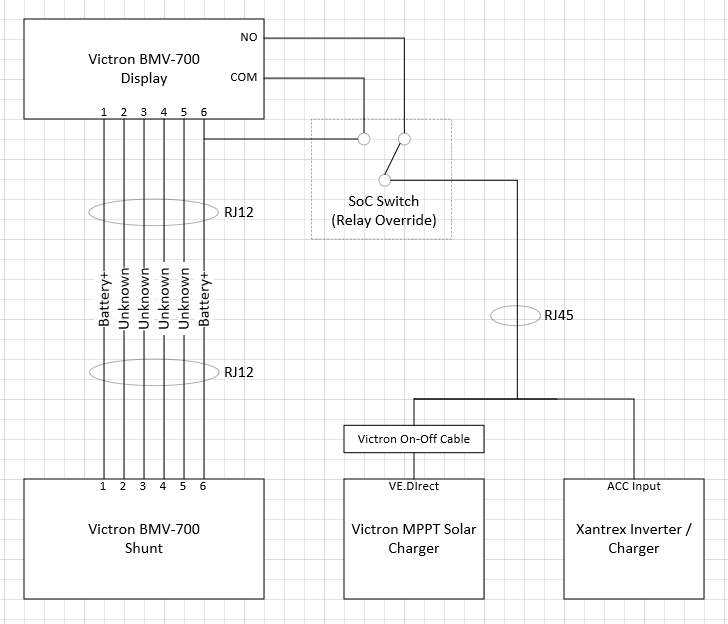
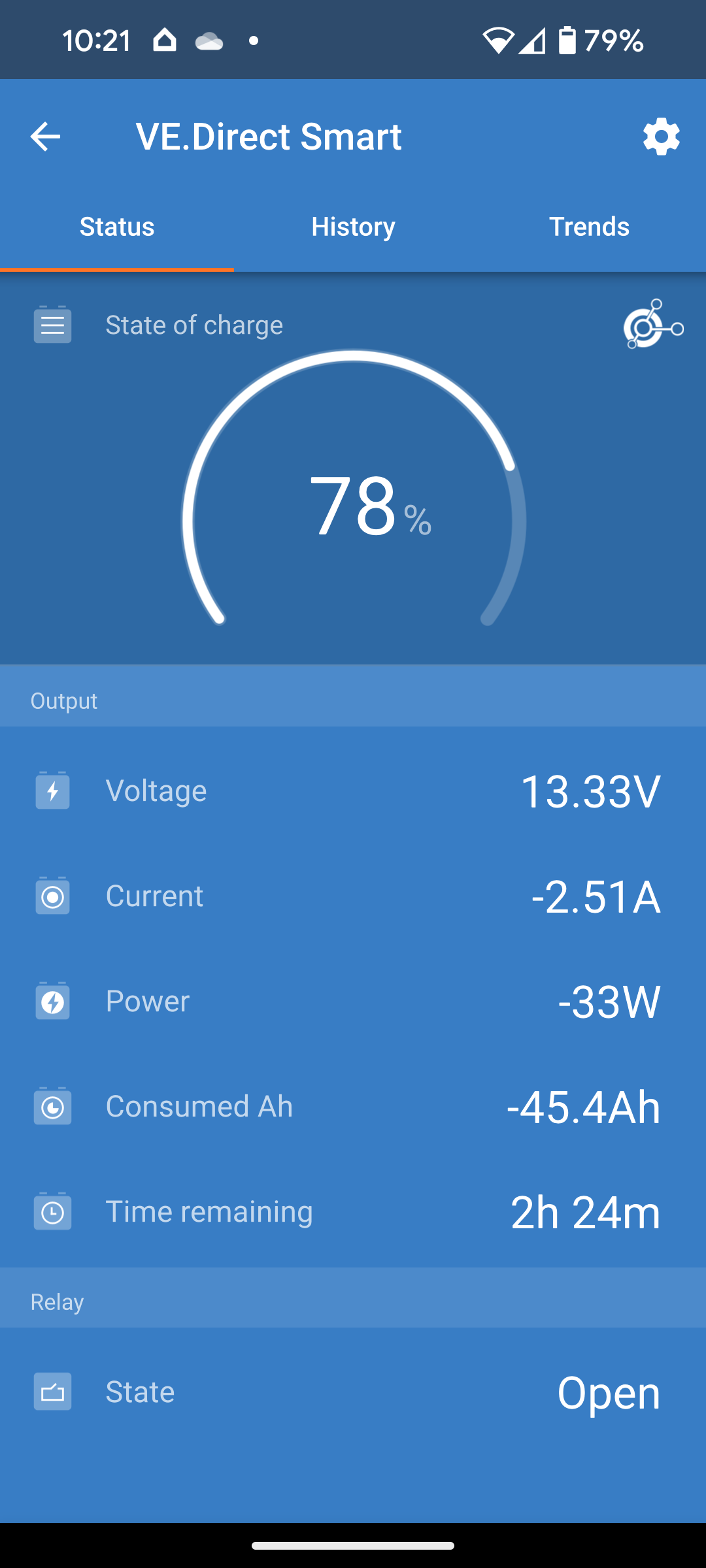
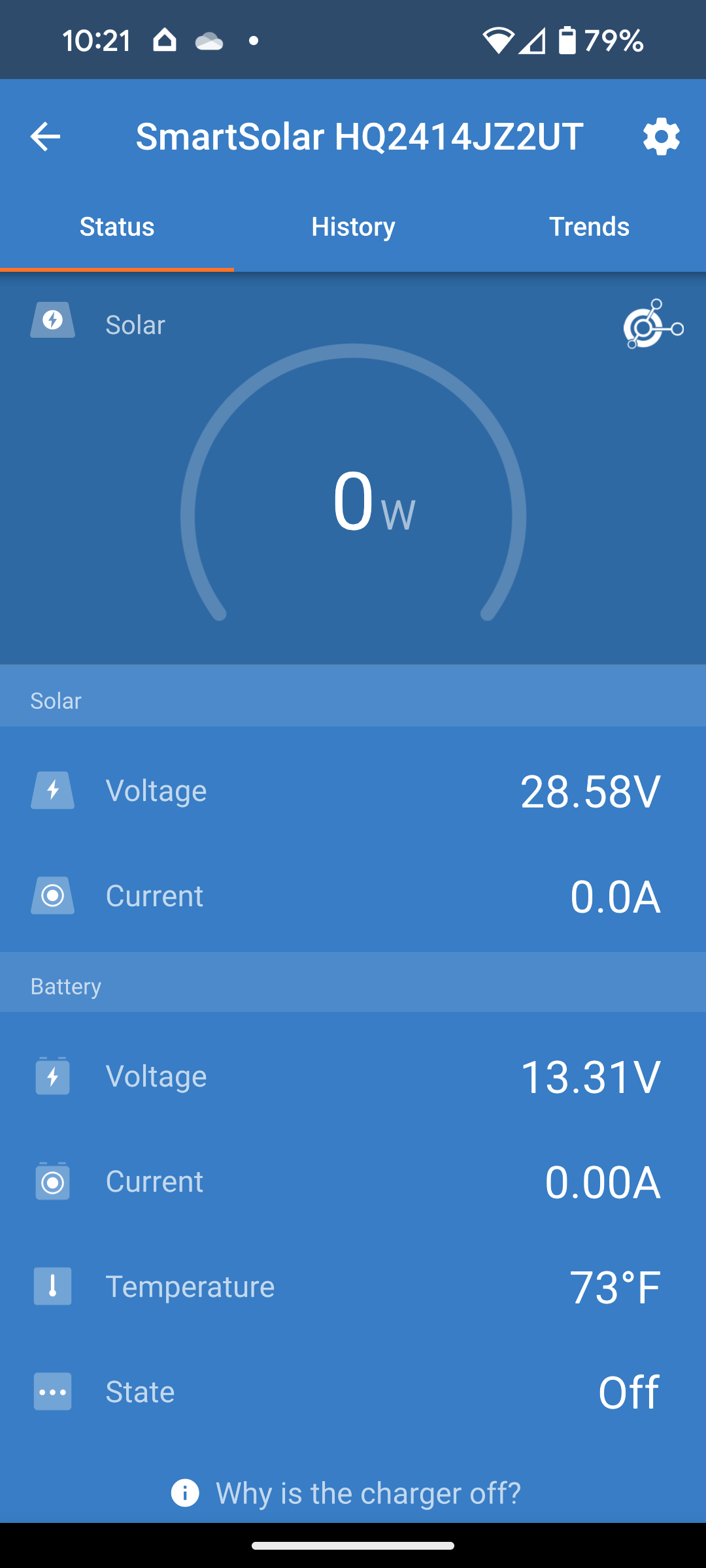
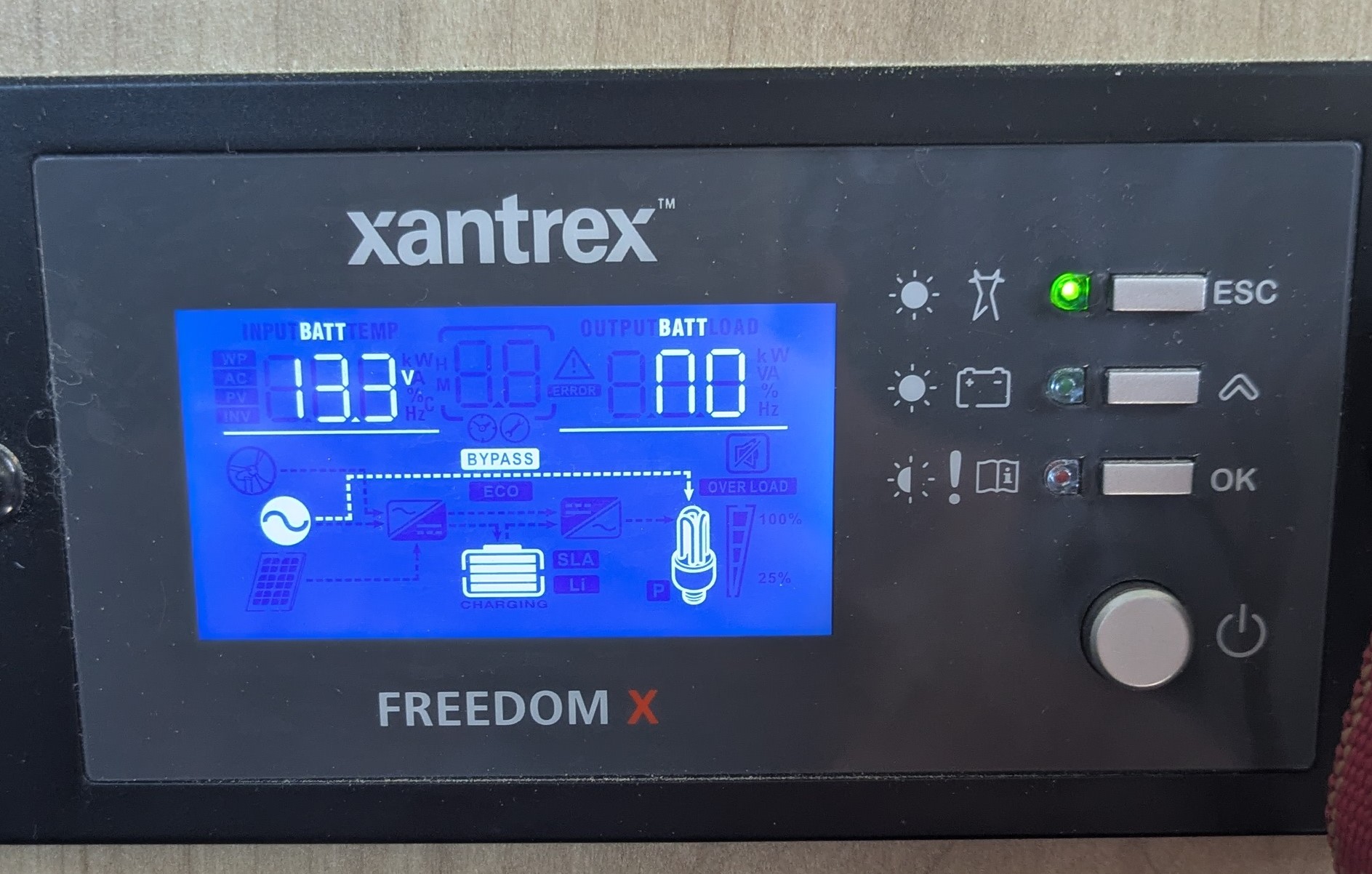
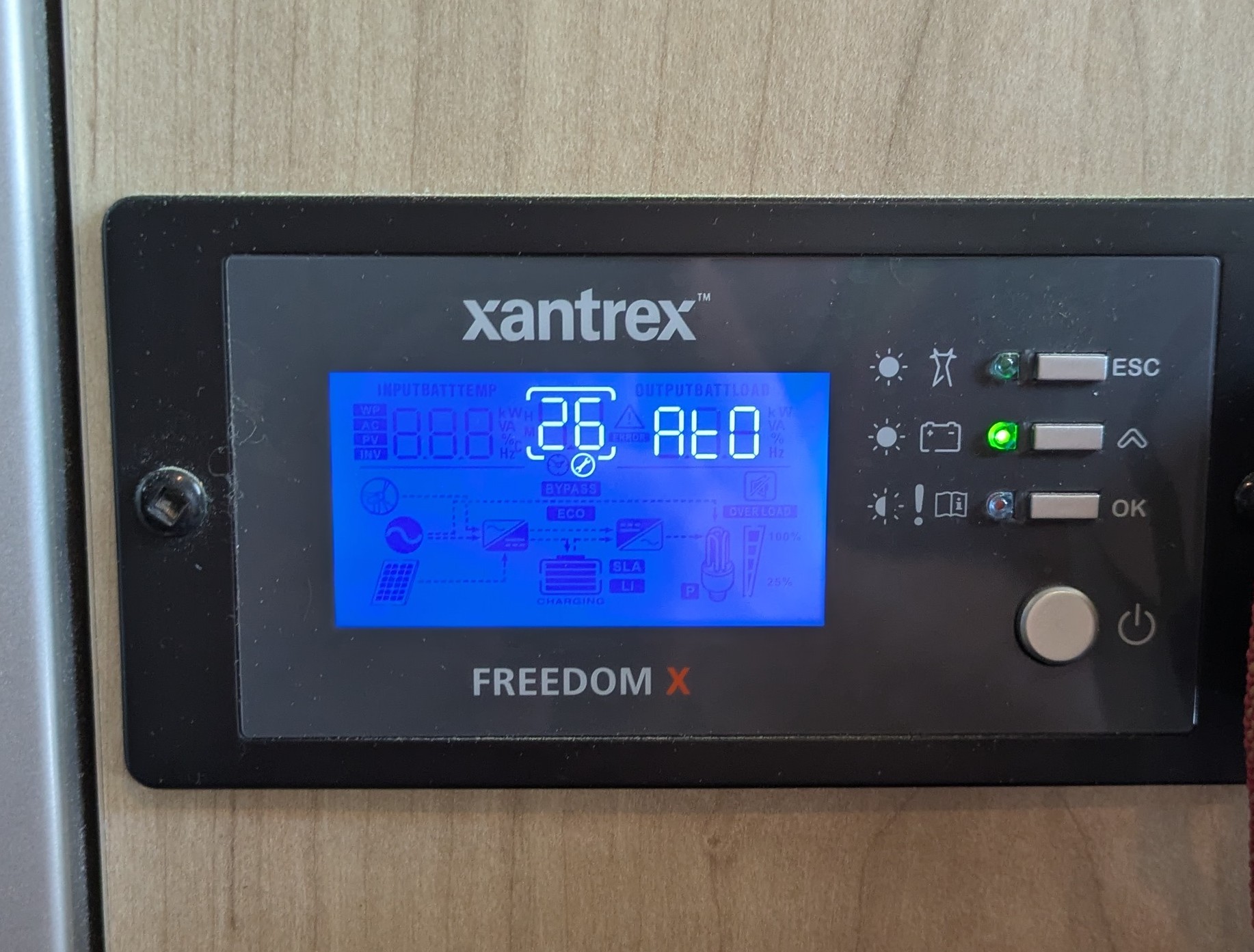
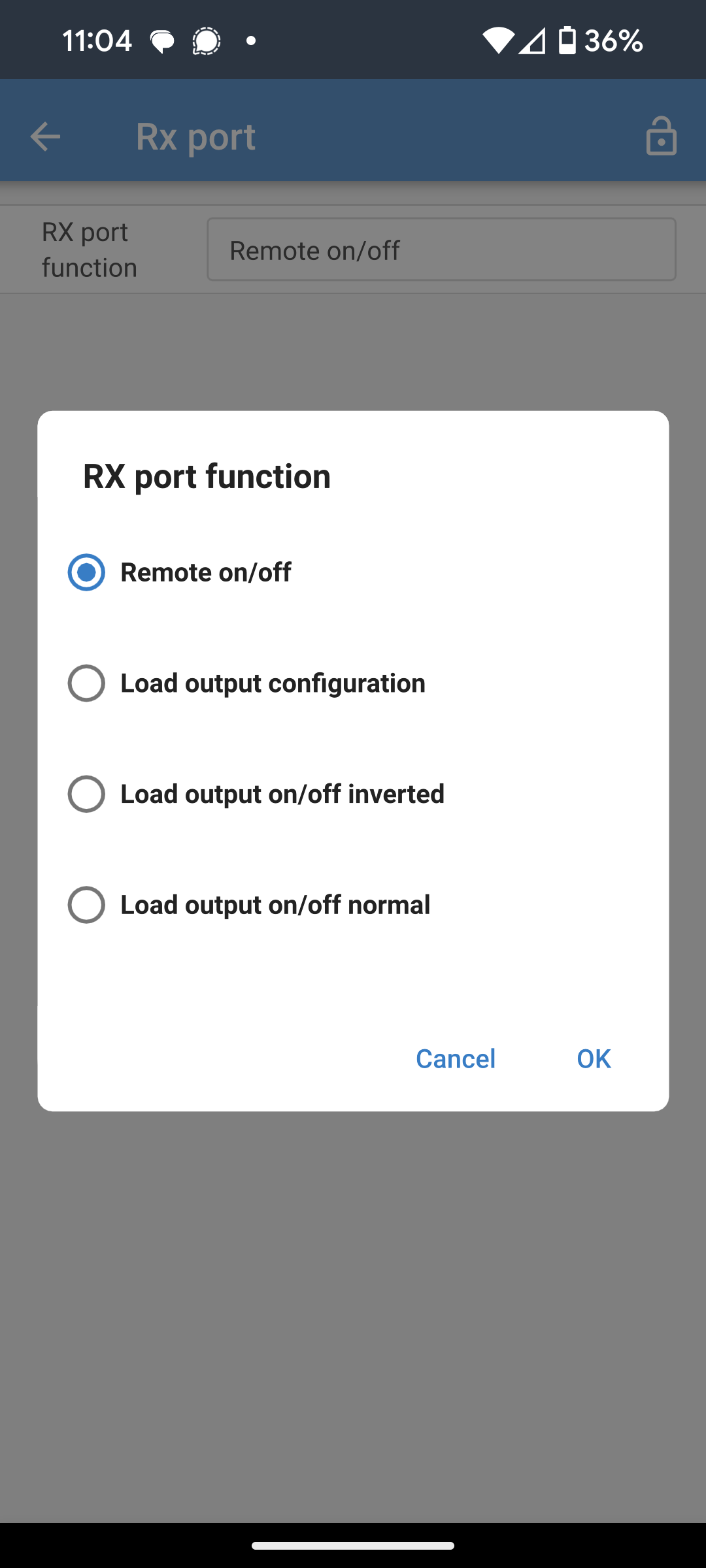
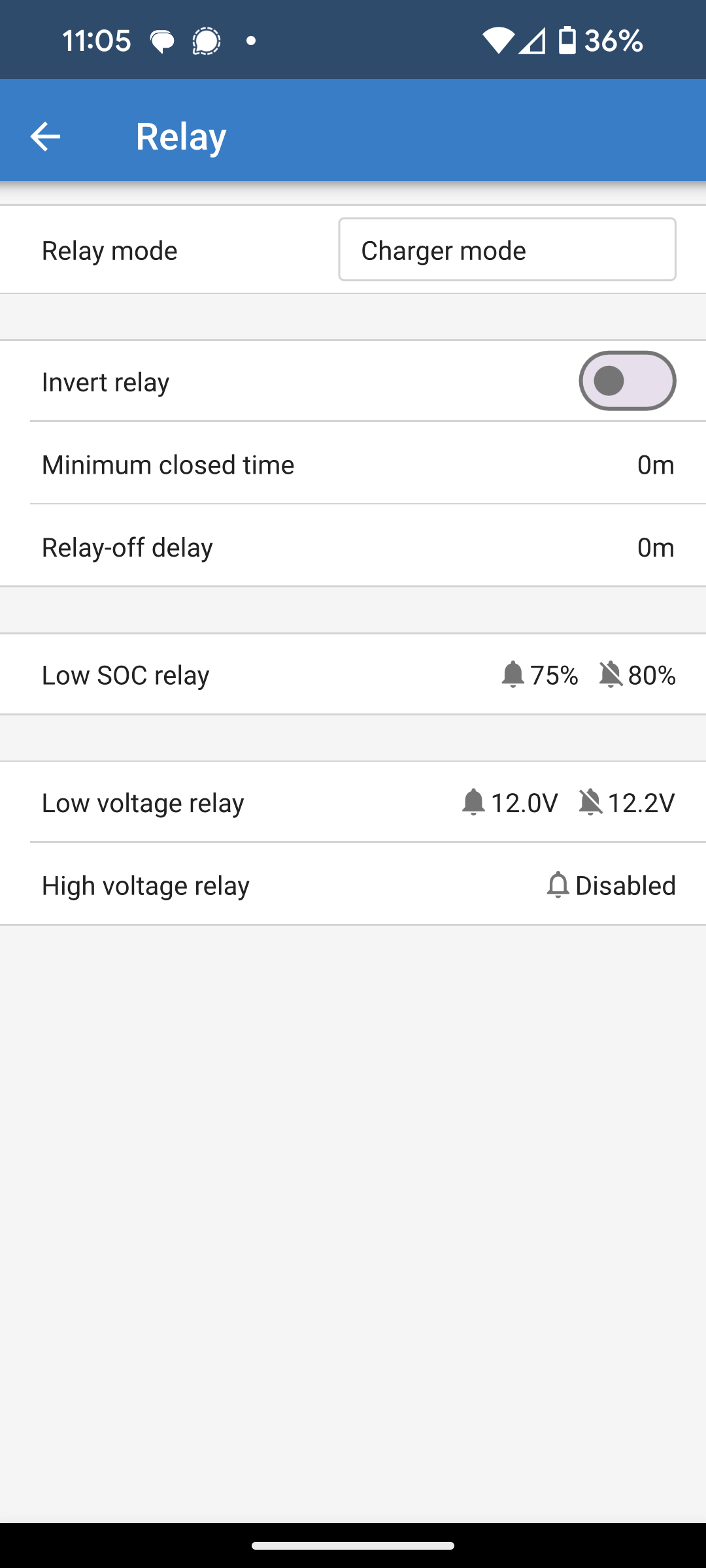
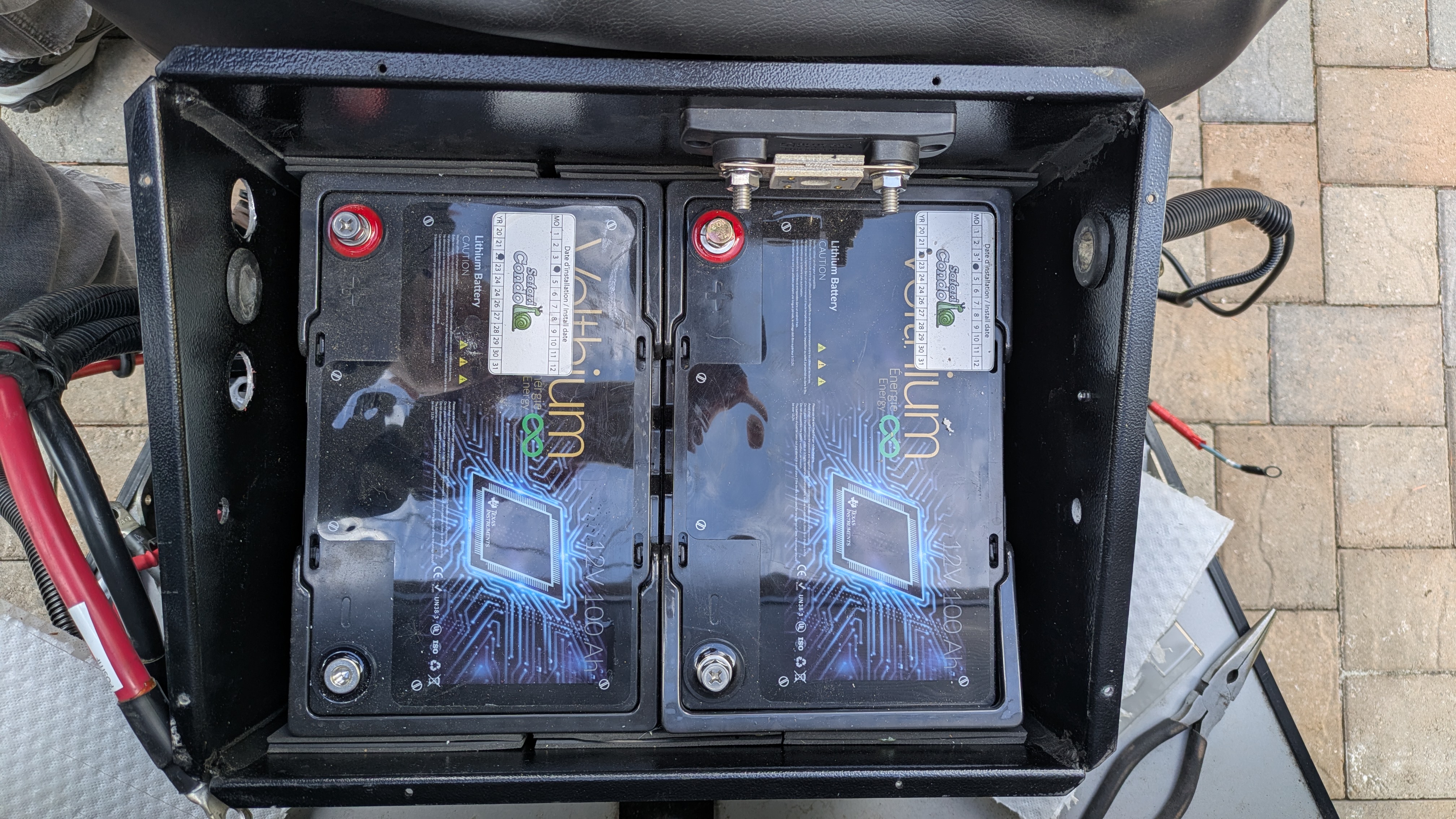
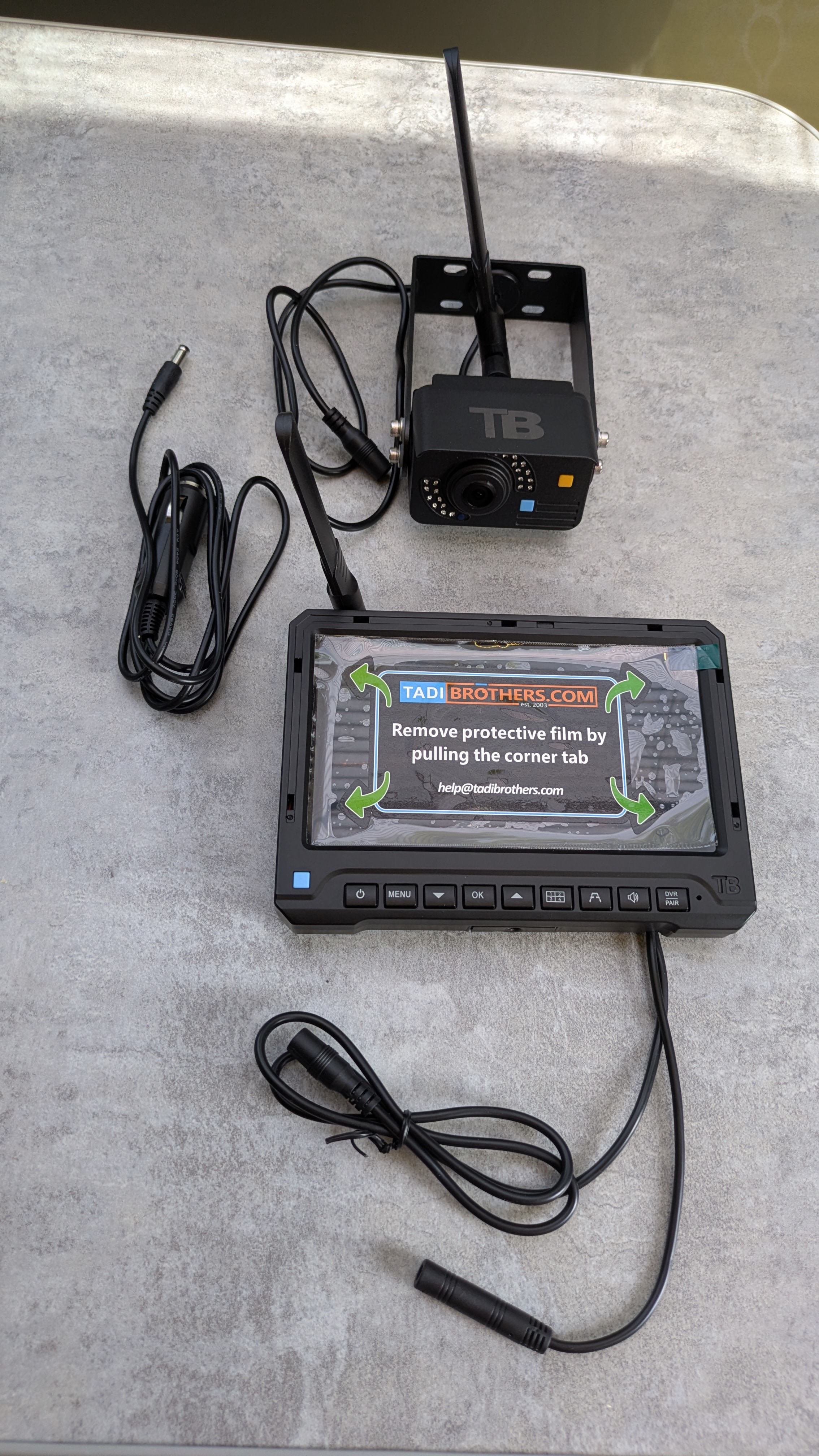
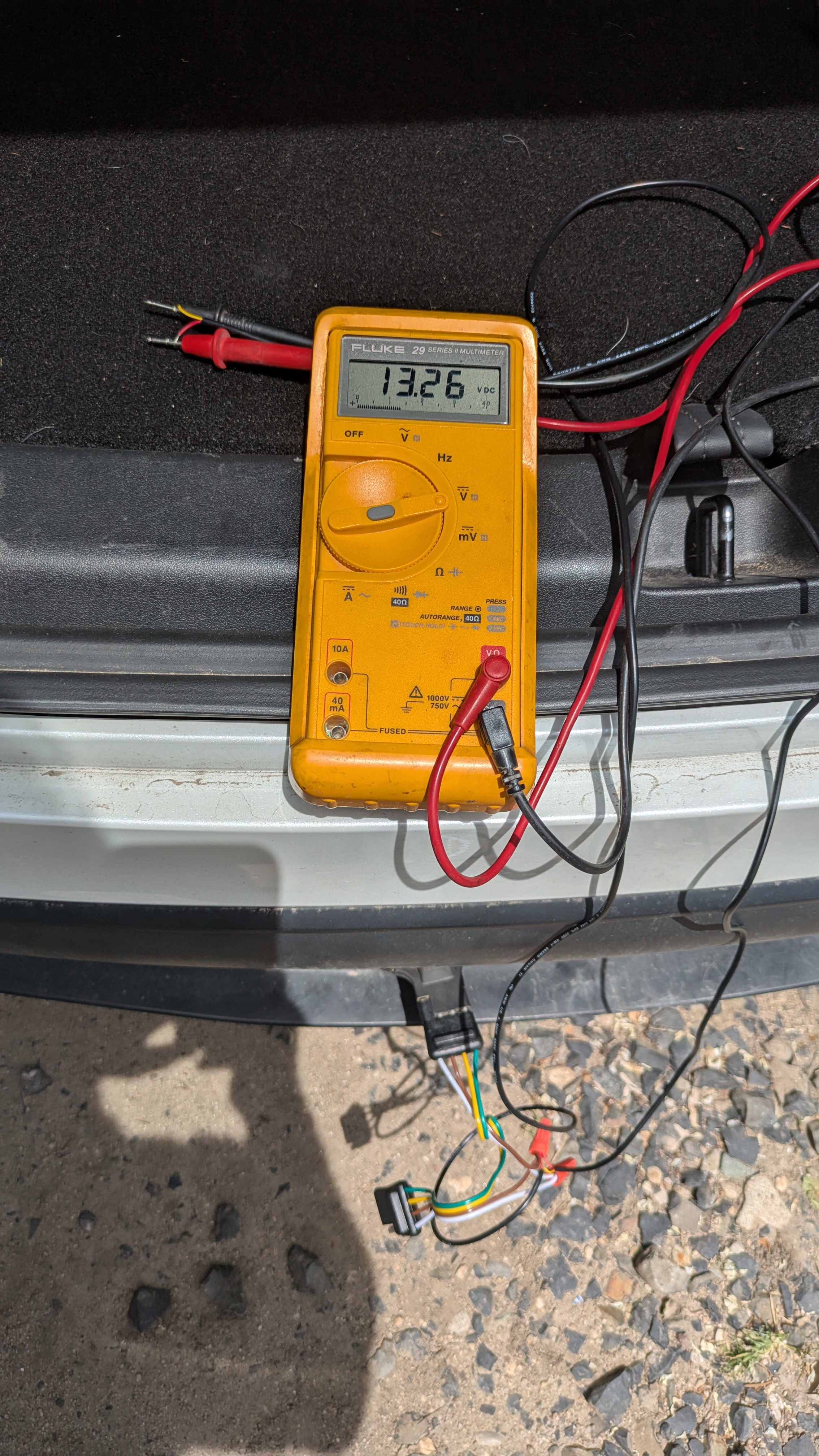
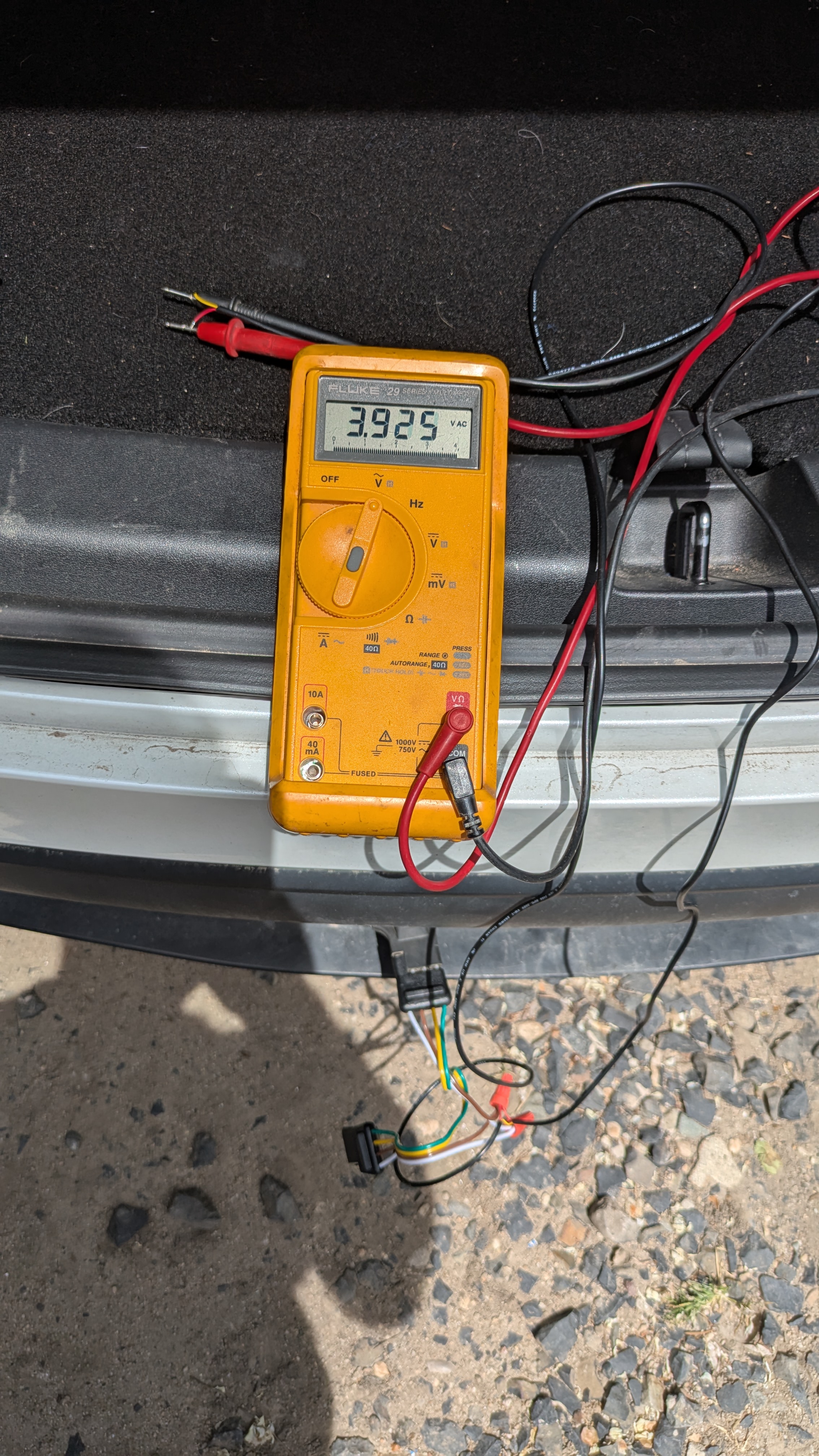

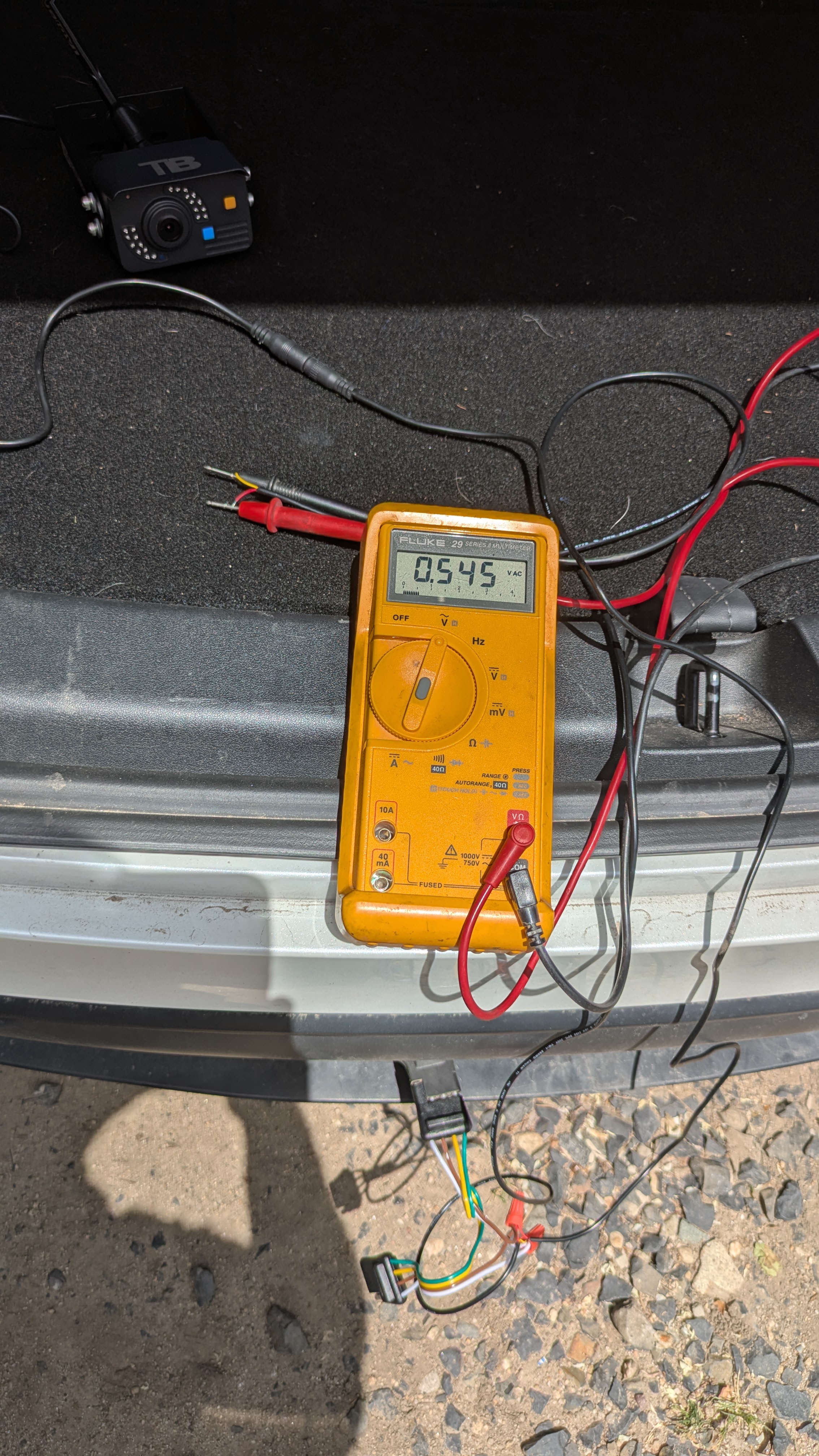
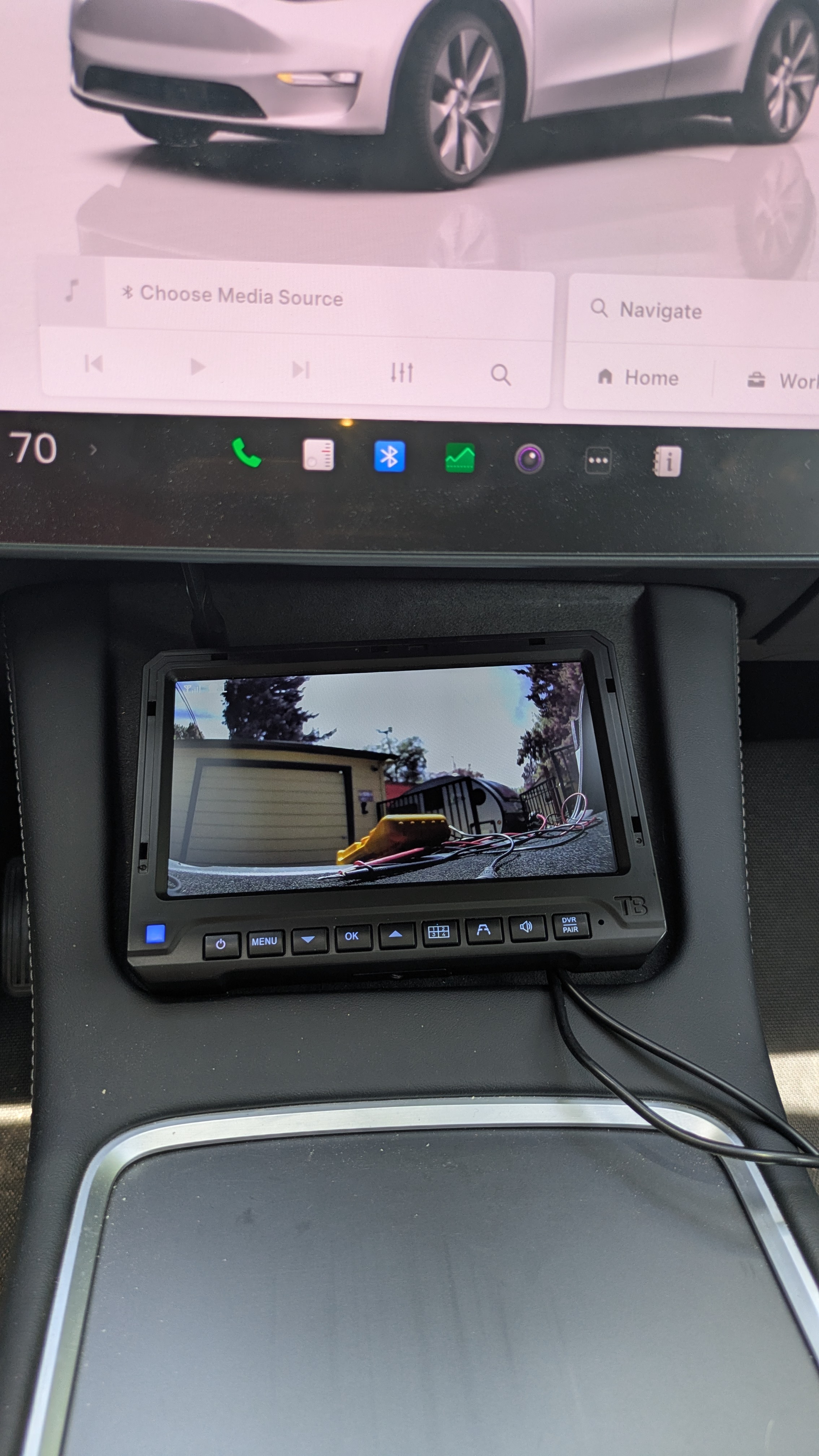
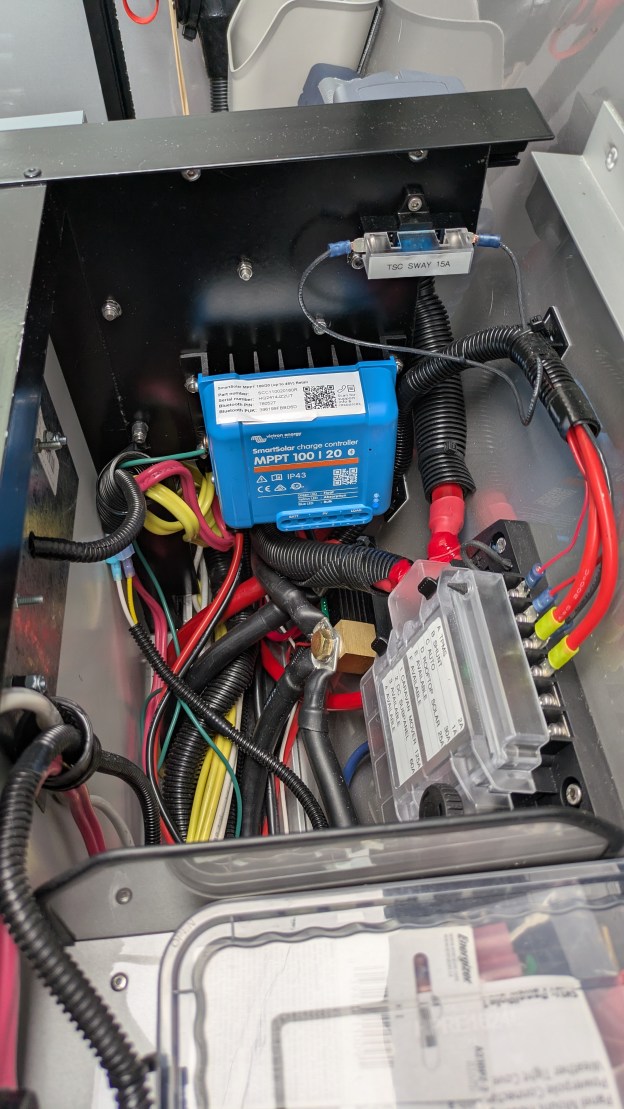
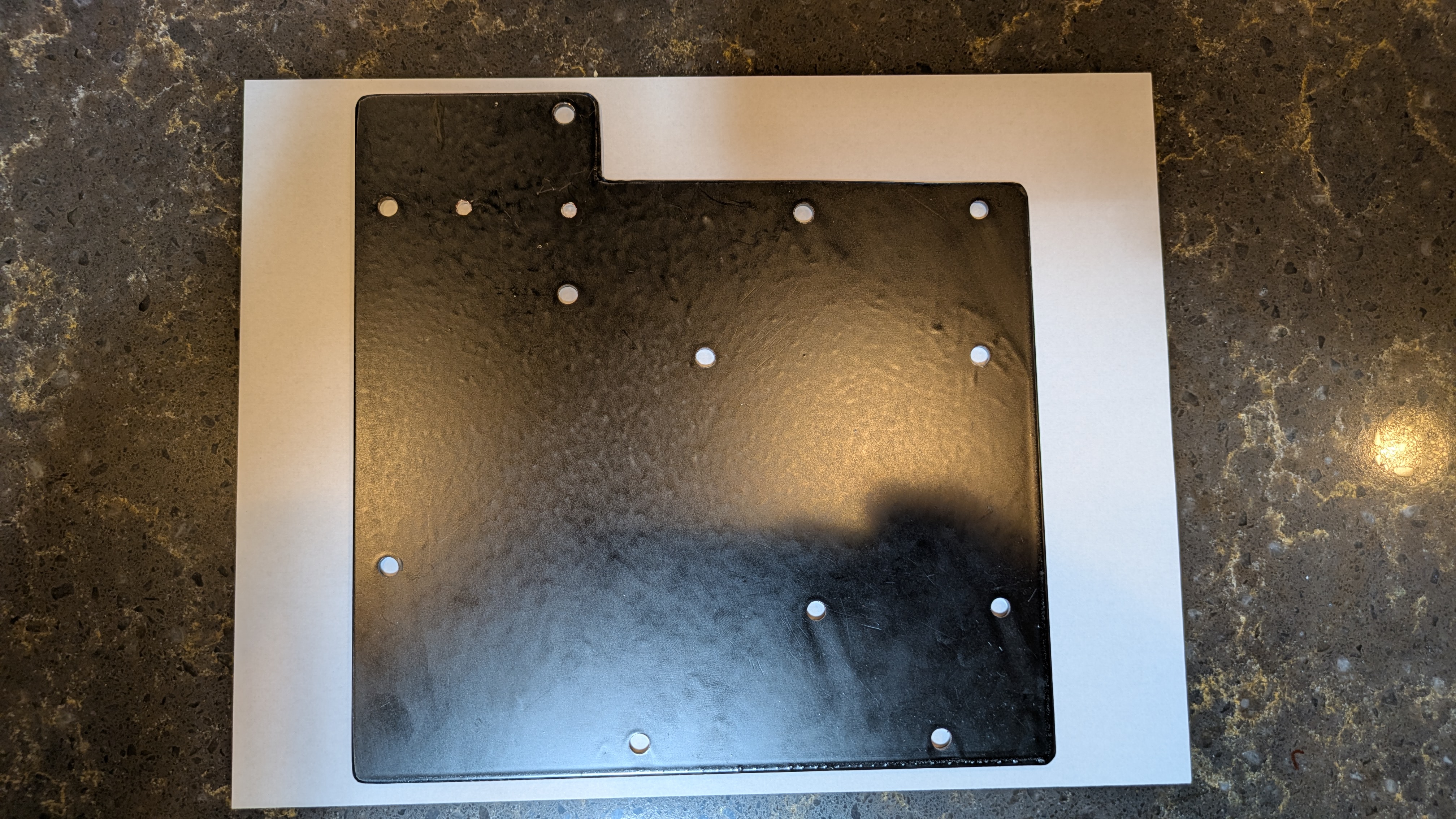
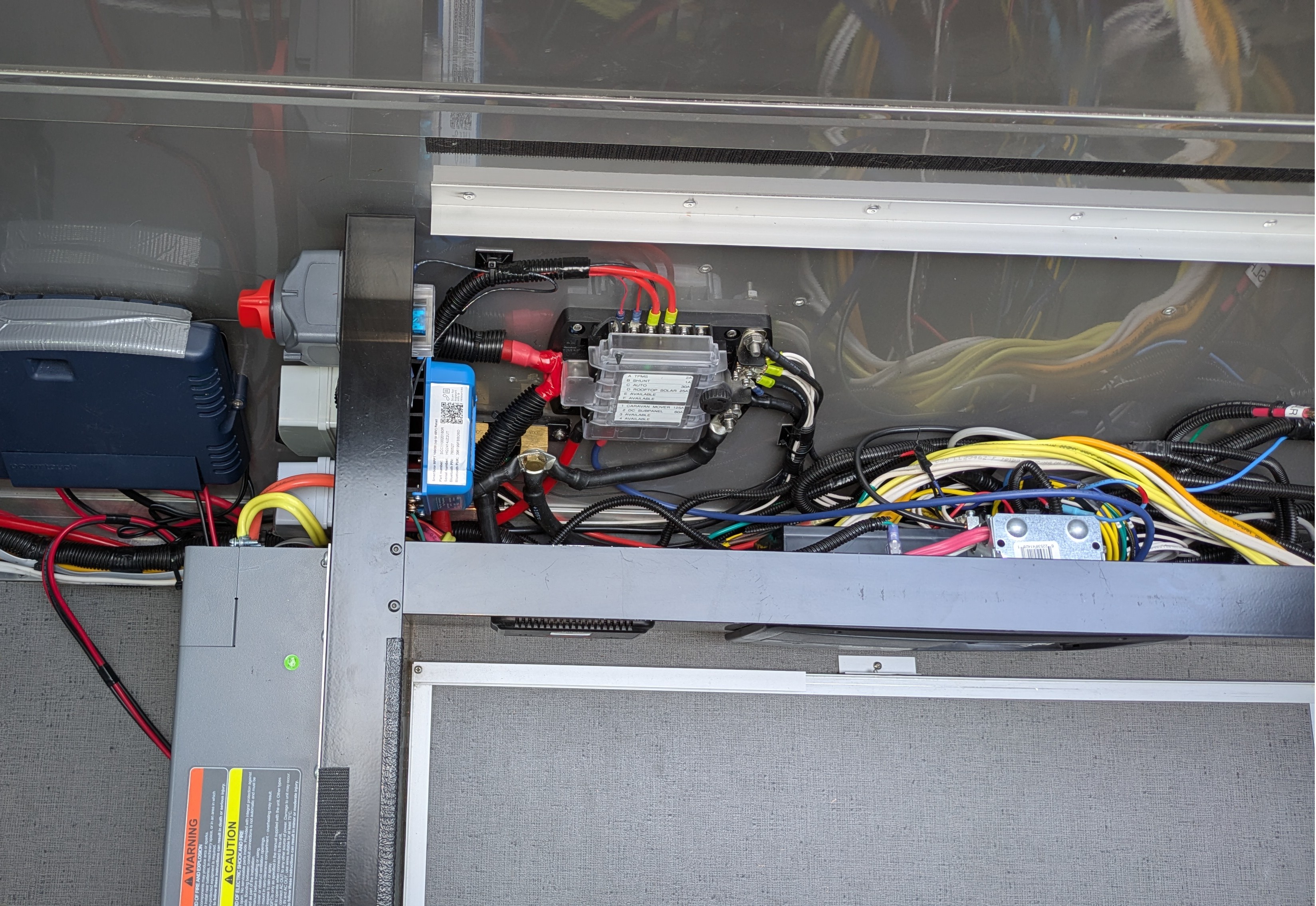
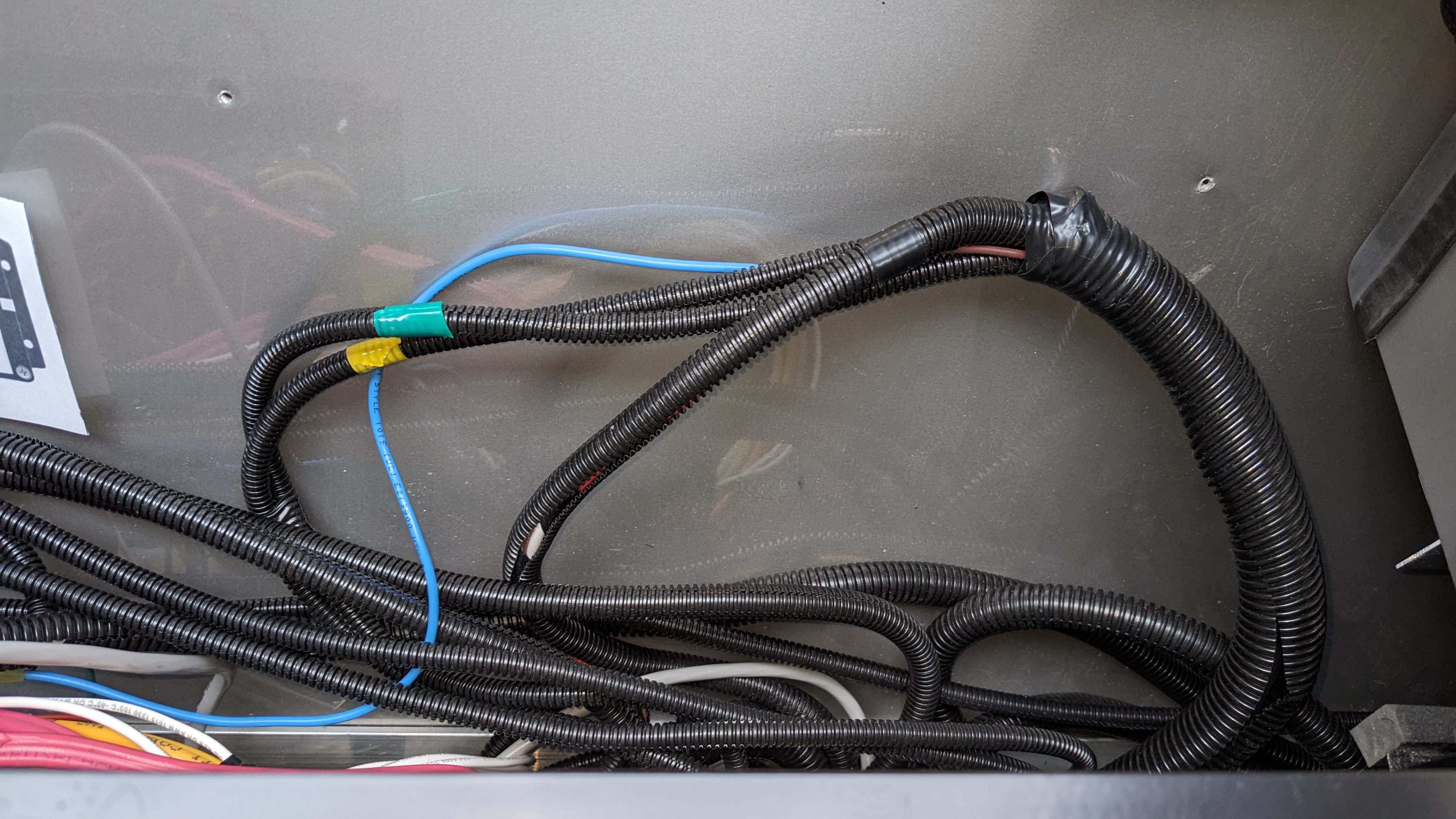
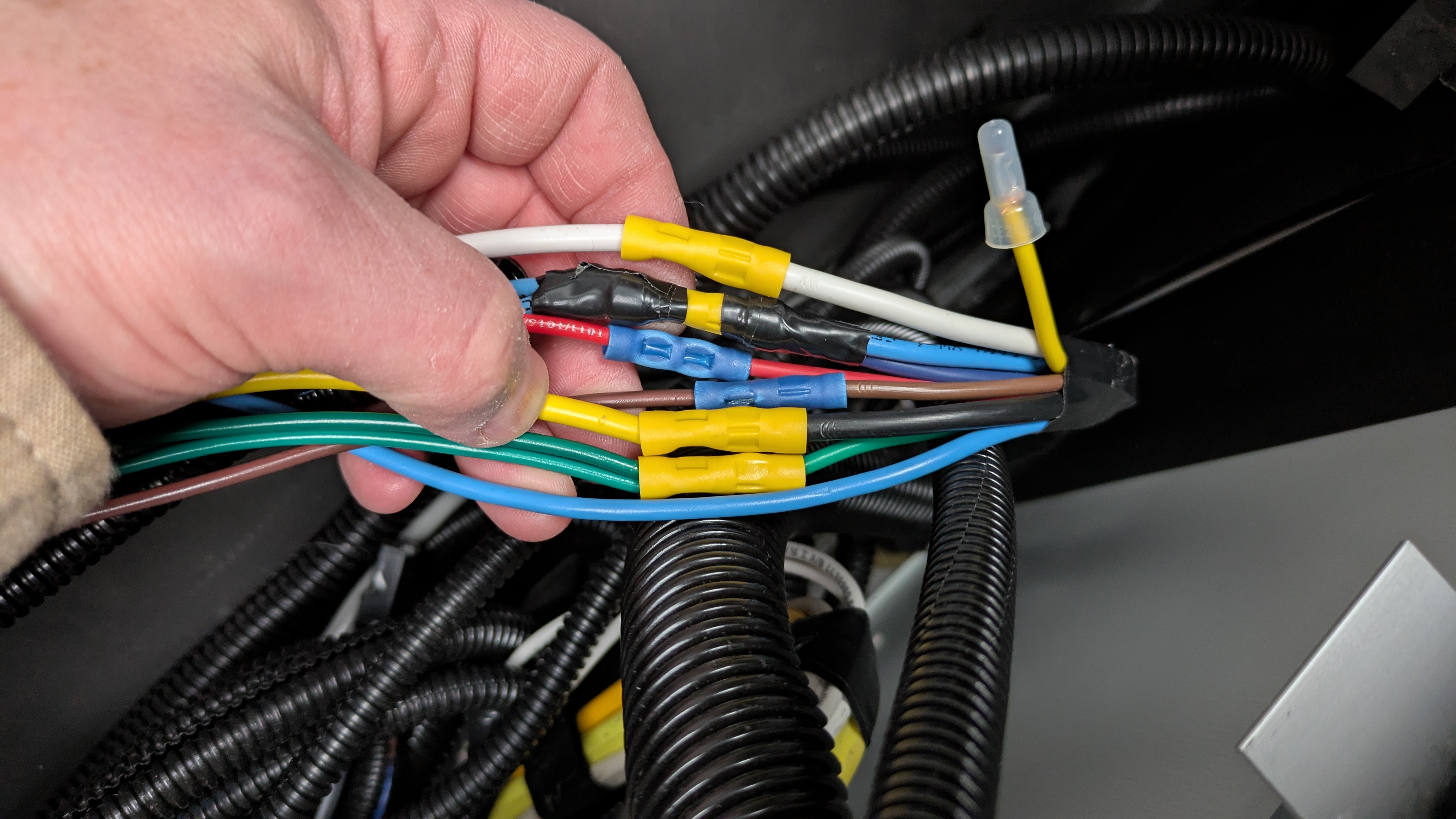
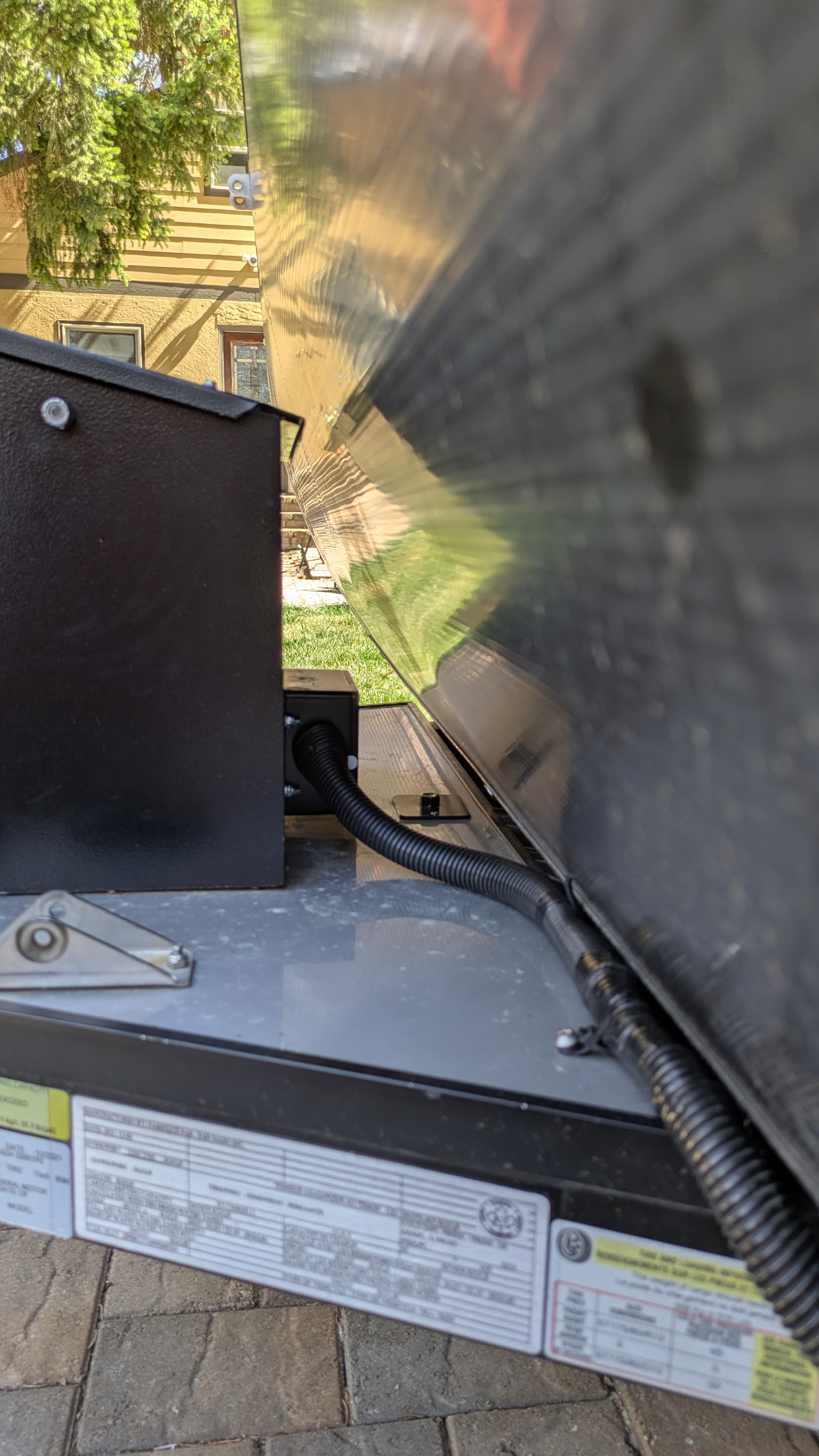
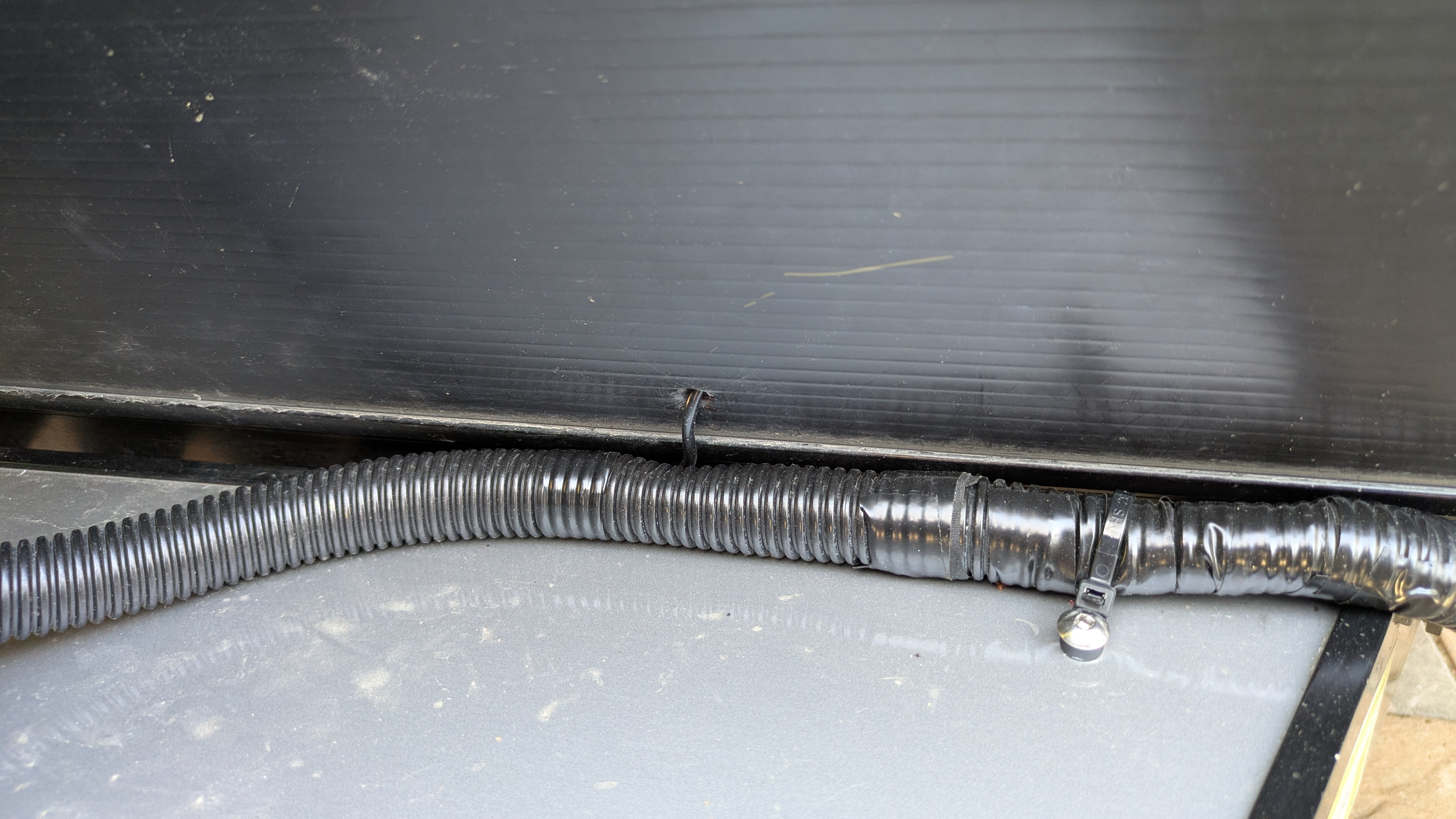
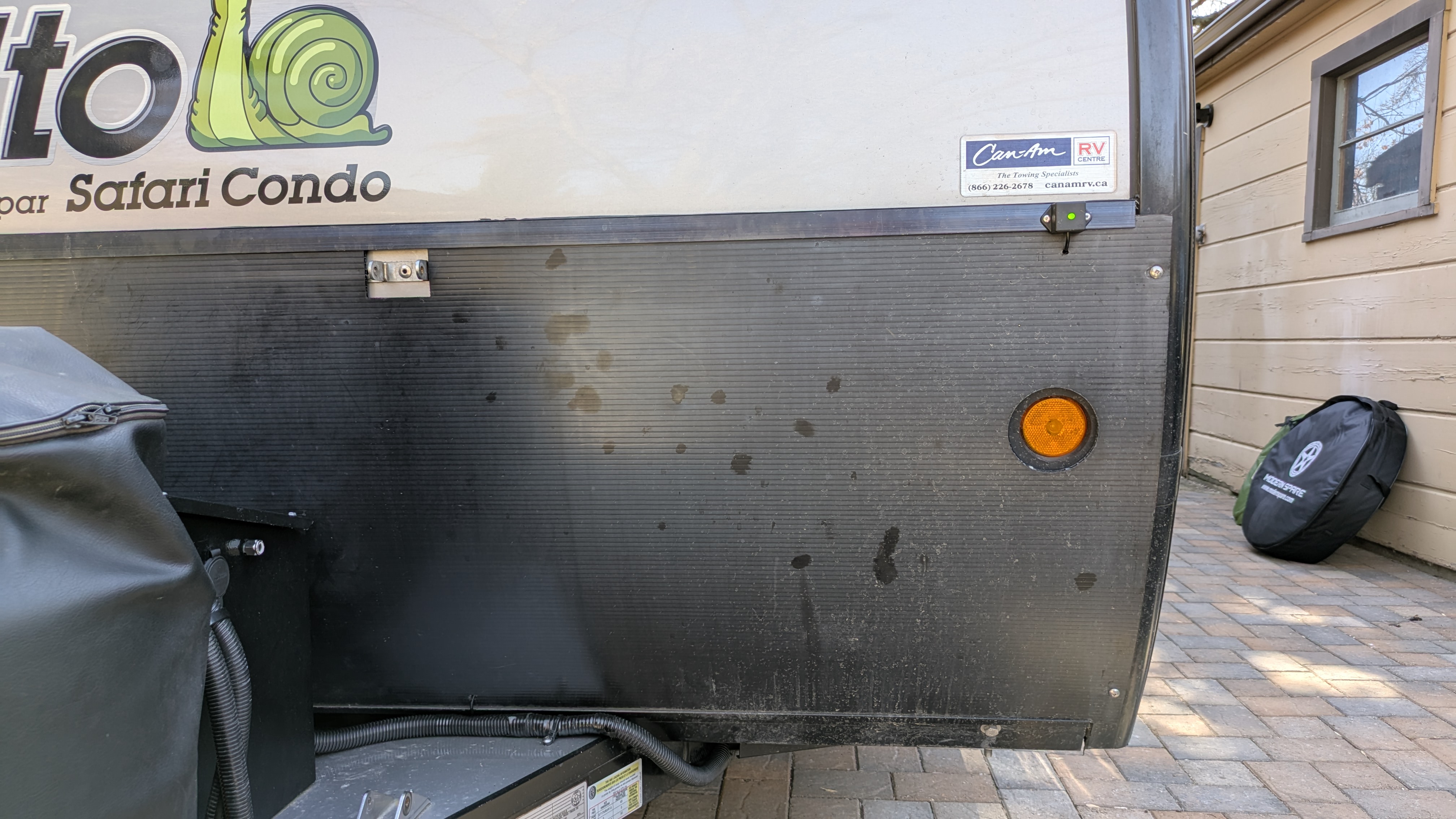
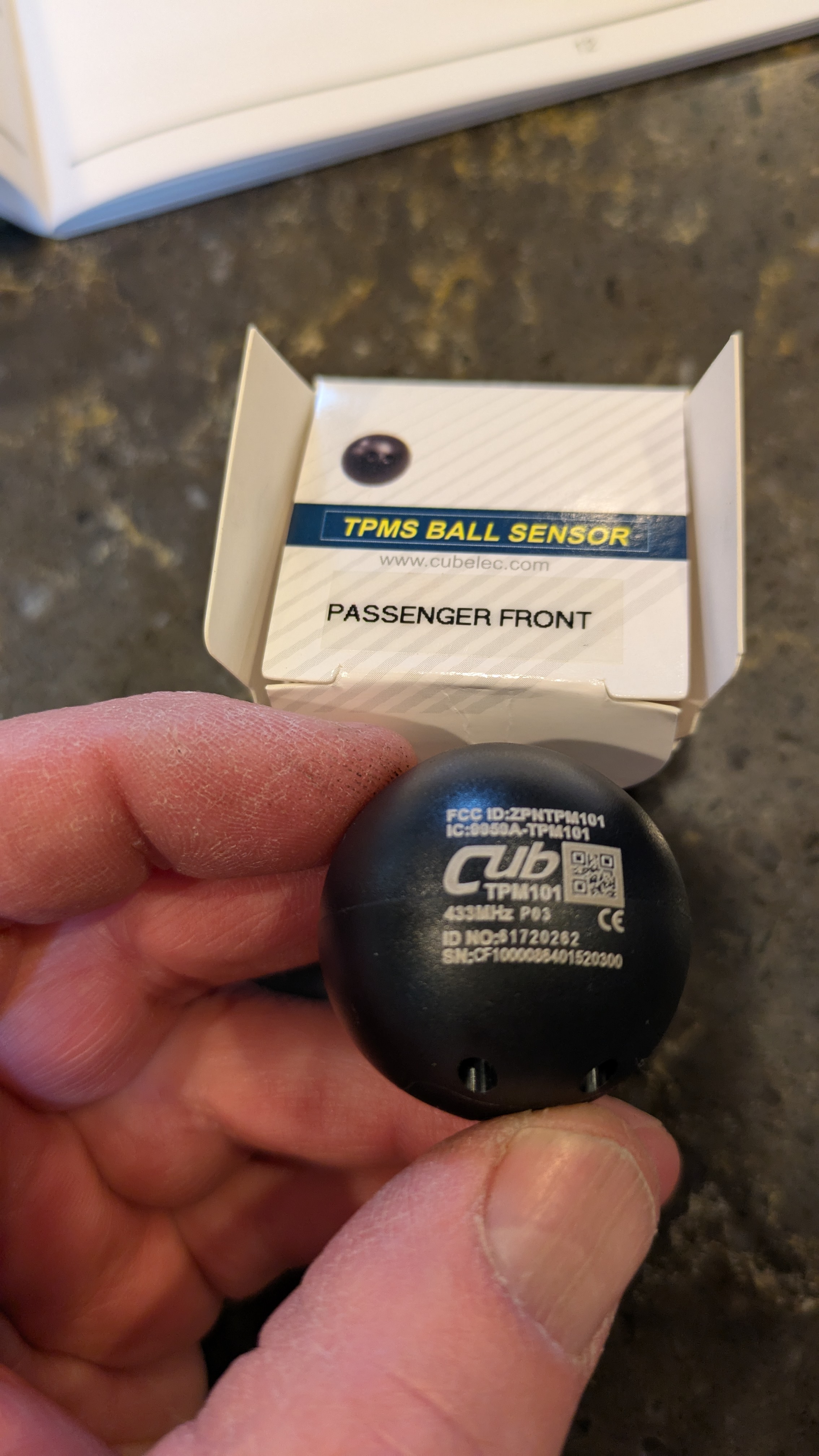
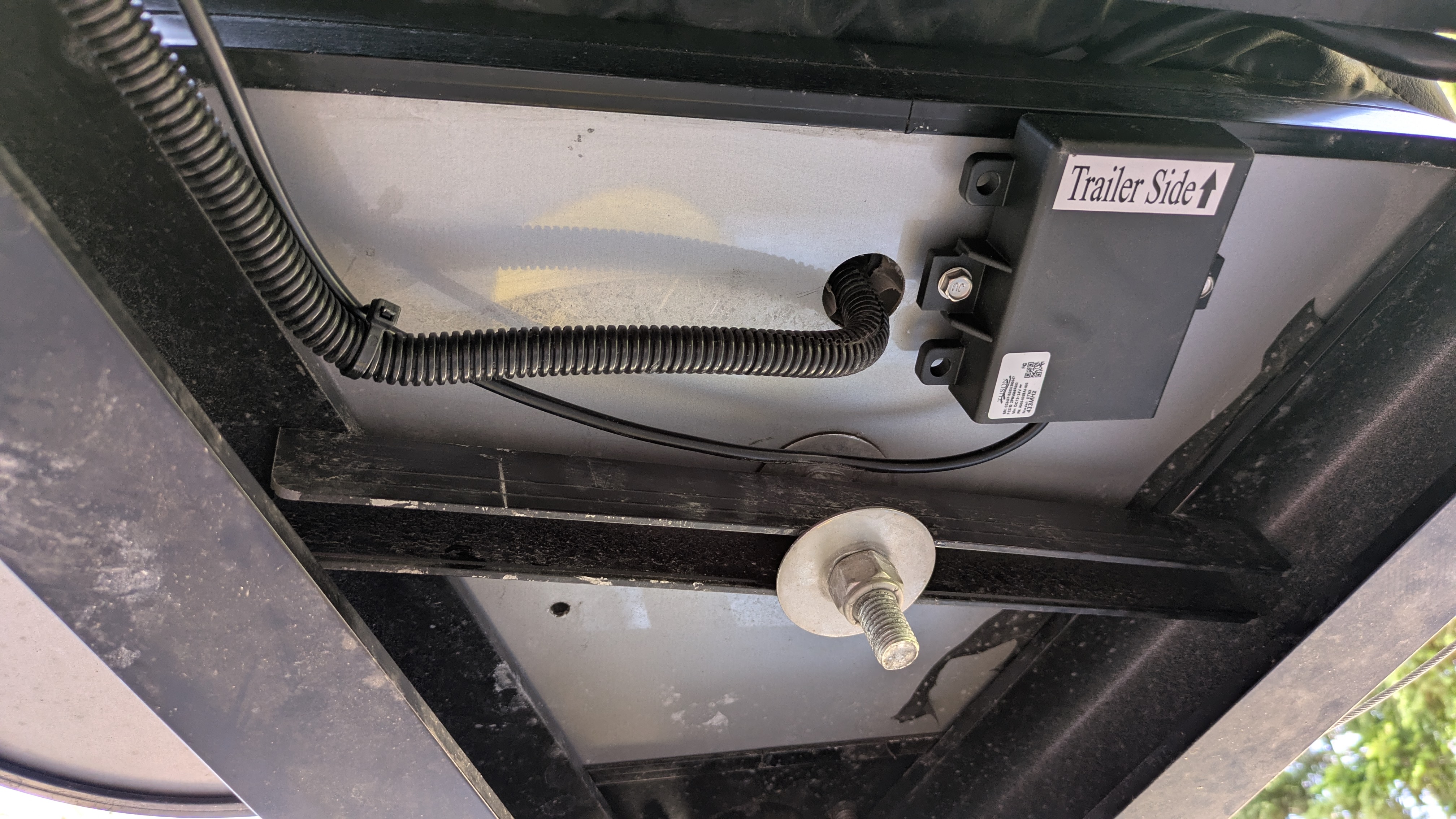
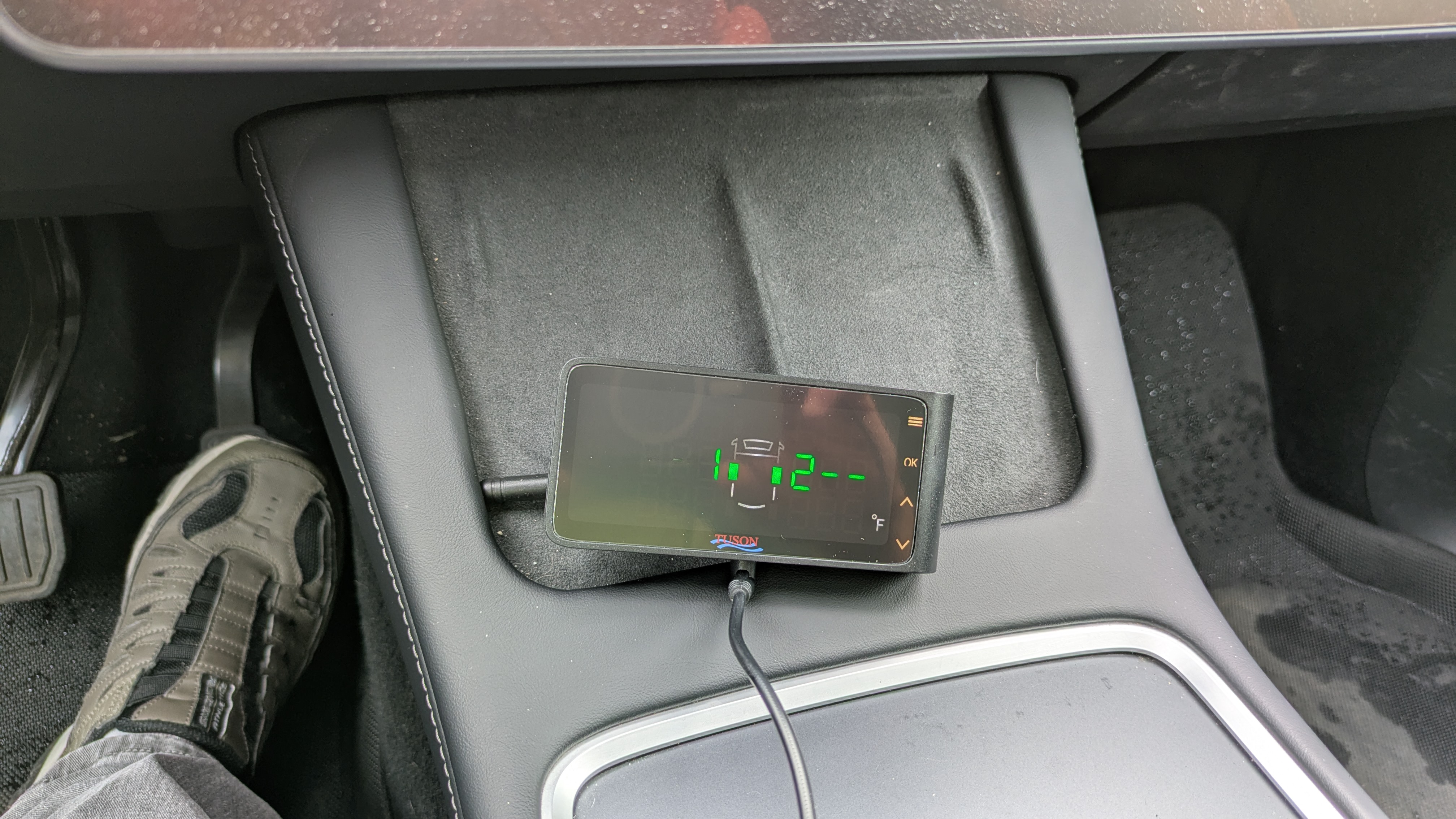
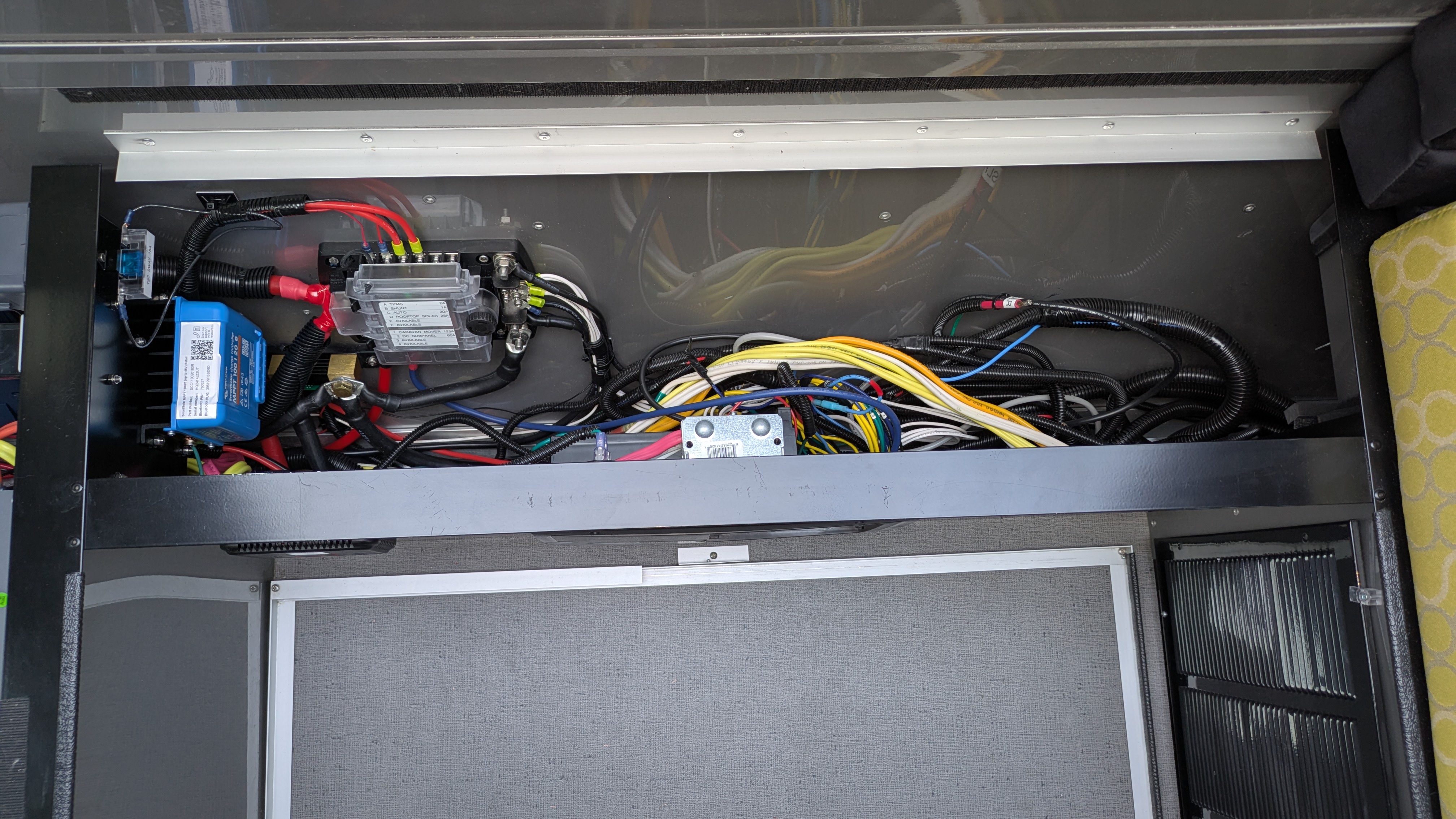
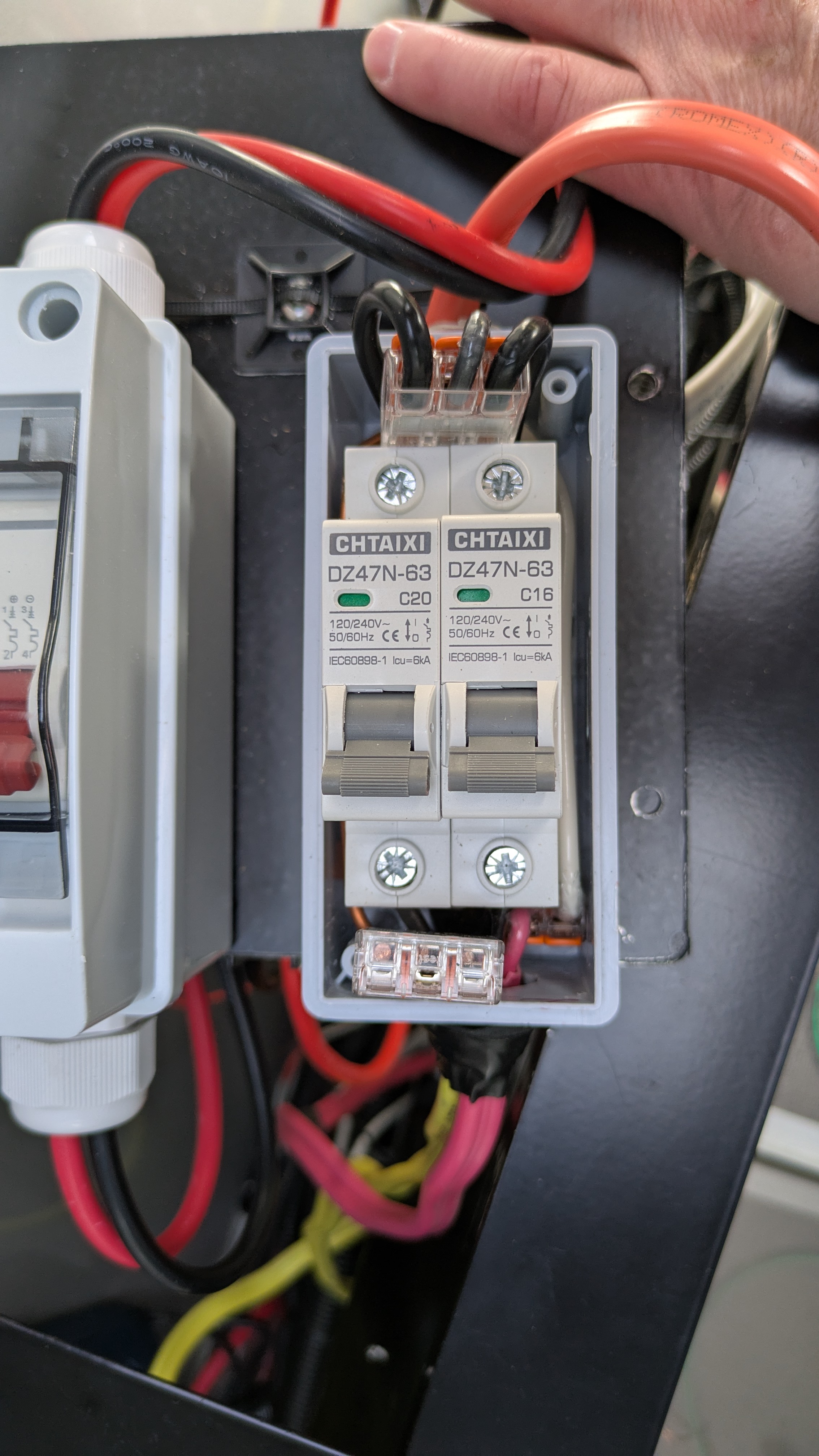
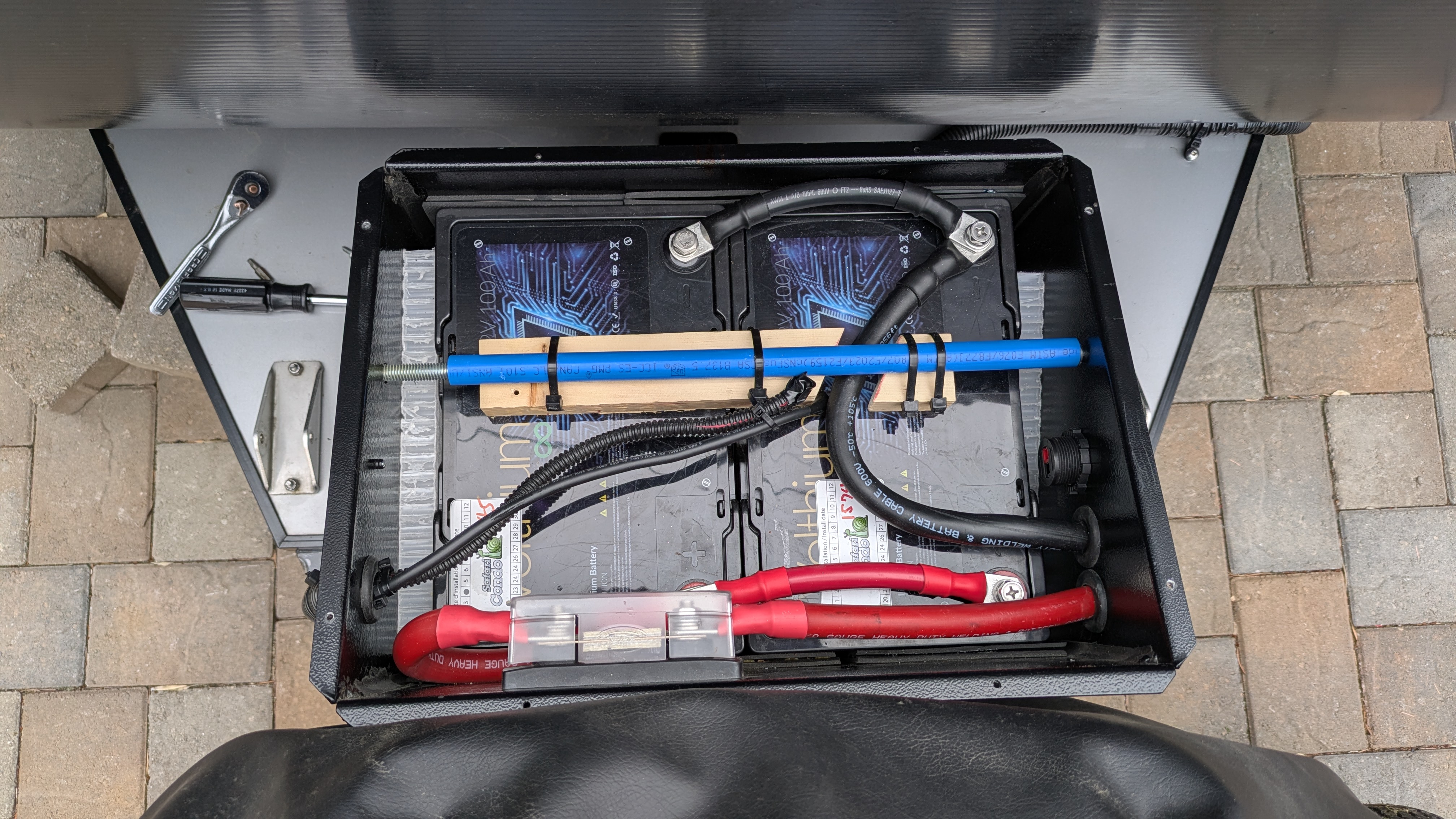
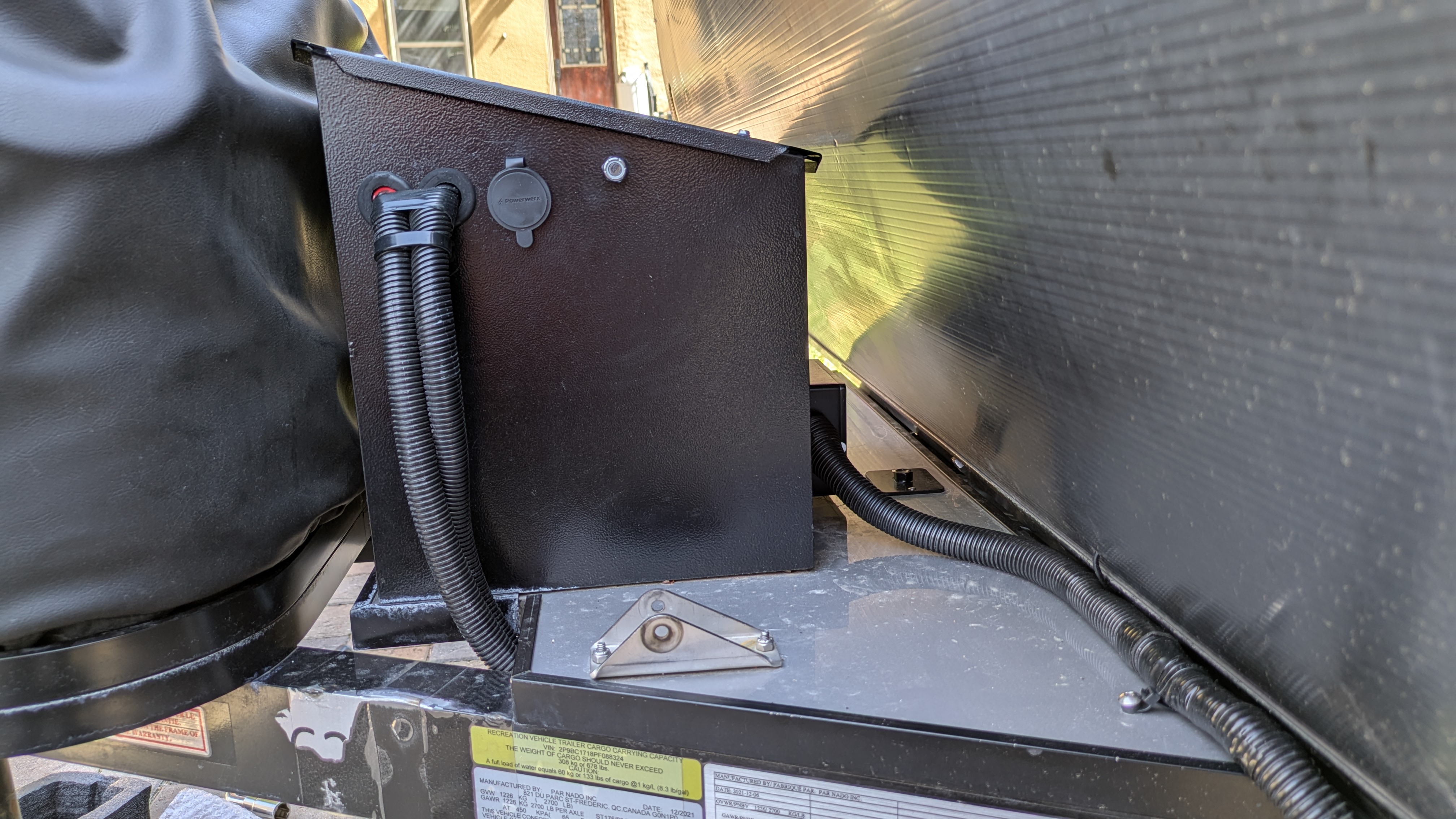
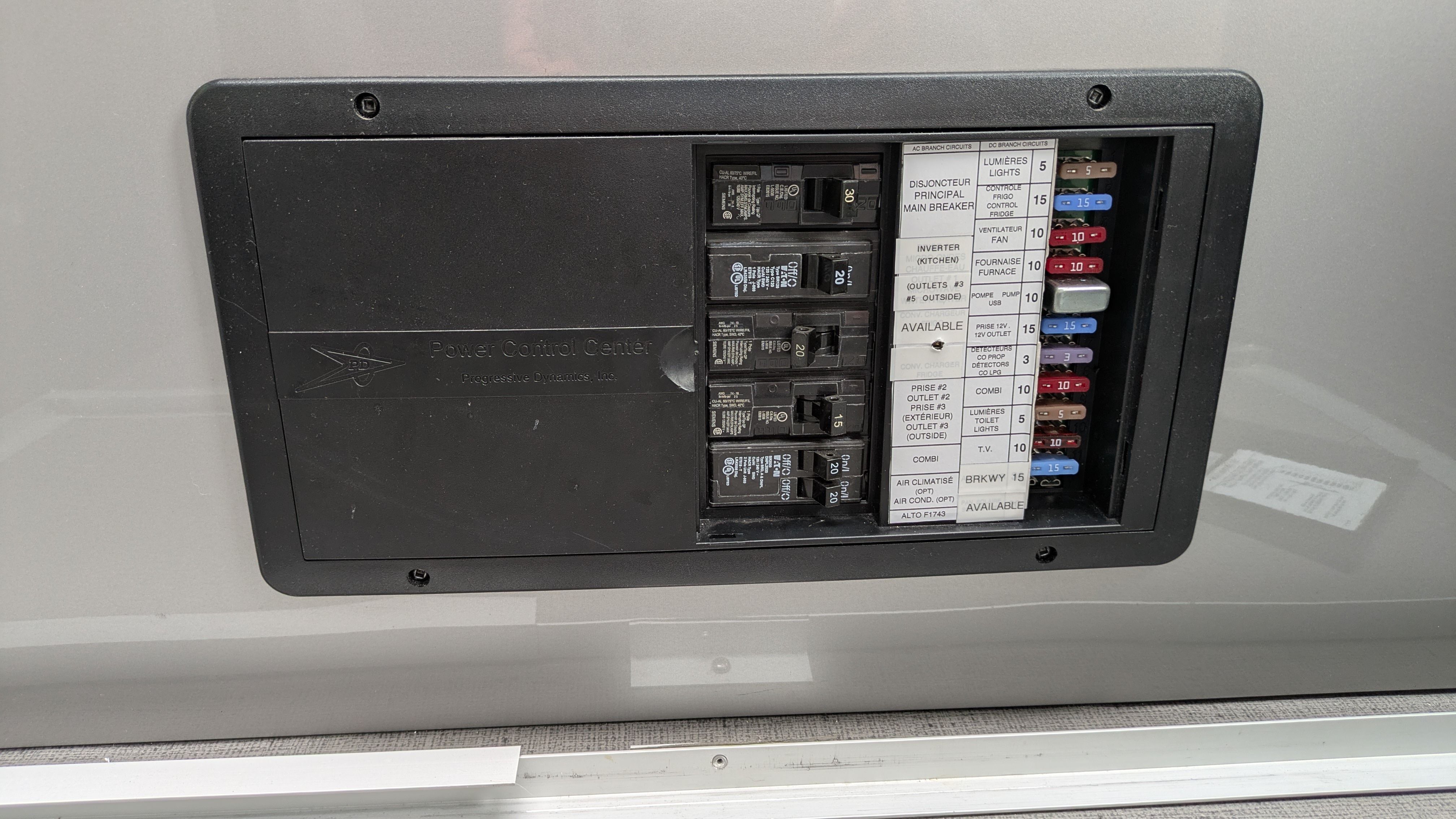
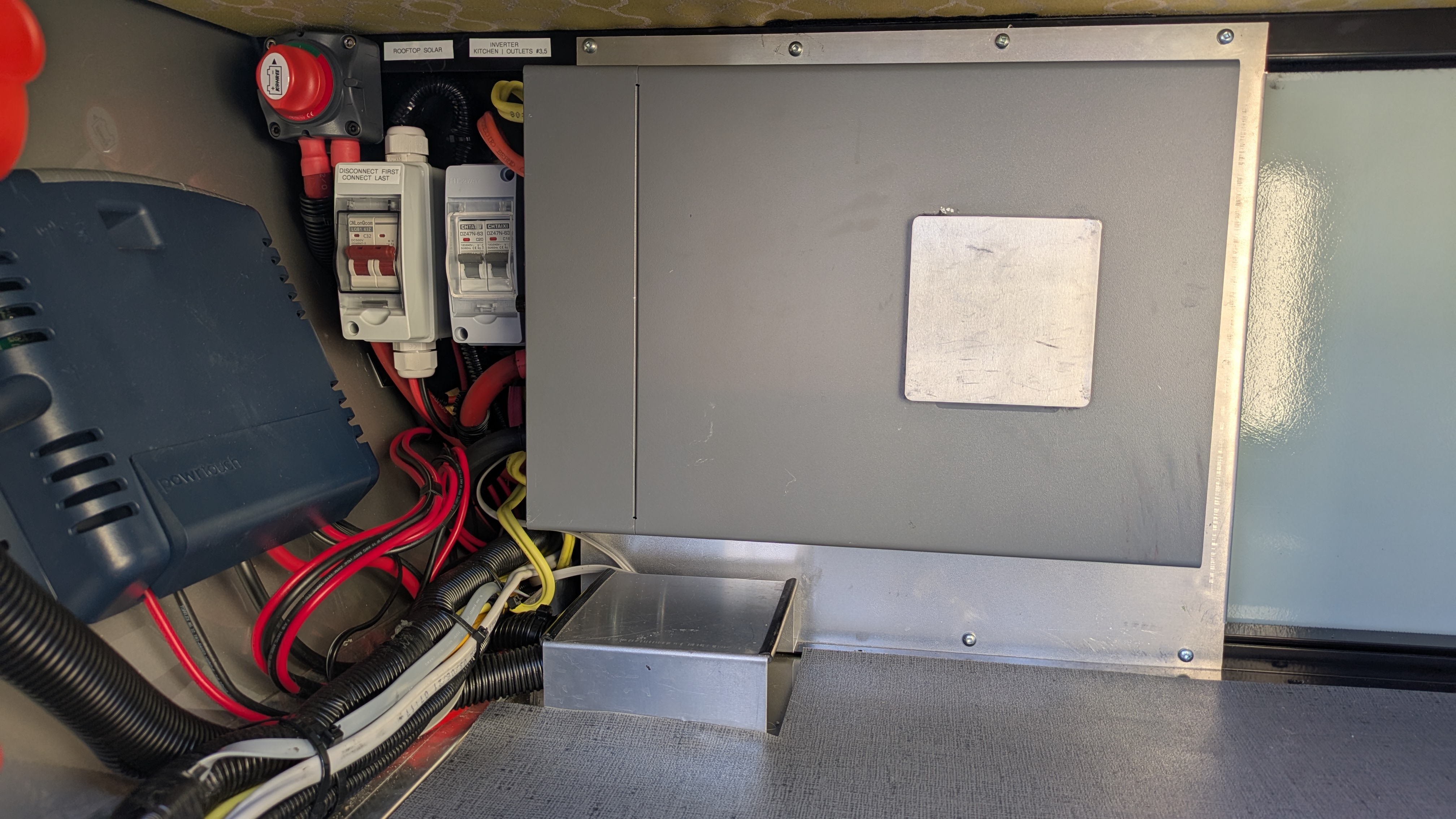
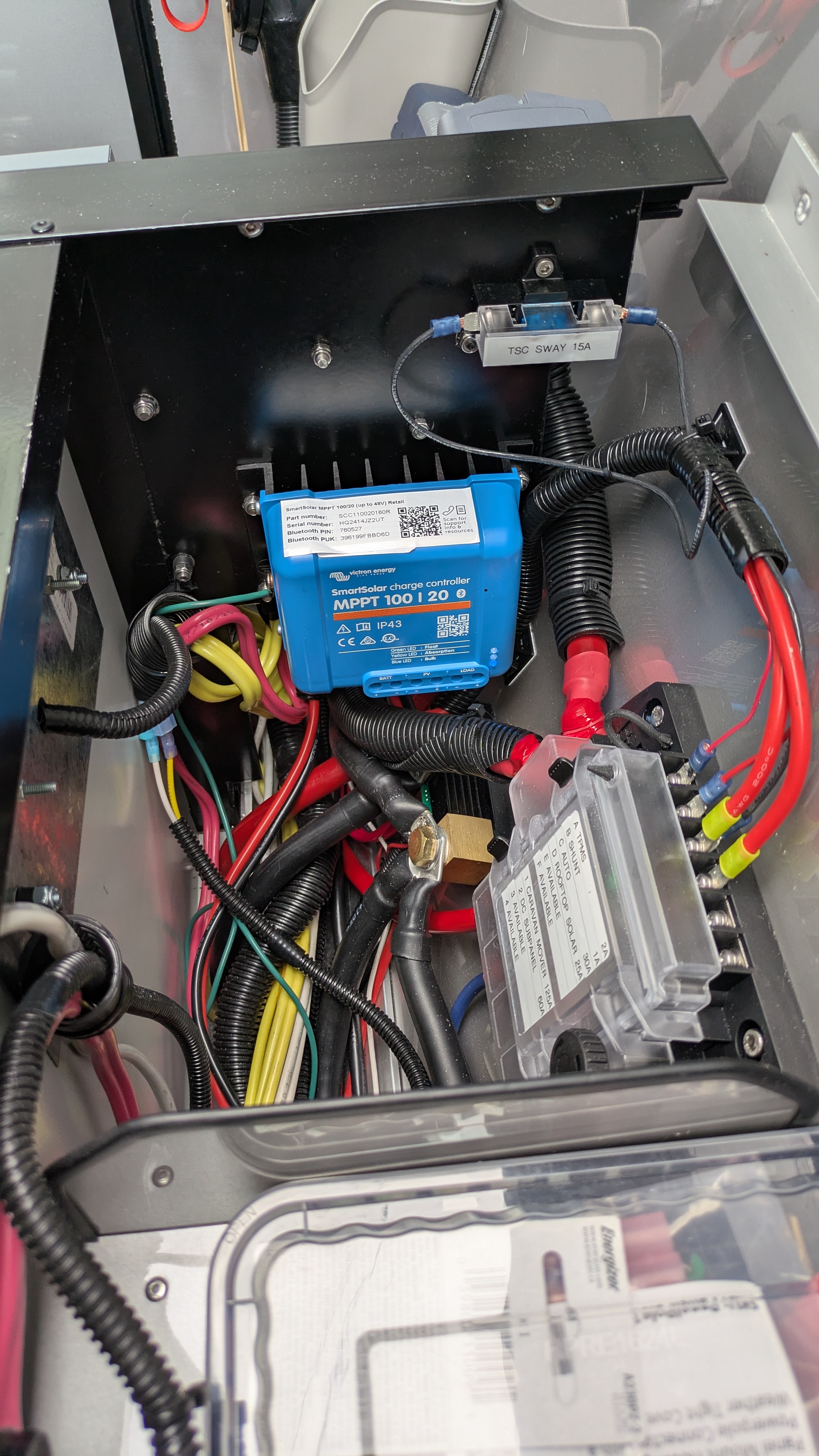
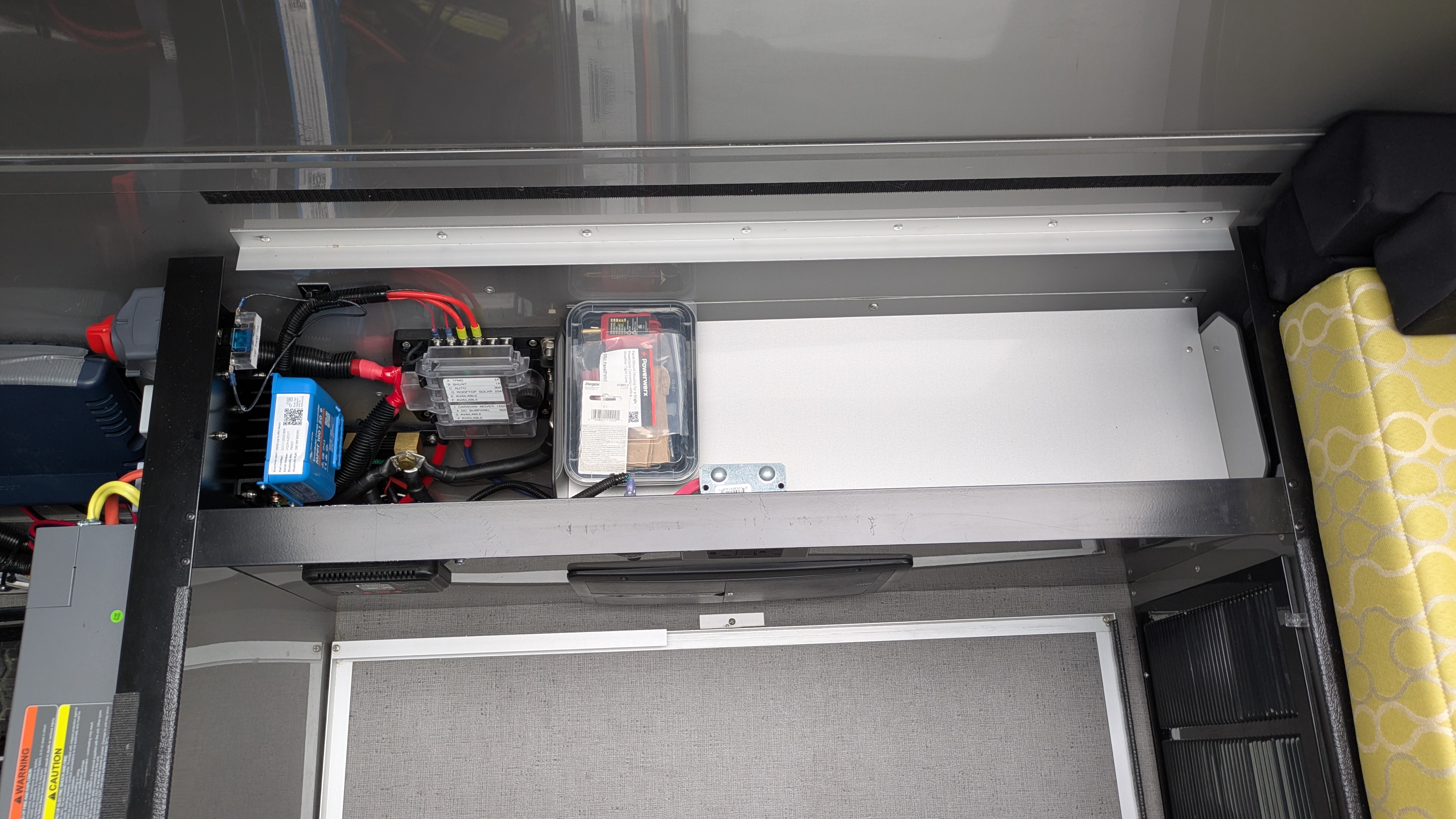
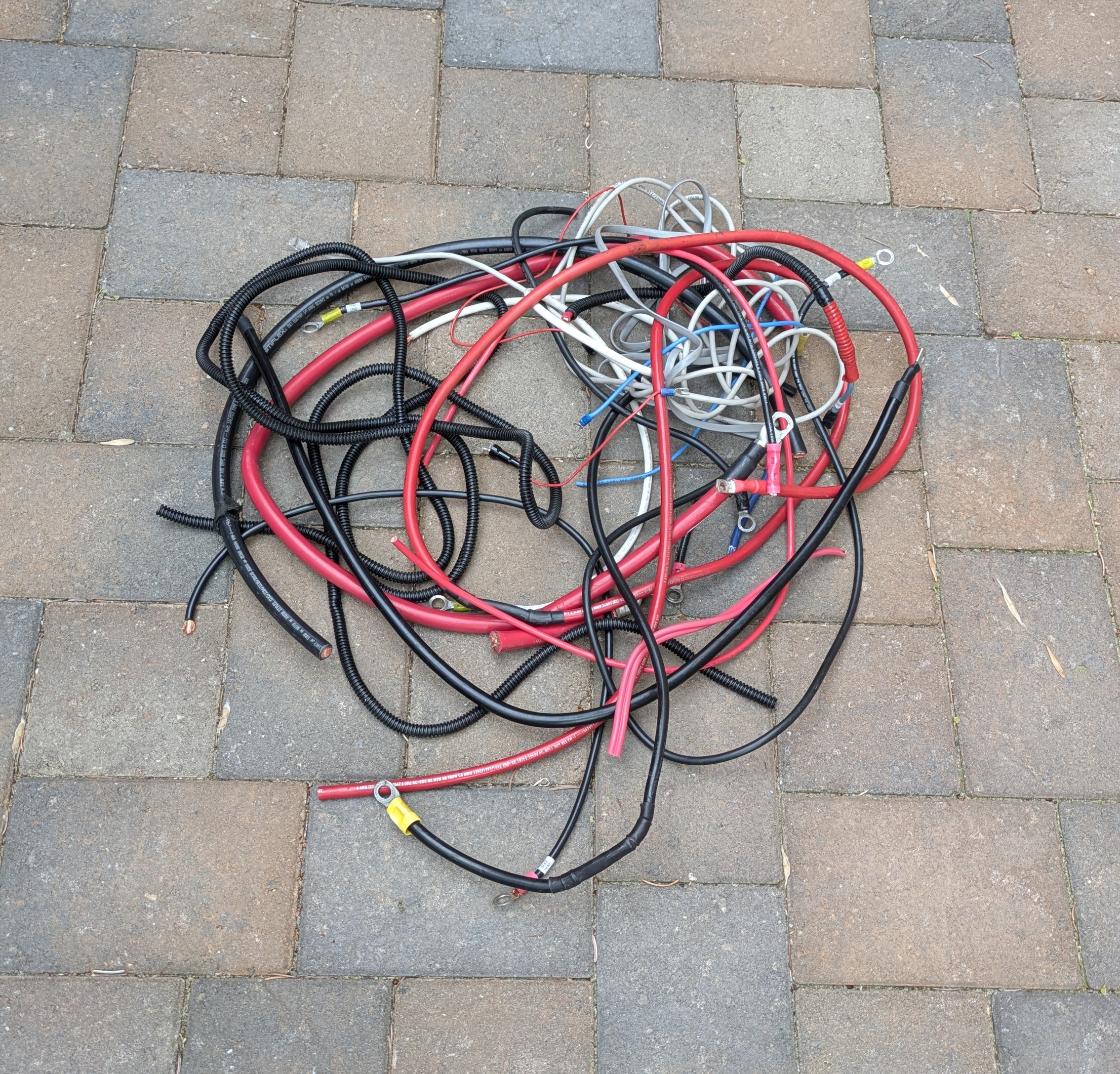
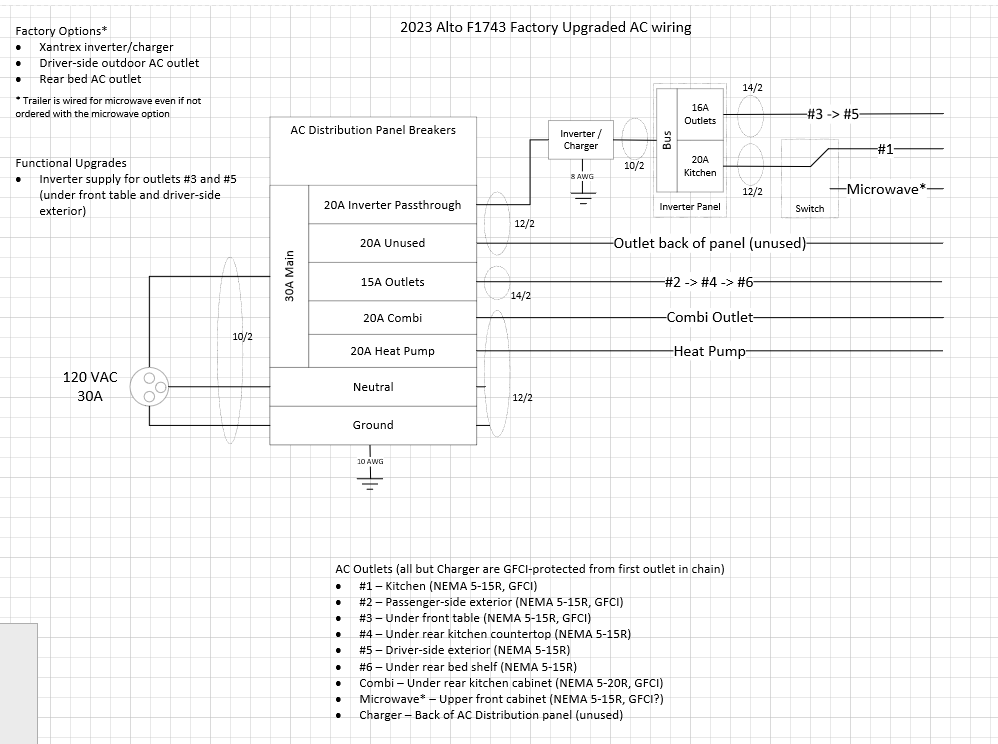
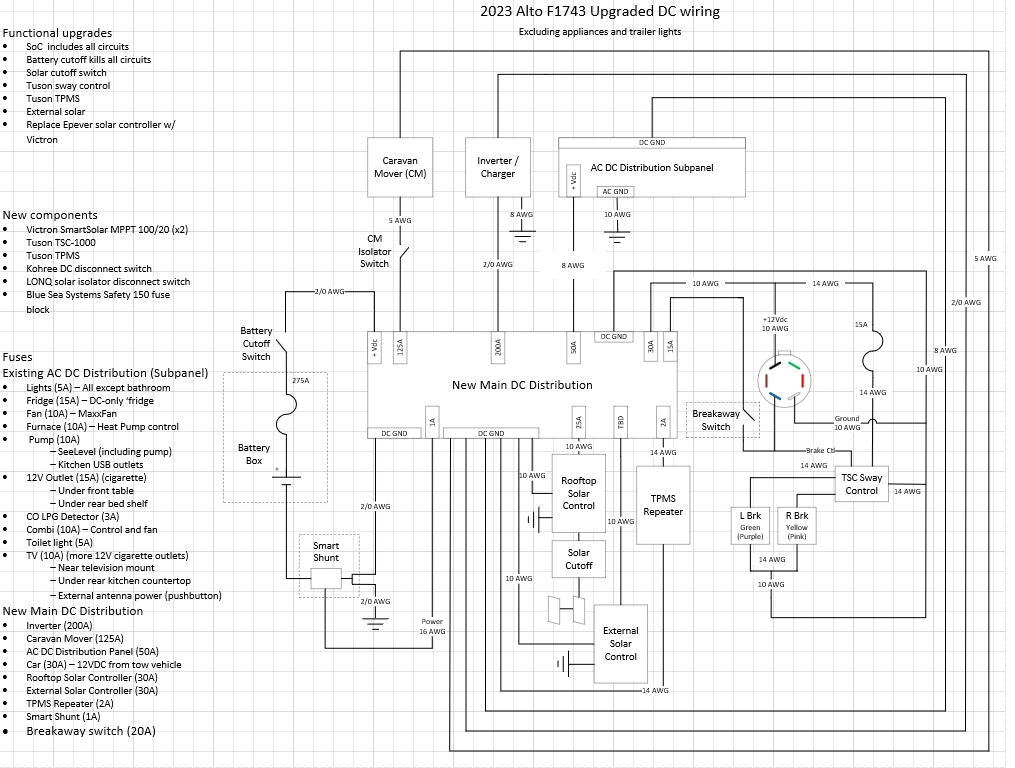
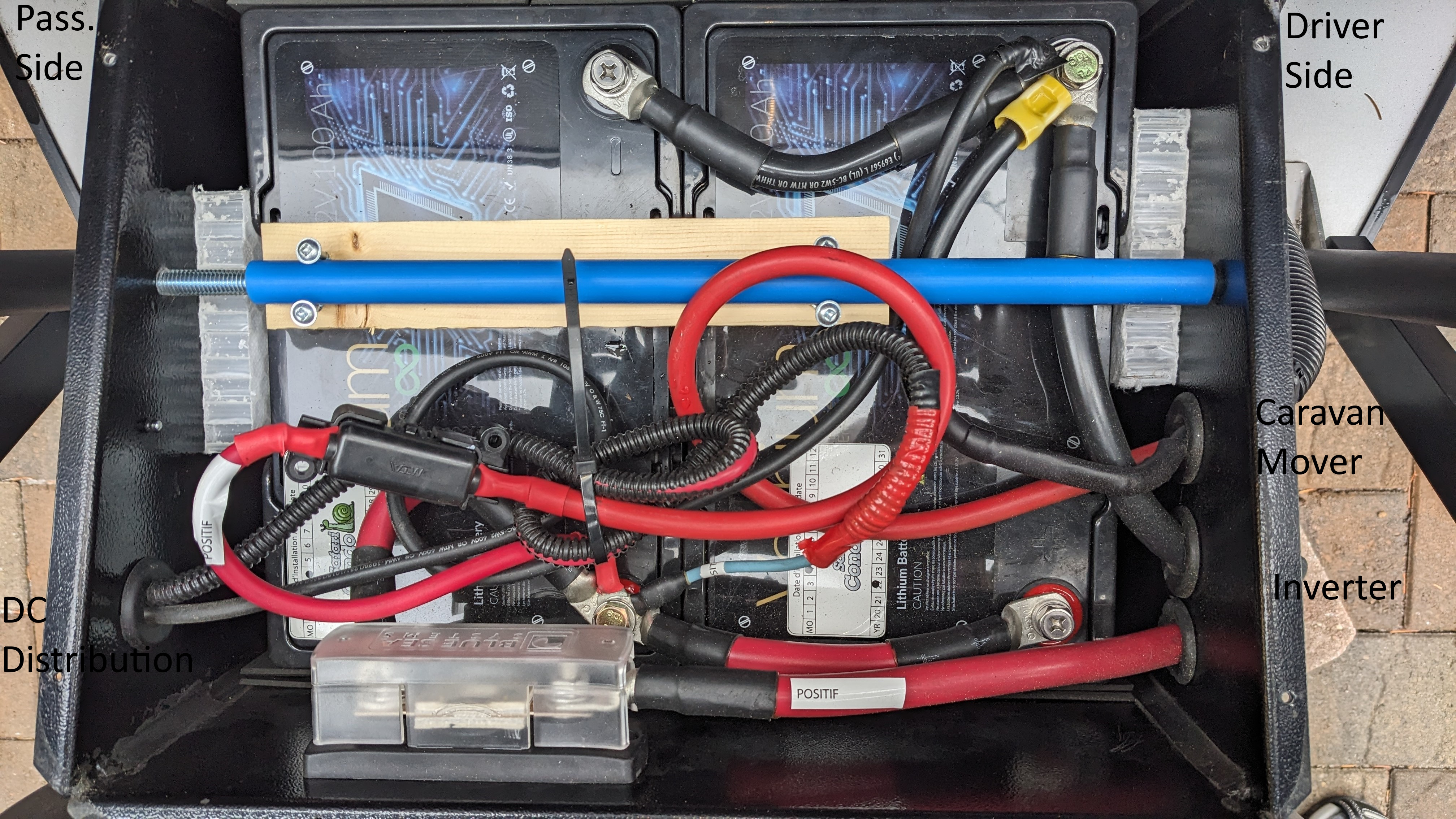

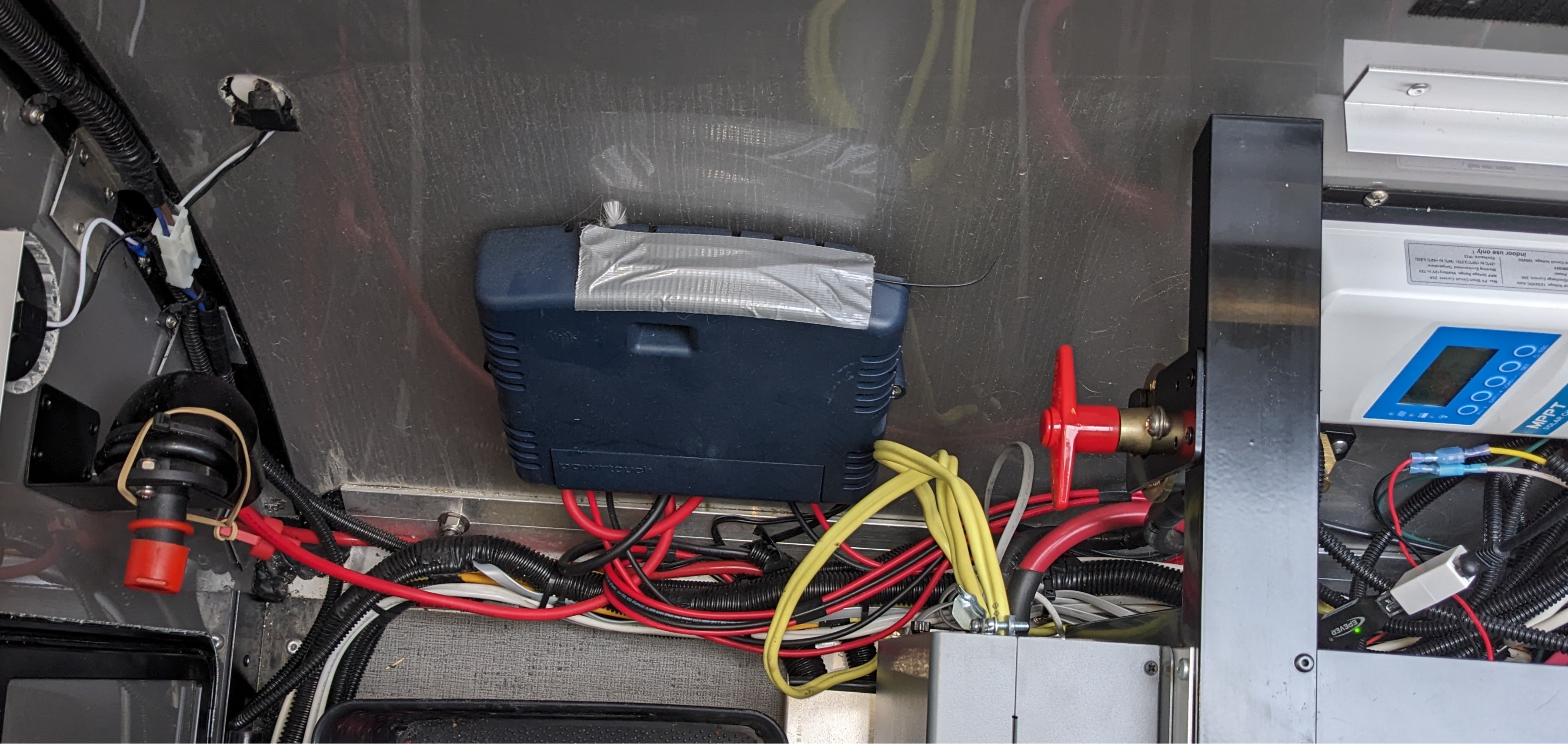
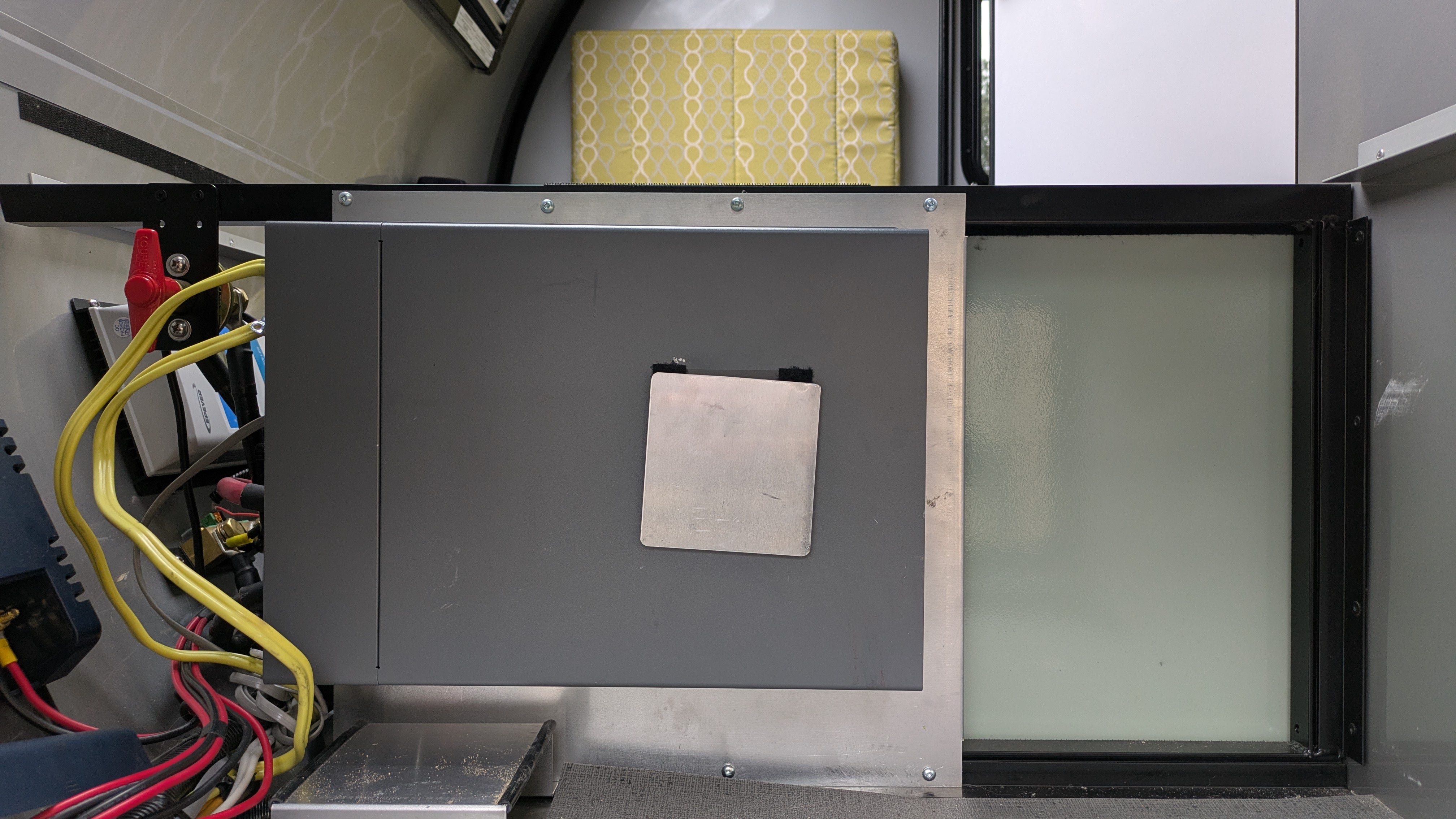
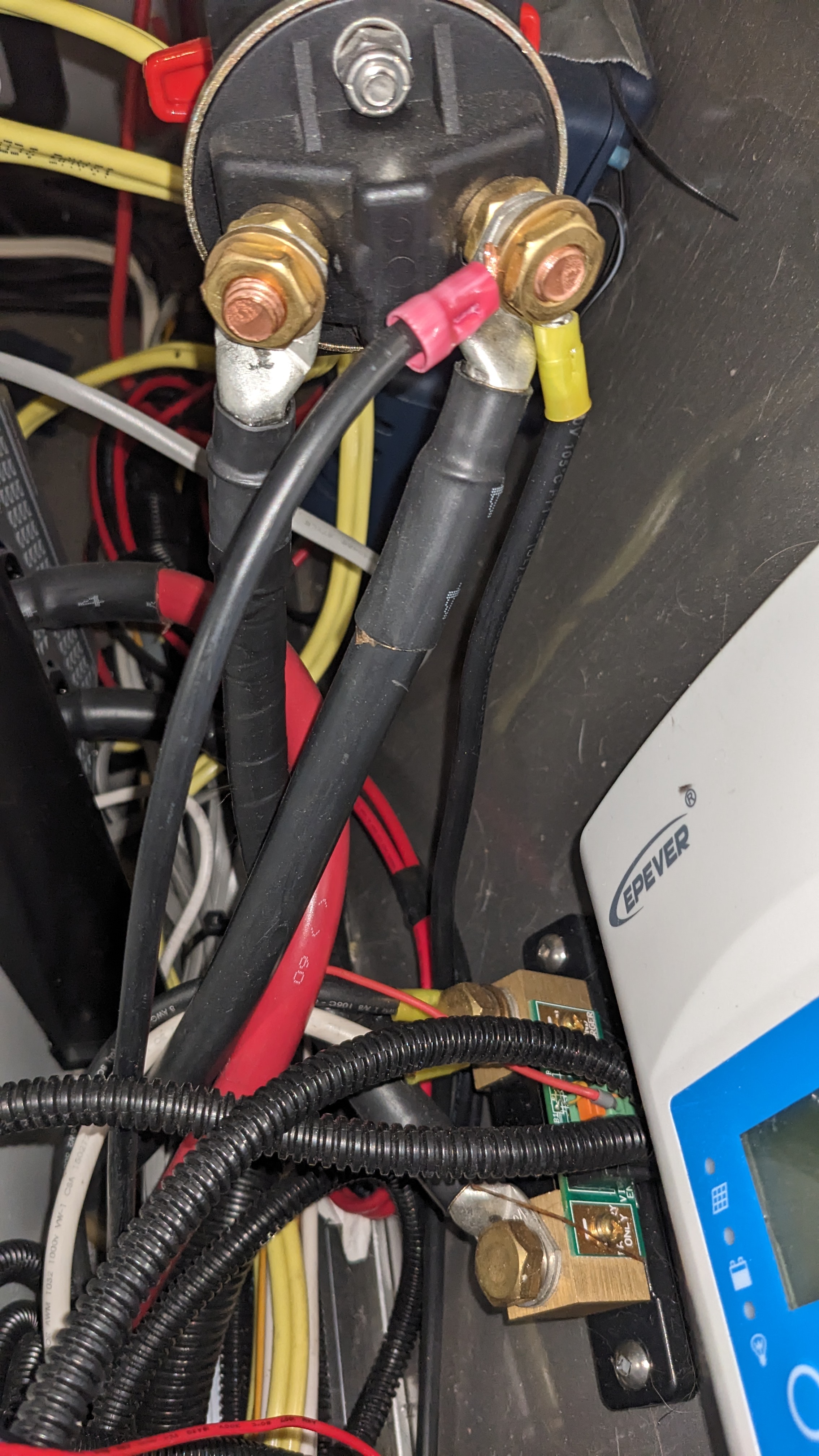
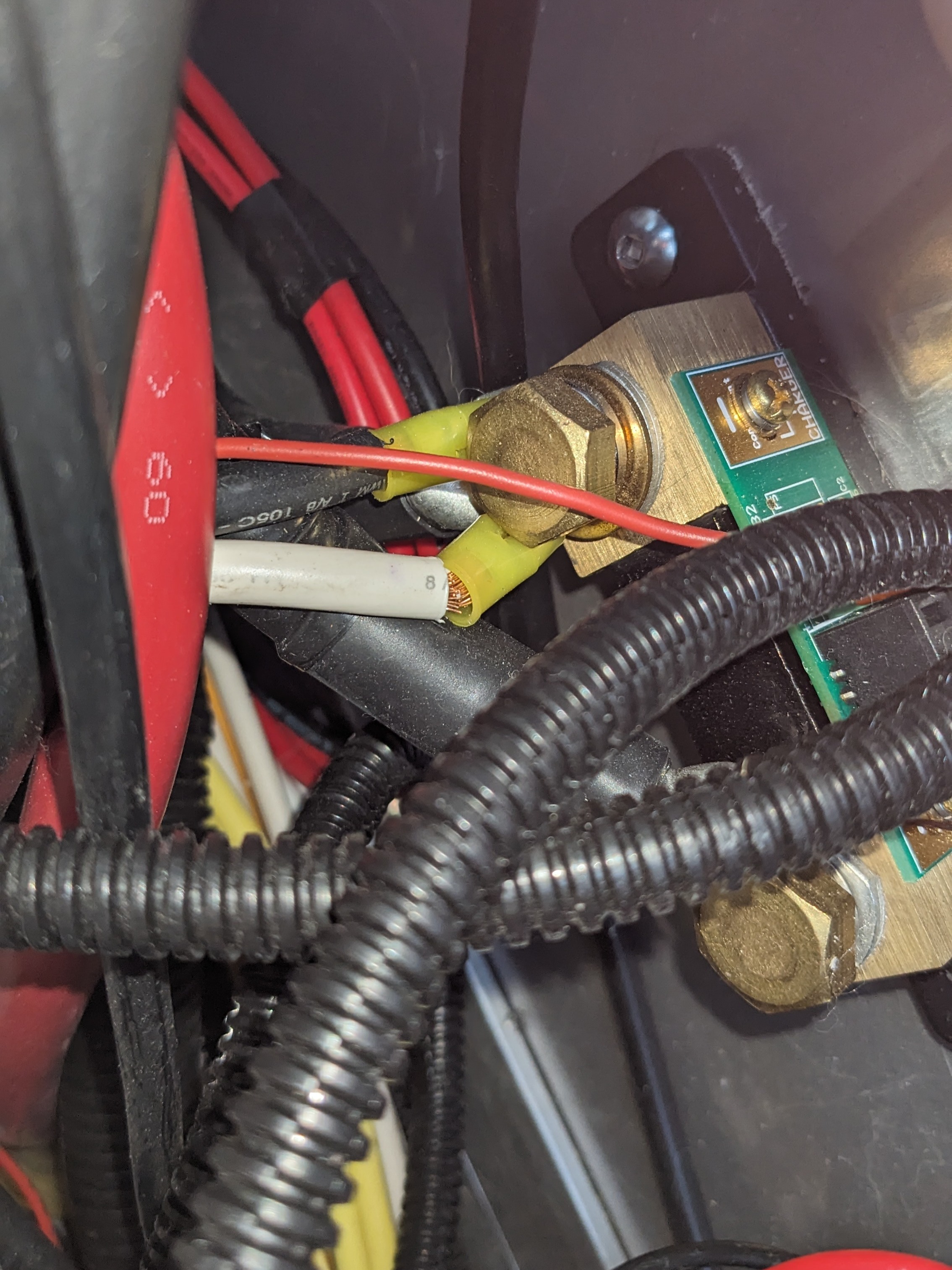

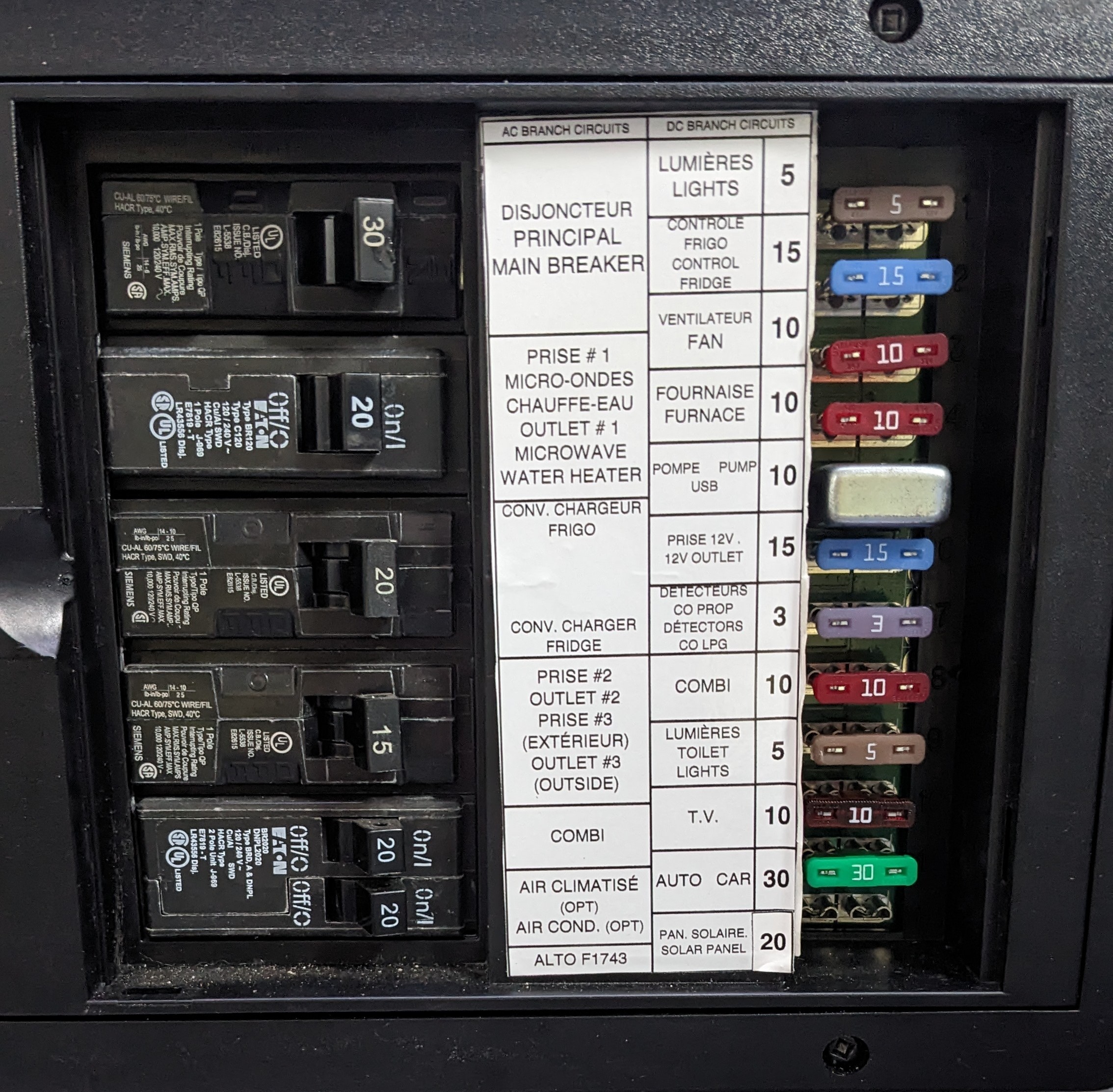
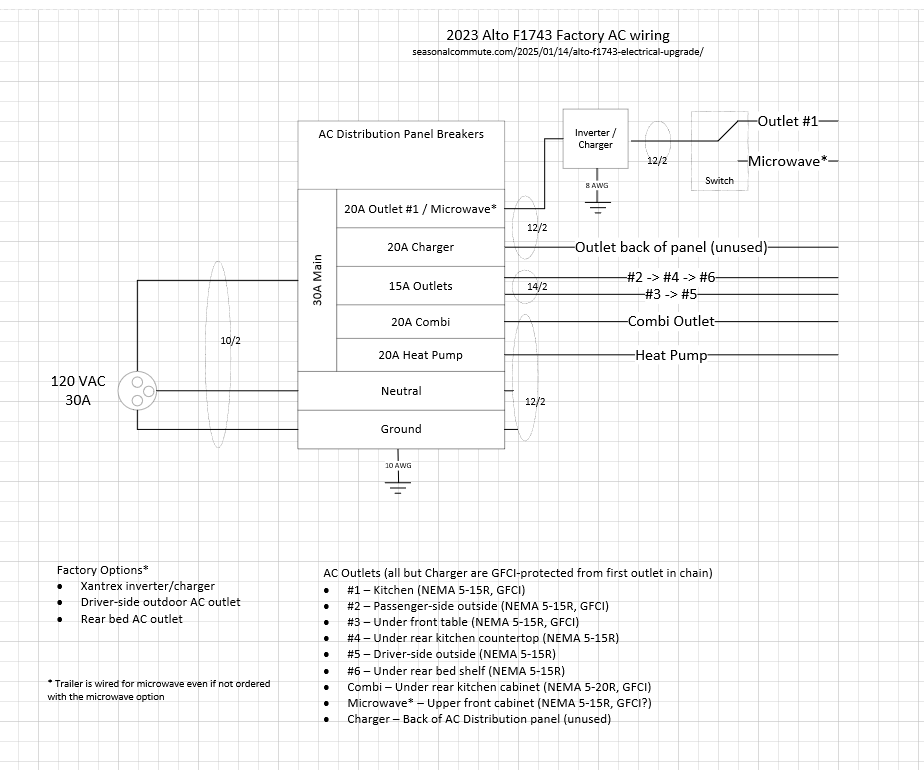
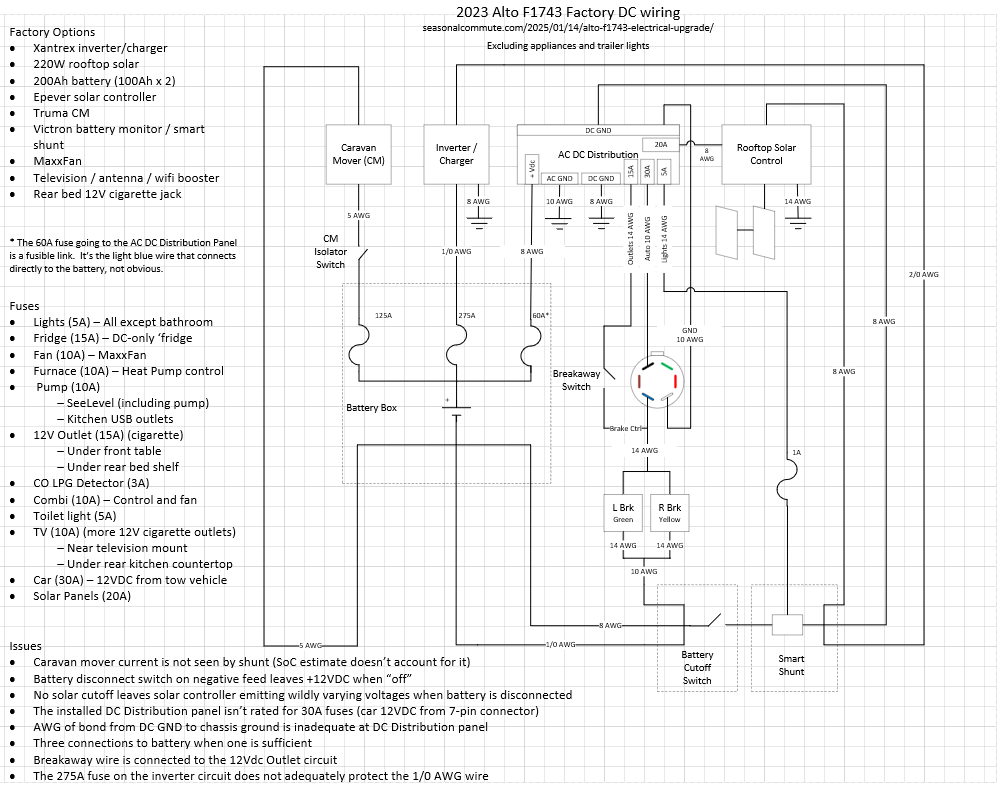


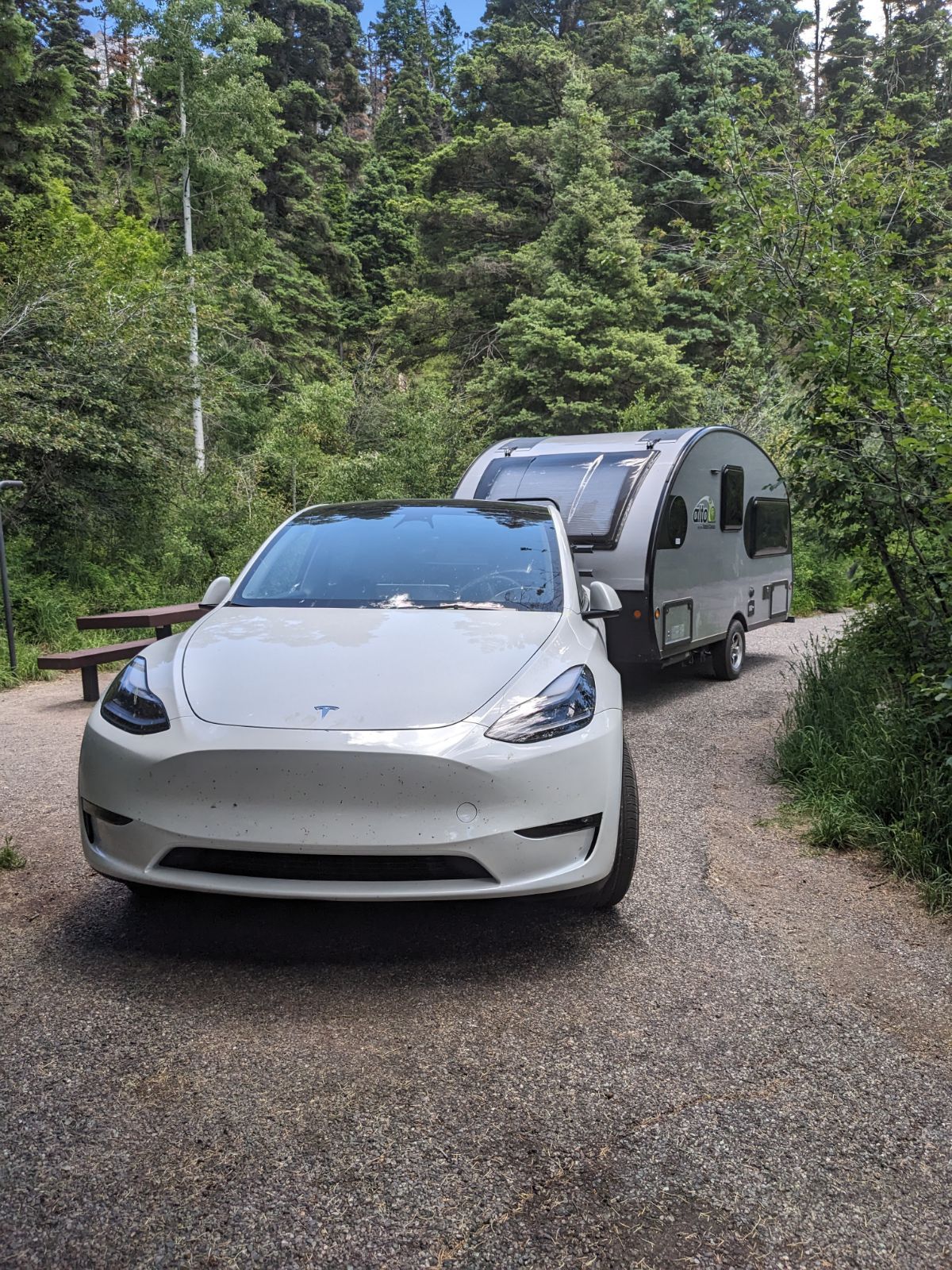
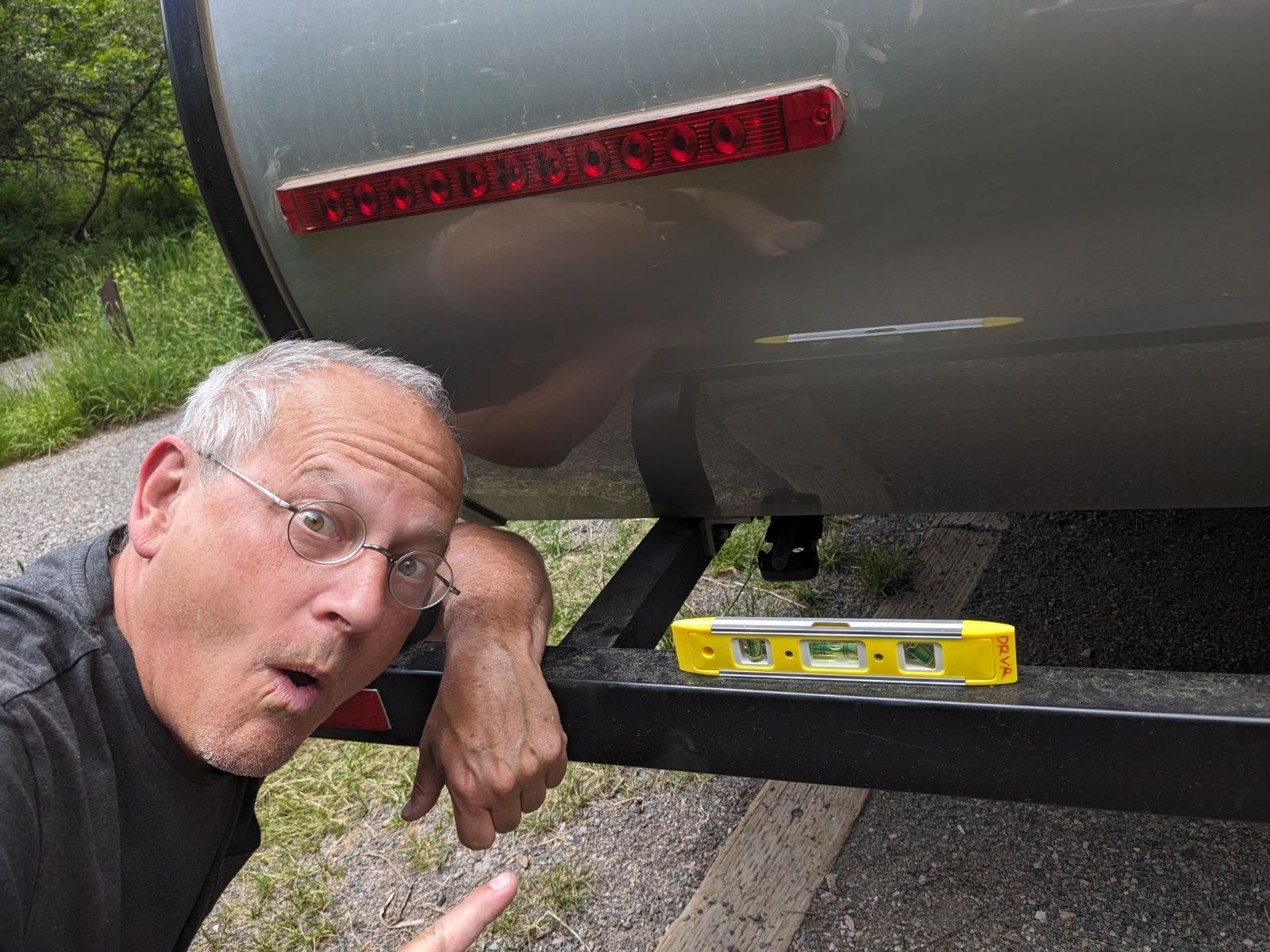


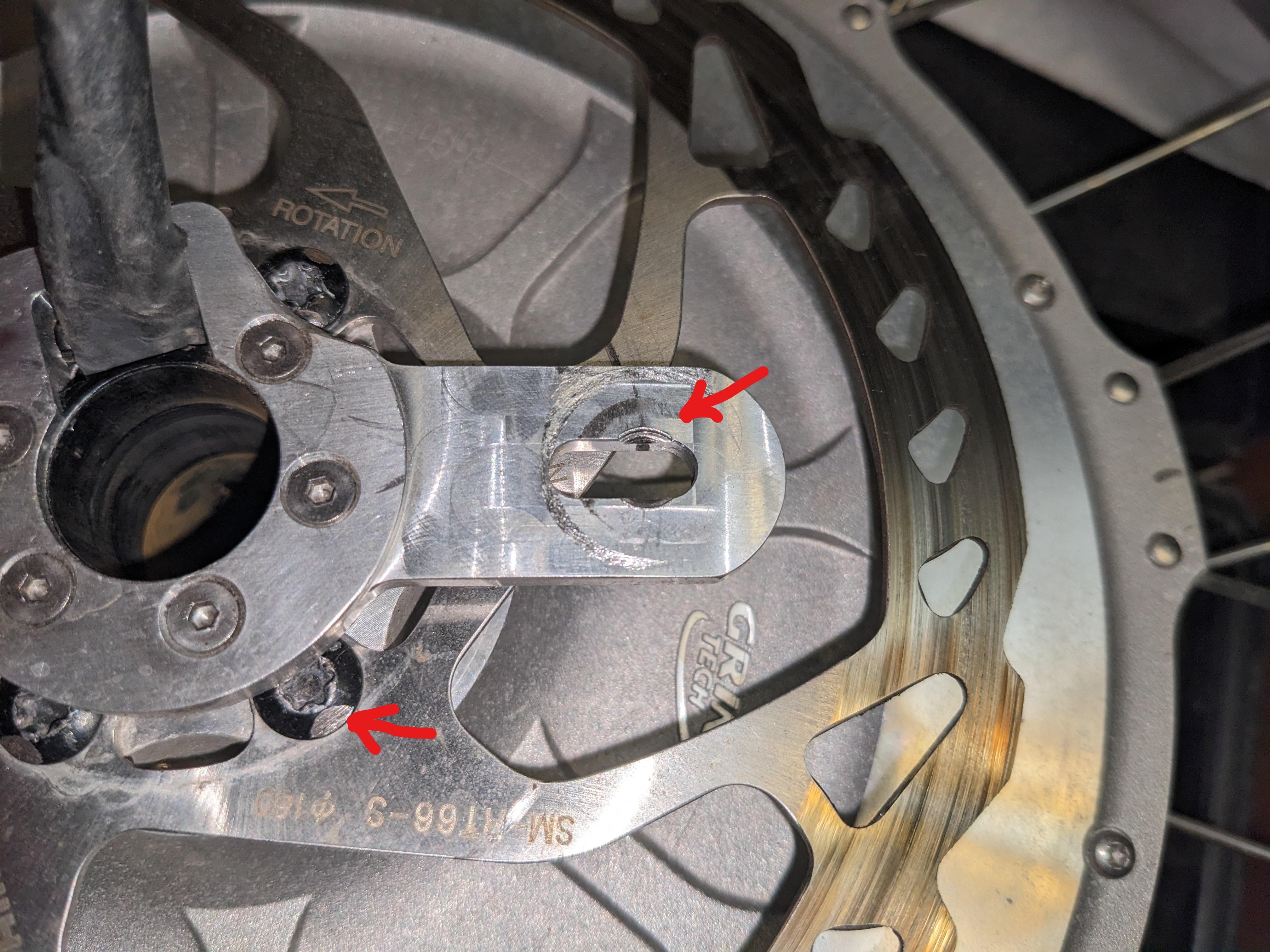



 A Seasonal Commute